Zabby - Tabby Integration for Zed
Tabby Integration for Zed. Go to the GitHub repo for documentation and setup.
How to install
With Forge Super installed, the button above opens the app on this extension, where you press Install. Nothing is installed until you do.
You can also open the Extensions panel in the app and search for Zabby - Tabby Integration for Zed . The extension's id is zabby.
Don't have Forge Super yet? Download it here.
README
From the extension's repository, written by its authors and not by Mentenaz. See the source.
Zabby
Tabby Intergration for the Zed Editor
Install
Clone this repo:
git clone https://github.com/arne-fuchs/zabby
Open Zed and go to 🍔 -> Extensions -> Install Dev Extension and select the cloned directory.
Configure
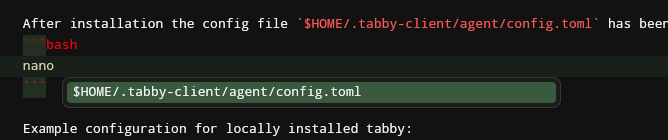
After installation the config file $HOME/.tabby-client/agent/config.toml has been generated and can be edited by the editor of your choice.
nano $HOME/.tabby-client/agent/config.toml
Here is a documentation how to configure the agent.
Example configuration for locally installed tabby:
[server]
endpoint = "http://0.0.0.0:8080"

[anonymousUsageTracking]
disable = true
Known Issues
The zed editor waits for all language servers to answer the completion request before displaying any suggestions. Having a large language model and/or a slow AI accelerator results Zed's code suggestions being hugely delayed when using this extension.
Also, only the first line is being displayed of the suggested code block, may resulting in having some code suprises when accepting the suggestion.
If the connection/authentication with tabby failes, the extension is not able to notifiy the user. If completions are missing, keep an eye on the Zabby LSP Logs in Zed.