VSCode Light+
Port of the VSCode Light+ theme to Zed
How to install
With Forge Super installed, the button above opens the app on this extension, where you press Install. Nothing is installed until you do.
You can also open the Extensions panel in the app and search for VSCode Light+. The extension's id is vscode-light-plus.
Don't have Forge Super yet? Download it here.
README
From the extension's repository, written by its authors and not by Mentenaz. See the source.
VSCode Light+ theme for Zed
Port of the Light+ (Default Light+) theme from Visual Studio Code to Zed.
| Zed | VSCode |
|---|---|
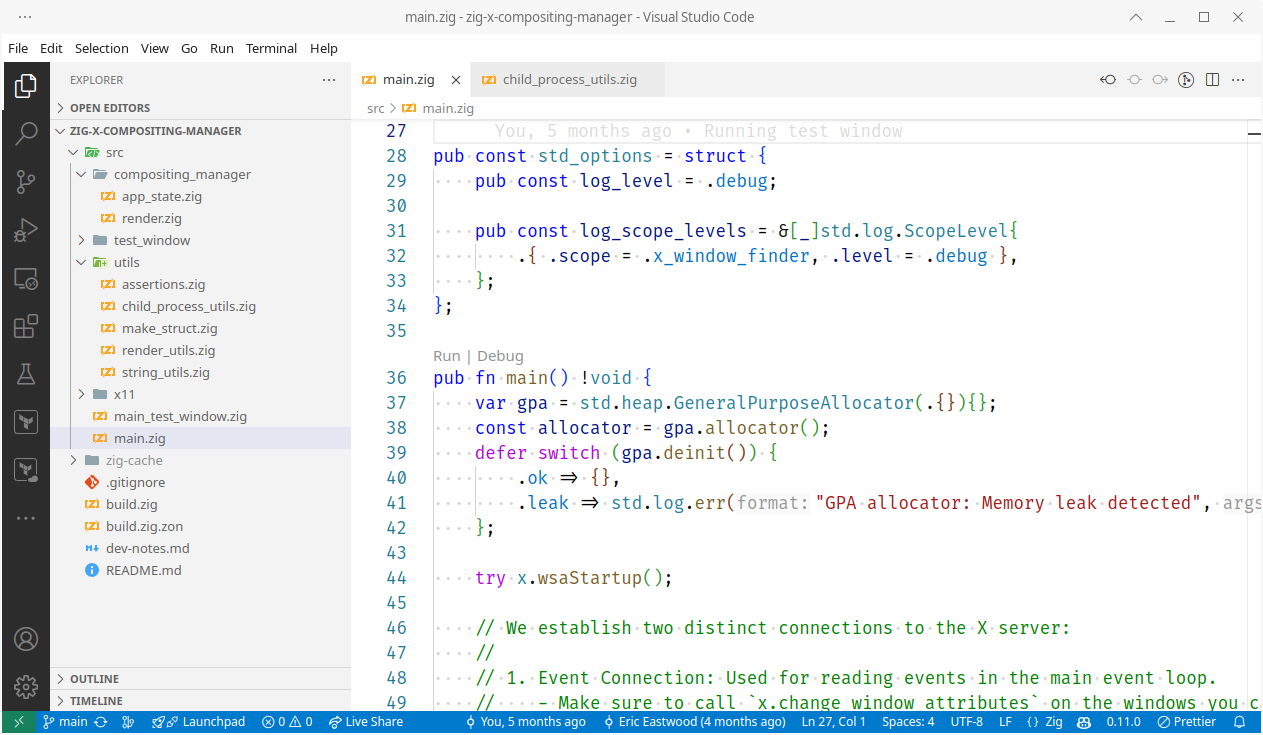 | |
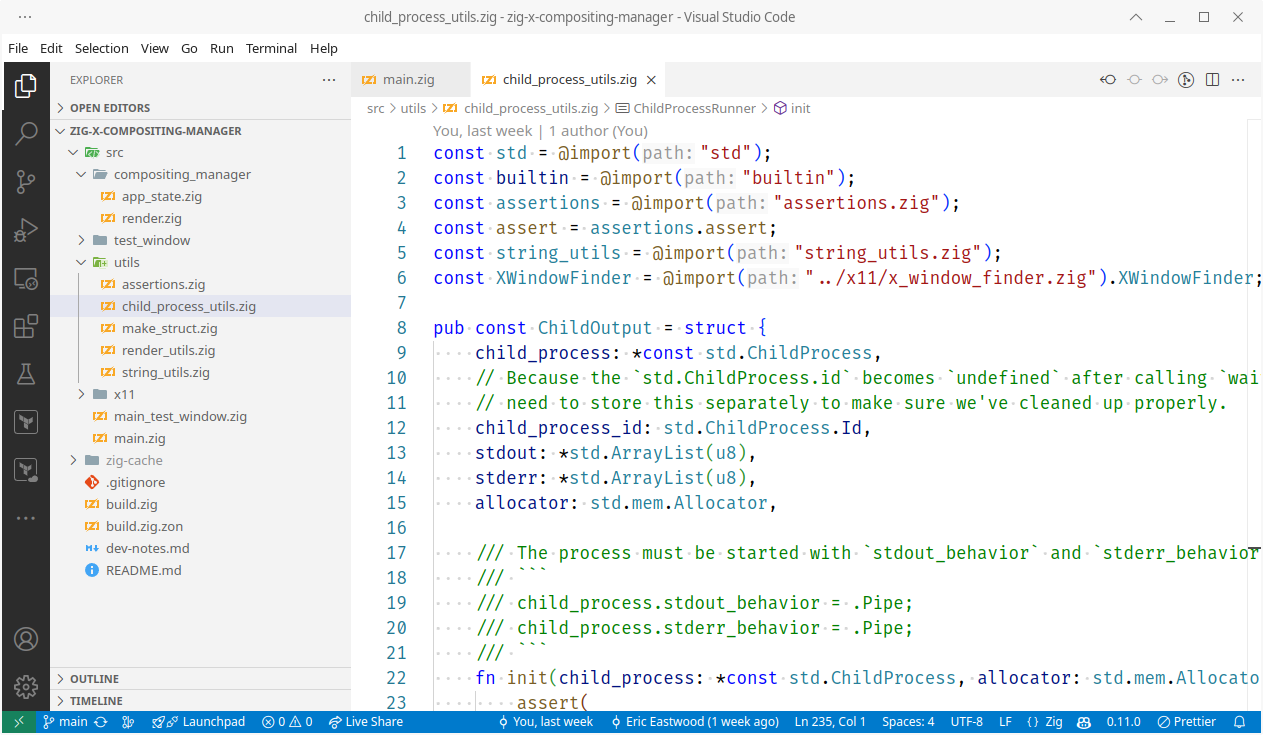 |
Installation
You can install the theme from the official Zed extension
repository: open the command palette
(Cmd+Shift+P) and run zed: extensions. Search for
VSCode Light+ and install it. Pick the theme in the theme selector with
Cmd+Shift+P -> theme selector: toggle -> VSCode Light+.
Current Limitations
Dim and washed out colors
The whole genesis of this theme port was because every light Zed theme was all dim/dull/muted and washed out (everything is grey-ish) with not enough contrast. This theme is an improvement but doesn't totally solve the problem because it seems to be a fundamental issue with how Zed handles rendering and colors (as experienced on Manjaro, arch-based Linux). See the following issues for more context:
- https://github.com/zed-industries/zed/issues/9057
- https://github.com/zed-industries/zed/issues/19100
- https://github.com/zed-industries/zed/discussions/6485#discussioncomment-4937330
- https://github.com/zed-industries/zed/issues/17890
- https://github.com/zed-industries/zed/issues/8293#issuecomment-2299761507
- https://github.com/zed-industries/zed/issues/15521
- Even the theme previews on zed-themes.com are much more vibrant because the browser is rendering things as expected.
| Zed on Linux (dim) | Zed on macOS (normal) |
|---|---|
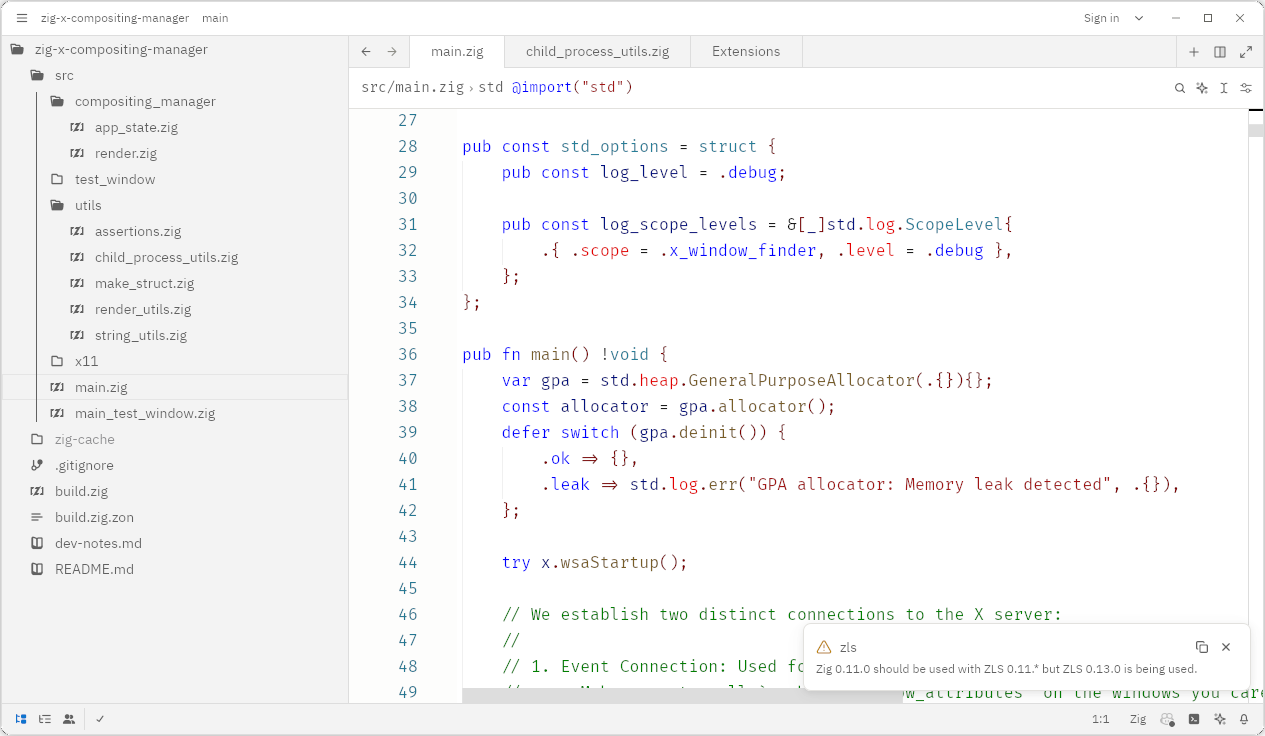 | |
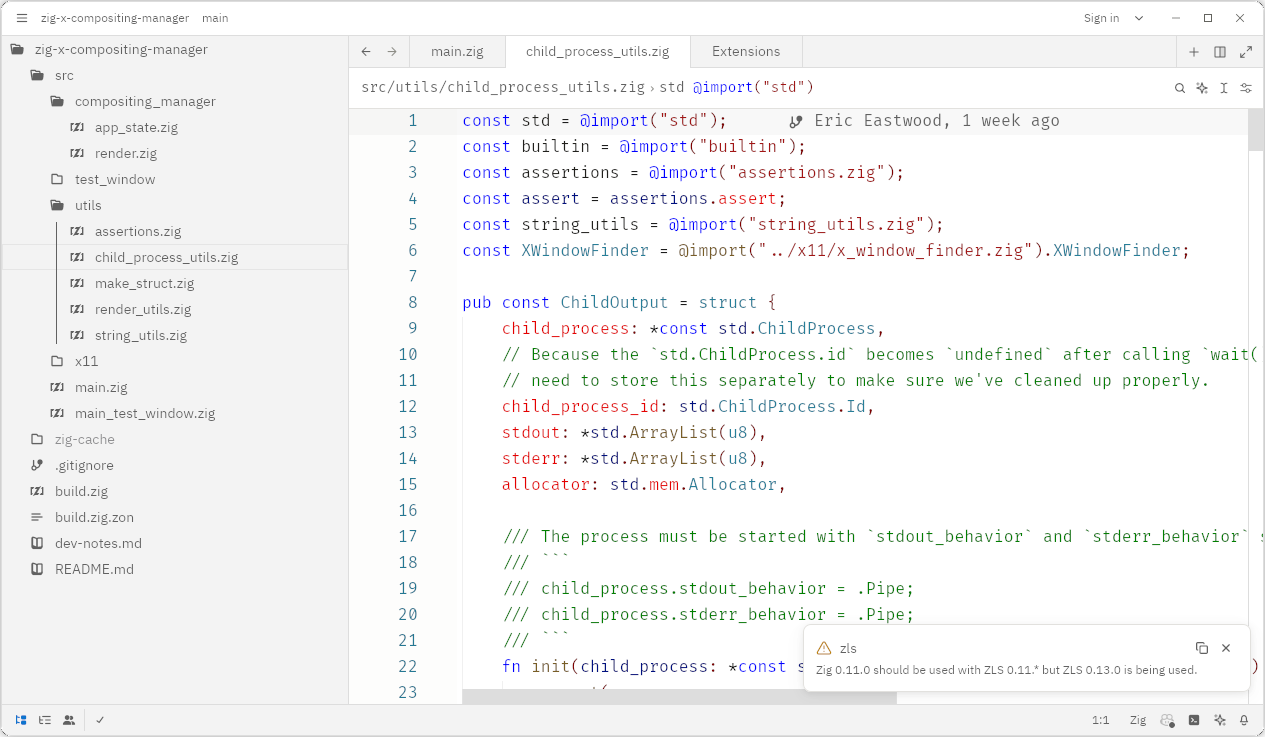 |
Syntax Highlighting
Zed's bundled highlights.scm files at
https://github.com/zed-industries/zed/tree/main/crates/languages/src often do not
define all the queries for syntax nodes needed to style the theme. This means that some
syntax nodes have different colors when compared to the original theme.
Development
As you can see if you dive into the theme file, there are plenty of things that are not filled in as I couldn't see where they were being used in Zed. Feel free to create PR's to fill in any gaps (include screenshots and context).
Also see the developer notes for more information.