VS Code 2026 Theme
VS Code 2026 inspired light and dark themes for Zed
How to install
With Forge Super installed, the button above opens the app on this extension, where you press Install. Nothing is installed until you do.
You can also open the Extensions panel in the app and search for VS Code 2026 Theme. The extension's id is vscode-2026-theme.
Don't have Forge Super yet? Download it here.
README
From the extension's repository, written by its authors and not by Mentenaz. See the source.
VS Code 2026 Theme for Zed
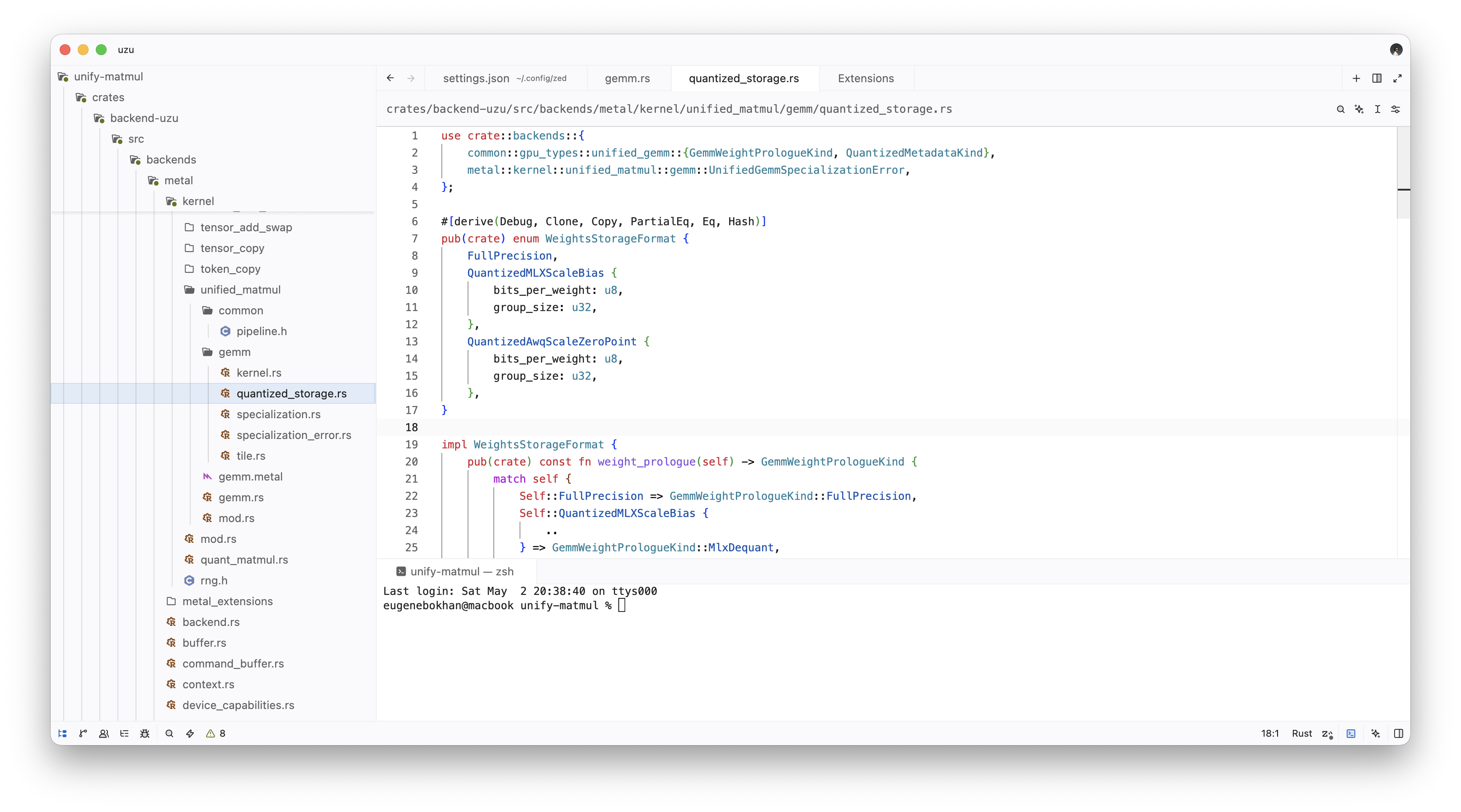
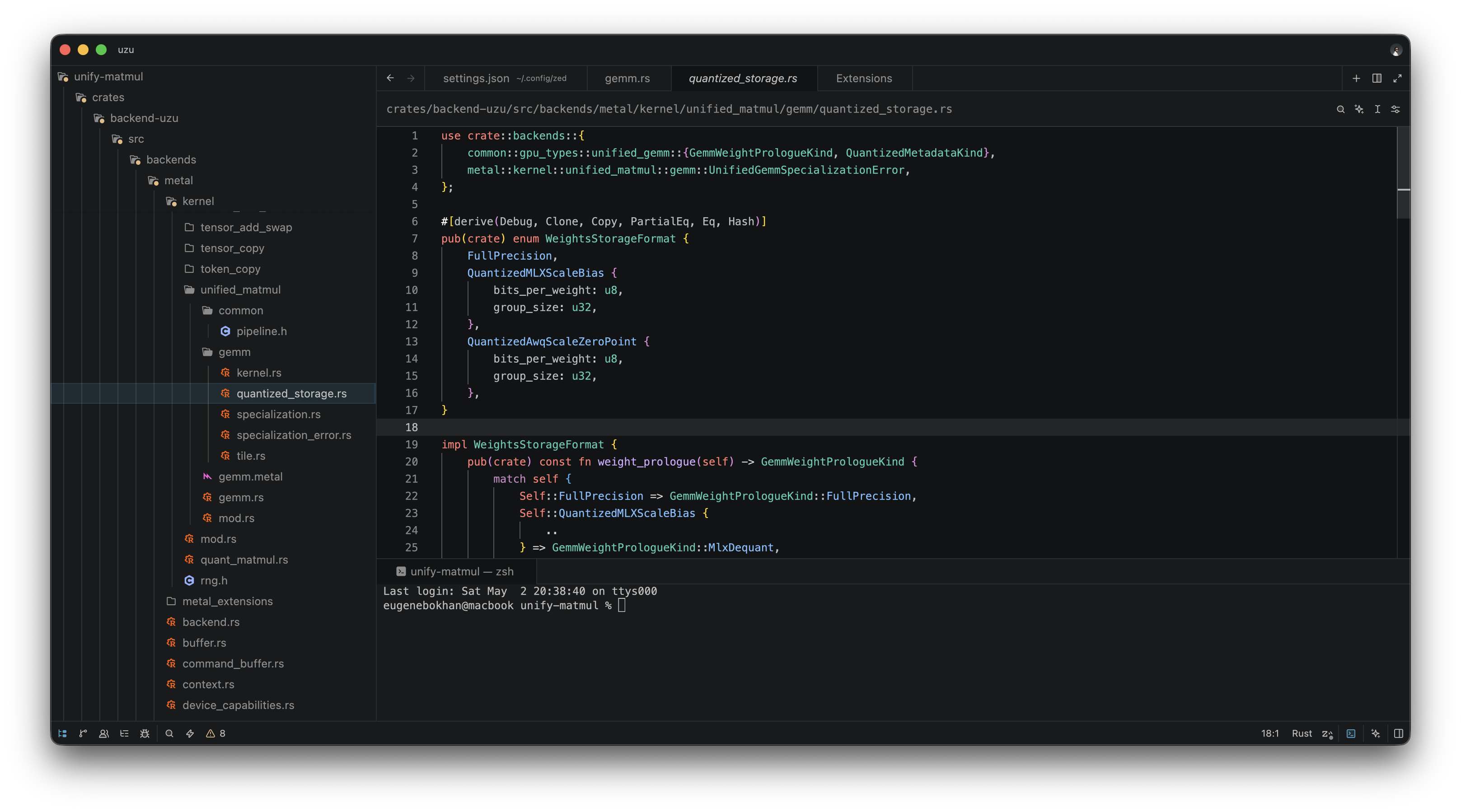
VS Code 2026 inspired light and dark themes for Zed.
Screenshot
Light
Dark
Usage
Open your Zed user settings at ~/.config/zed/settings.json, and add:
{
  "theme": {
    "mode": "system",
    "light": "VS Code Light 2026",
    "dark": "VS Code Dark 2026"
  },
  "colorize_brackets": true,
  "indent_guides": {
    "enabled": true,
    "line_width": 1,
    "active_line_width": 1,
    "coloring": "fixed",
    "background_coloring": "disabled"
  },
  "languages": {
    "Rust": {
      "semantic_tokens": "combined"
    }
  },
  "global_lsp_settings": {
    "semantic_token_rules": [
      {
        "token_type": "keyword",
        "token_modifiers": ["controlFlow"],
        "style": ["keyword.control"]
      },
      {
        "token_type": "attributeBracket"
      },
      {
        "token_type": "namespace",
        "token_modifiers": ["attribute"],
        "style": ["attribute.derive"]
      },
      {
        "token_type": "attribute",
        "token_modifiers": ["attribute"],
        "style": ["attribute.derive"]
      },
      {
        "token_type": "generic",
        "token_modifiers": ["attribute"],
        "style": ["attribute.type"]
      },
      {
        "token_type": "namespace",
        "style": ["namespace"]
      },
      {
        "token_type": "selfKeyword",
        "style": ["keyword"]
      },
      {
        "token_type": "selfTypeKeyword",
        "style": ["keyword"]
      },
      {
        "token_type": "field",
        "style": ["primary"]
      },
      {
        "token_type": "property",
        "style": ["primary"]
      },
      {
        "token_type": "enumMember",
        "token_modifiers": ["declaration"],
        "style": ["variant"]
      },
      {
        "token_type": "enumMember",
        "style": ["variant"]
      }
    ]
  }
}
Rust control-flow keywords, derive attributes, attribute punctuation, enum payload fields, module names, self, and enum member declarations/references need semantic token rules in Zed to match VS Code's rust-analyzer highlighting.
License
MIT