Veda Pro
A vivid One Dark Pro-inspired Zed theme on a deep violet-indigo background.
How to install
With Forge Super installed, the button above opens the app on this extension, where you press Install. Nothing is installed until you do.
You can also open the Extensions panel in the app and search for Veda Pro. The extension's id is veda-pro-theme.
Don't have Forge Super yet? Download it here.
README
From the extension's repository, written by its authors and not by Mentenaz. See the source.
Veda Pro
A vivid, One Dark Pro-inspired dark theme for Zed, set on a deep violet-indigo background. Built for developers who want punchy syntax highlighting against a calm, low-glare surface — with a coordinated 16-color ANSI palette so the integrated terminal matches the editor.
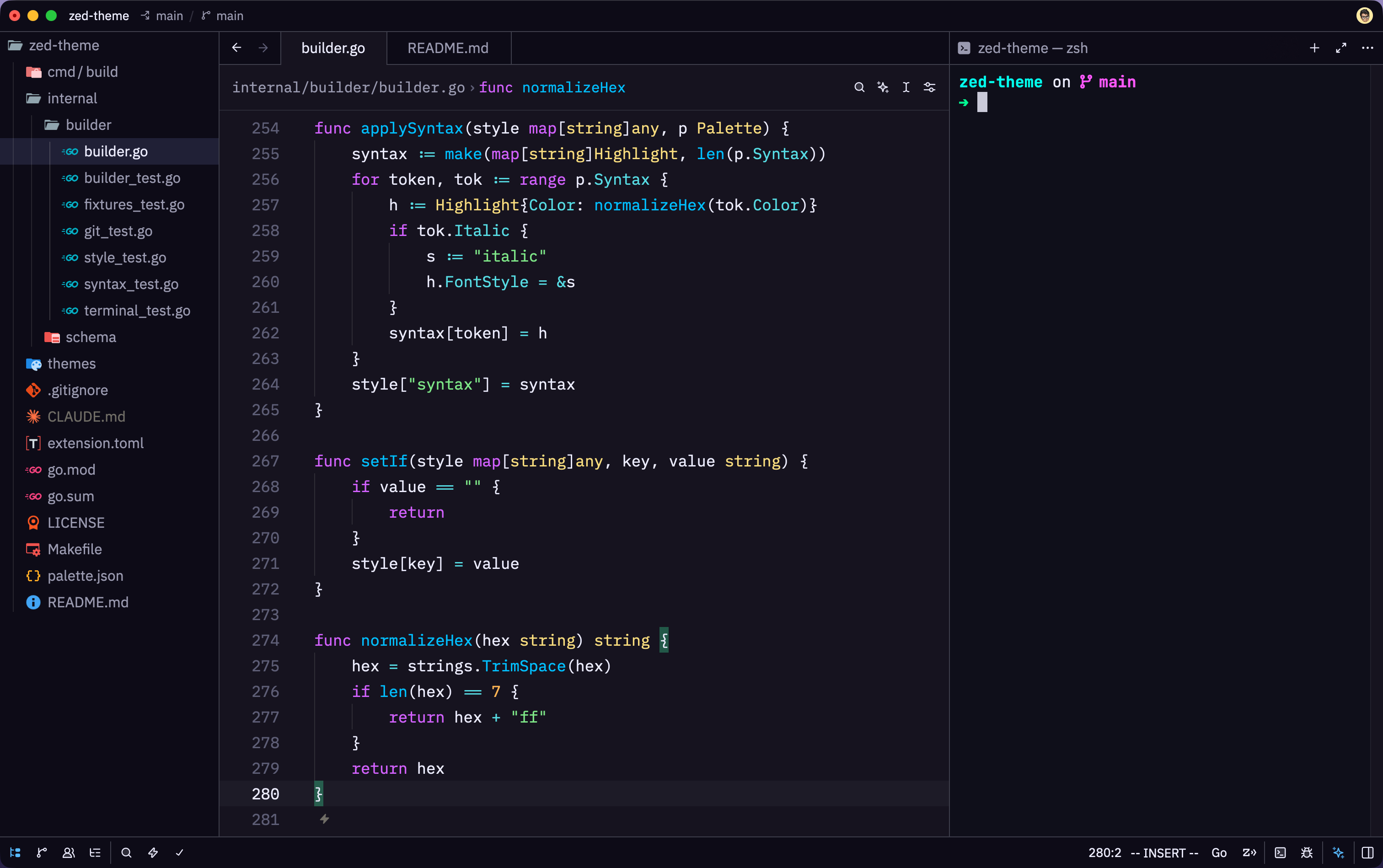
Appearance: Dark · Schema: Zed themes v0.2.0
Highlights
- Deep violet-indigo background
#15131f, with two coordinated shades for depth:#0d0b17for sidebars, panels, and popovers (editor −8 per channel) and#1d1b27for the active line and hover lifts (editor +8 per channel). - Vivid syntax — recognizable One Dark Pro hue assignments with the saturation pushed for a dark surface: purple keywords, electric-blue functions, green strings, yellow types, cyan properties and operators, orange constants.
- Italics on comments,
comment.doc,variable.special,predictive, andlink_text— the One Dark Pro convention. - Coordinated terminal — a vivid neon 16-color ANSI palette keeps the in-editor terminal visually consistent with the theme.
- Accent — vivid blue
#57B9FFfor focused borders, links, selectors, and active tab indicators.
Install
From the Zed extension registry
Open the command palette → zed: extensions, search Veda Pro, and
click Install. Then switch to it via zed: open theme selector →
Veda Pro.
Local / development install
From a clone of this repo:
zed --install-dev-extension .
Then switch to it via zed: open theme selector → Veda Pro.
Palette
UI surfaces
| Surface | Role | Hex |
|---|---|---|
| Editor background | base surface | #15131f |
| Panel / sidebar / popover | editor −8 per channel | #0d0b17 |
| Active line / hover lift | editor +8 per channel | #1d1b27 |
| Foreground | default text | #ededfe |
| Selection | text selection | #202036 |
| Cursor | muted off-white | #c9c9d8 |
| Accent | focus, links, selectors | #57B9FF |
| Terminal background | terminal surface | #0f0f1a |
| Terminal ANSI 0–15 | vivid neon ANSI palette | — |
Syntax highlighting
| Tokens | Color | Hex |
|---|---|---|
Keywords, this/self, regex, special strings | purple | #D362FF |
| Functions | electric blue | #00BFFF |
| Strings, added / diff-plus | green | #7EE787 |
| Types, enums, namespaces, constructors | yellow | #F8DC7E |
| Constants, numbers, booleans, attributes | orange | #FFB454 |
| Properties, operators, escapes | cyan | #56DCE4 |
| Tags, emphasis, removed / diff-minus | red | #FF5C6C |
| Links, titles, list markers, selectors | accent blue | #57B9FF |
| Comments (italic) | gray | #5C6370 |
| Variables, punctuation | foreground | #ededfe |
References:
- One Dark (Zed): https://github.com/zed-industries/zed/blob/main/assets/themes/one/one.json
- Zed theme schema v0.2.0: https://zed.dev/schema/themes/v0.2.0.json
Development
Veda Pro is generated. Every color in themes/veda-pro.json originates in
palette.json — never edit the generated theme file by hand. A small Go
program reads palette.json, transforms it into the Zed schema shape, and
validates the output against the v0.2.0 schema before writing it.
make test       # run the test suite (builder + schema + integration)
make build      # regenerate themes/veda-pro.json from palette.json
make            # both
To change a color: edit palette.json, then run make. The build fails if the
result doesn't validate against the Zed schema, so a green build is a passing
validation.
Project structure
veda-pro-zed/
├── extension.toml          # Zed extension manifest
├── palette.json            # semantic source of truth (edit this)
├── themes/veda-pro.json    # generated artifact (do not edit)
├── preview.png             # screenshot used in this README
├── cmd/build/              # Go program: palette → theme + validate
├── internal/builder/       # palette → ThemeFamily transformer
├── internal/schema/        # vendored v0.2.0 schema + validator
├── README.md
├── LICENSE
└── Makefile
License
MIT © 2026 Manikandan