Tera
Support for the Tera templating language.
How to install
With Forge Super installed, the button above opens the app on this extension, where you press Install. Nothing is installed until you do.
You can also open the Extensions panel in the app and search for Tera. The extension's id is tera.
Don't have Forge Super yet? Download it here.
README
From the extension's repository, written by its authors and not by Mentenaz. See the source.
zed-tera
Zed extension for the Tera templating language.
[!TIP] See also Tera extensions for other editors:
- Helix and Neovim: uncenter/tree-sitter-tera
- Visual Studio Code: uncenter/vscode-tera
- Sublime Text: MuntasirSZN/sublime-tera
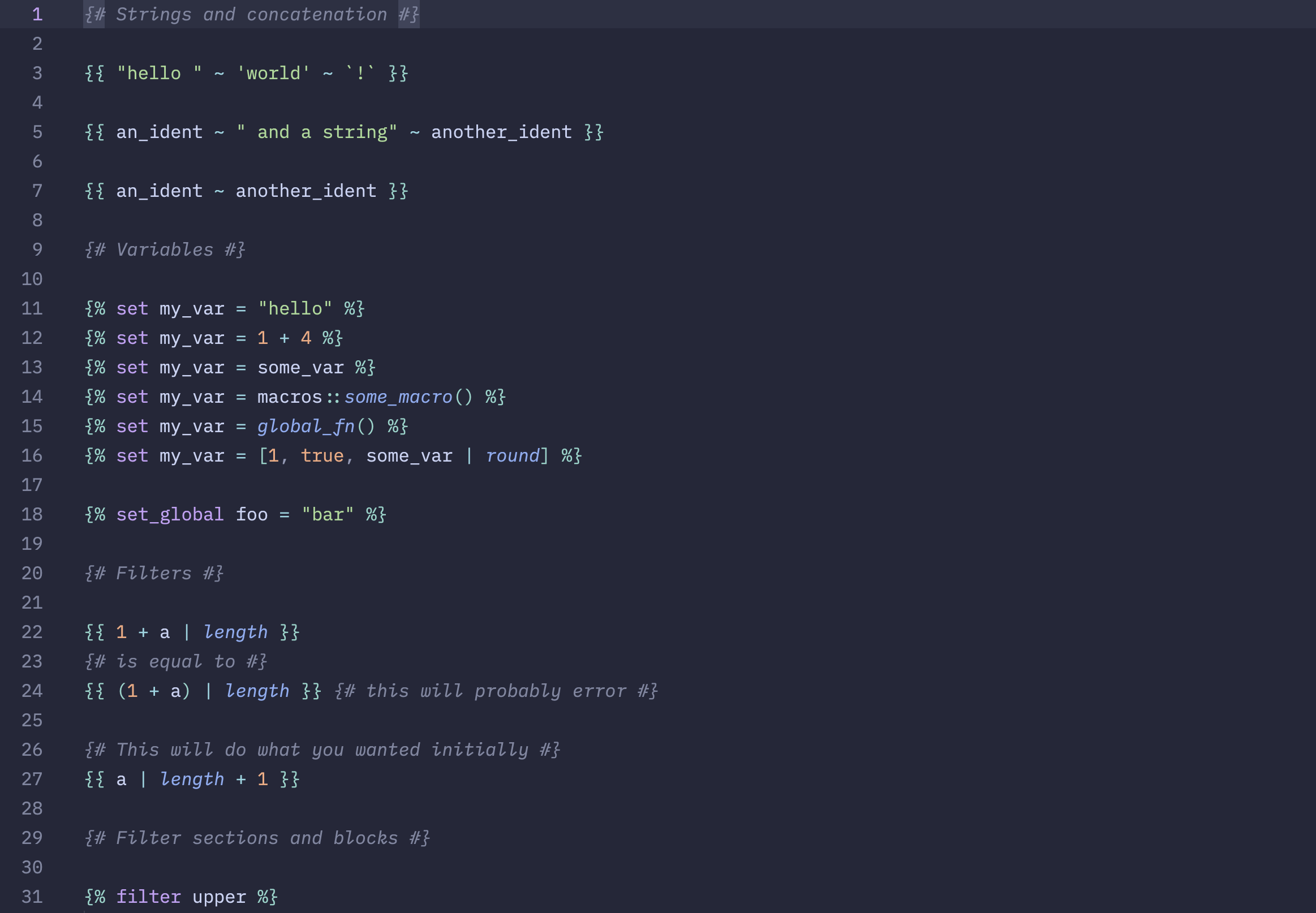
Zed with zed-tera. Screenshot taken with the catppuccin/zed theme.
Installation
- Open
zed: extensionsin the command palette (Cmd+Shift+X). - Search for the "Tera" extension.
- Click install.
Usage
Embedded/injected language support
This extension automatically injects highlighting for "content" within Tera files based on the file extension. To highlight a Tera template for JSON, use the *.json.tera extension. Similarly, you can use *.css.tera, *.html.tera, *.toml.tera, *.yaml.tera, and *.xml.tera for CSS, HTML, TOML, YAML, and XML respectively (please open an issue if you need support for another language).
Default to HTML highlighting of content
If you want all .tera files to highlight surrounding content as HTML (without having to use the .html.tera extension), you can add the following to your project or user config:
{
  "file_types": {
    "Tera (HTML)": ["tera"]
  }
}
Use a different file extension with Tera syntax highlighting
If you work in a project with Tera templates that don't use the .tera file extension (such as .html files using Tera syntax), consider adding the following to the .zed/settings.json file in your project.
{
  "file_types": {
    "Tera (HTML)": ["html"]
  }
}
This sets the file type for .html files to Tera (HTML), which will highlight the content as HTML.