Sublime Mariana Theme
Theme for Zed Editor that imitates Sublime Text 4's Mariana colour scheme.
How to install
With Forge Super installed, the button above opens the app on this extension, where you press Install. Nothing is installed until you do.
You can also open the Extensions panel in the app and search for Sublime Mariana Theme. The extension's id is sublime-mariana-theme.
Don't have Forge Super yet? Download it here.
README
From the extension's repository, written by its authors and not by Mentenaz. See the source.

Sublime Mariana theme for Zed editor
Sublime Text 4's Mariana theme to Zed Editor. Skips cursive and italic fonts entirely.
Installation and usage
First, install Sublime Mariana via extenstion's manager:
Go→Command Palette...(⌘⇧P) → zed:extensions (or use hotkeys⌘⇧X)- Select
Sublime Mariana Themeand pressInstall.
To enable:
Go→Command Palette...(⌘⇧P) → theme selector:toggle (or use hotkeys⌘K ⌘T)- Select
Sublime Mariana(dark) orSublime Breakers(light)
Variations
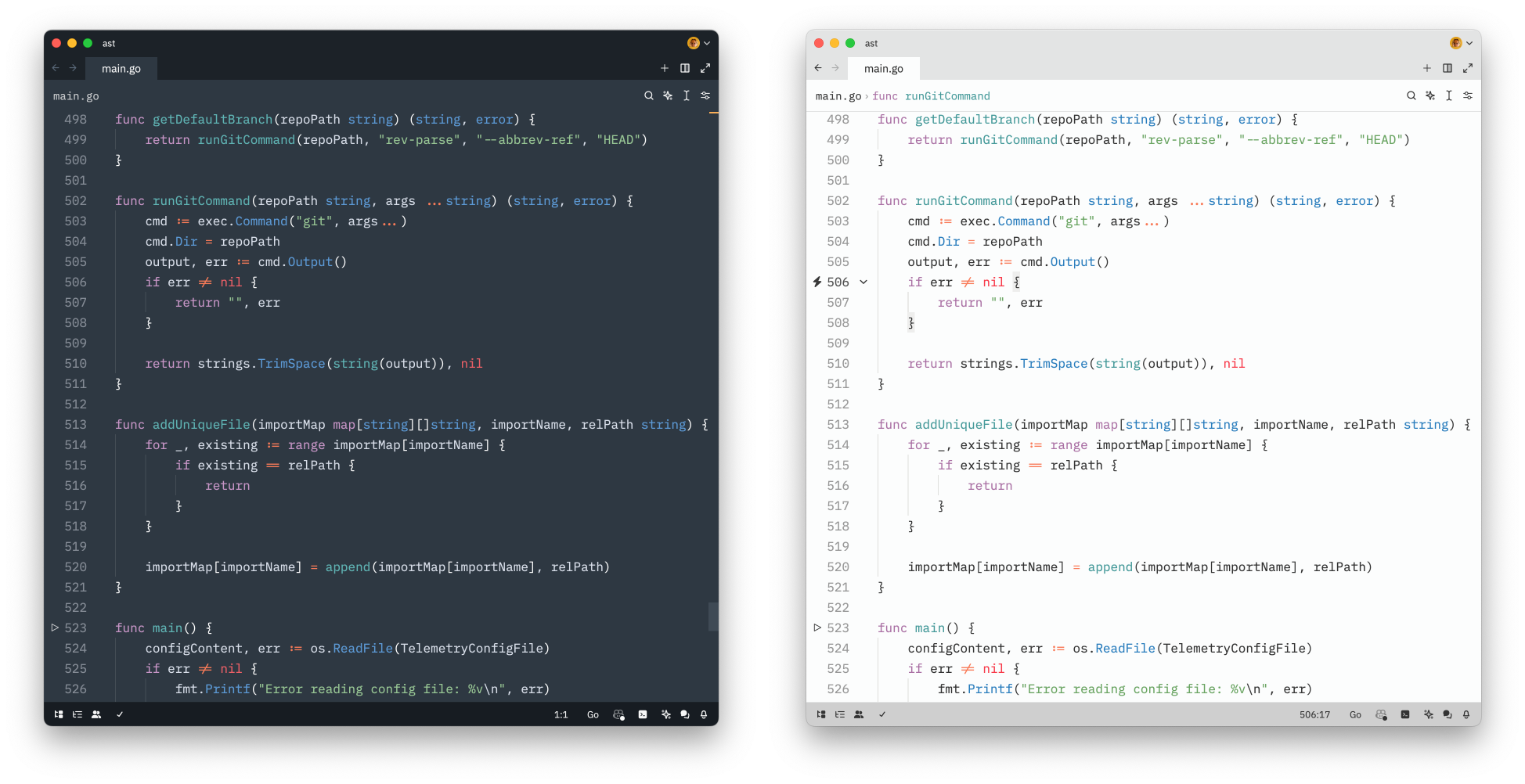
Comes in two versions: Mariana and Mariana Breakers, close to the original Sublime Text version.
Inspiration
License
Made by a human being, not LLM.
Copyright © 2024 Roman Hnatiuk
Licensed under MIT.