SnowFox Theme
SnowFox is a cool and warm theme for Zed Editor inspired by the serene beauty of snow and the vibrant energy of foxes.
How to install
With Forge Super installed, the button above opens the app on this extension, where you press Install. Nothing is installed until you do.
You can also open the Extensions panel in the app and search for SnowFox Theme. The extension's id is snow-fox-theme.
Don't have Forge Super yet? Download it here.
README
From the extension's repository, written by its authors and not by Mentenaz. See the source.
SnowFox Theme
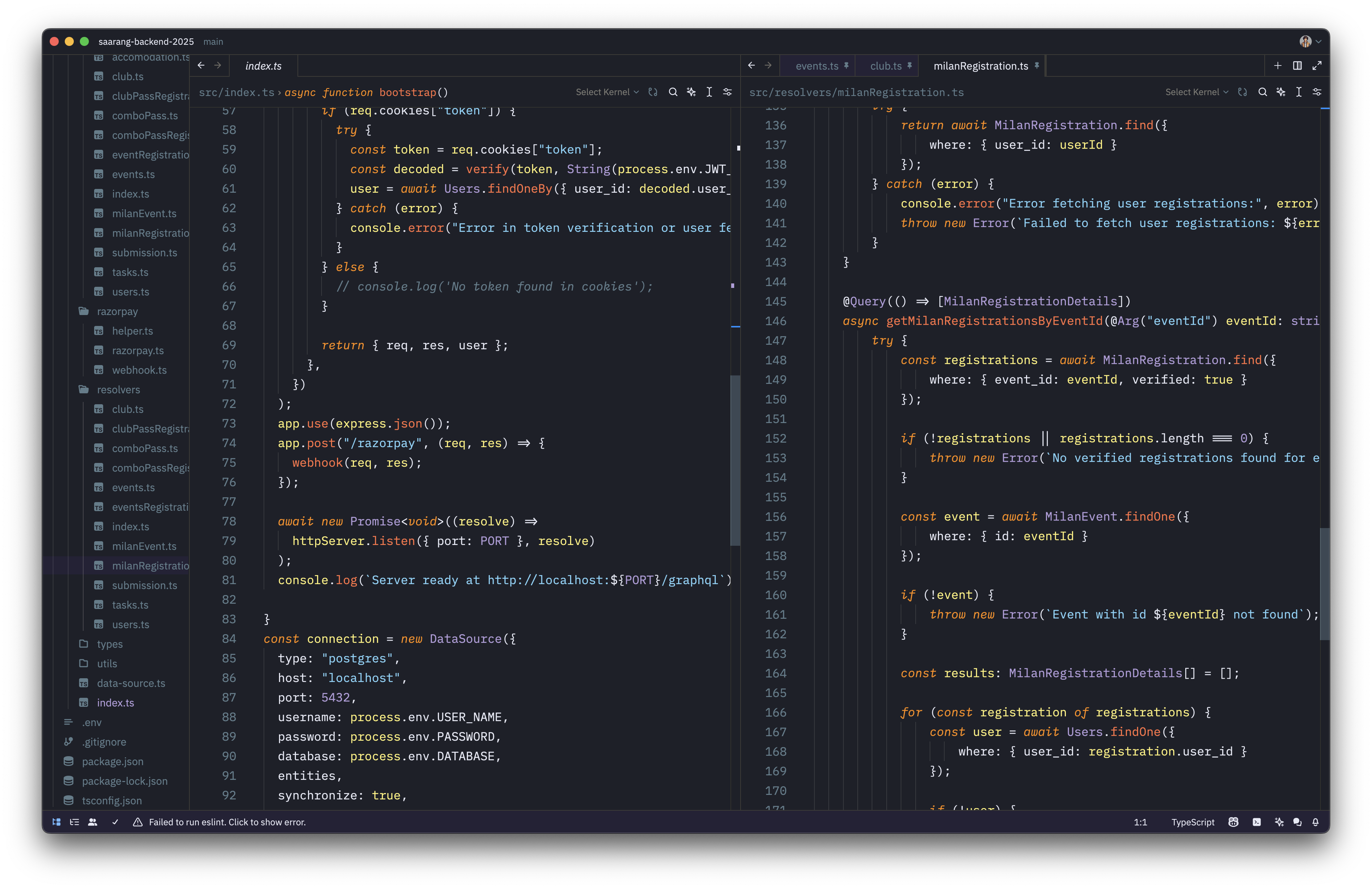
SnowFox is a cool and warm theme for Zed Editor inspired by the serene beauty of snow and the vibrant energy of foxes. It provides a visually appealing coding environment with a dark background and vibrant syntax highlighting.
Features
- Dark Background: Gentle on the eyes during long coding sessions.
- Vibrant Syntax Highlighting: Distinct colors for different code elements to enhance readability.
- Inspired Design: Combines the tranquility of snow with the energy of foxes.
Theme Details
The theme utilizes a combination of cool blues and warm oranges to create a balanced and aesthetically pleasing coding environment.
Color Palette Highlights
- Background:
#1E2029(Dark Slate) - Foreground Text:
#E8EAF6(Light Lavender) - Comments:
#607D8B(Blue Grey, italicized) - Keywords:
#FF8C00(Dark Orange, italicized) - Strings:
#81D4FA(Light Blue) - Functions:
#FF7043(Coral) - Variables:
#FFF176(Light Yellow) - Constants and Types:
#B39DDB(Soft Purple)
Contributing
Contributions are welcome! If you have suggestions or find any issues, please open an issue or submit a pull request.
License
This project is licensed under the MIT License.