Rosé Pine Recast
The VSCode Rosé Pine syntax mapping, recast for Zed — canonical palette, reworked token scopes, italics removed.
How to install
With Forge Super installed, the button above opens the app on this extension, where you press Install. Nothing is installed until you do.
You can also open the Extensions panel in the app and search for Rosé Pine Recast. The extension's id is rose-pine-recast-theme.
Don't have Forge Super yet? Download it here.
README
From the extension's repository, written by its authors and not by Mentenaz. See the source.
About
This is not the official Zed theme with italics switched off. It ports the syntax token-to-color mapping from the VSCode Rosé Pine theme to Zed — which scopes colors differently from the official Zed port (over 20 token scopes remapped, several defined that the Zed port doesn't) — and removes italics from code (retained only on markdown emphasis and AI ghost text). The canonical Rosé Pine palette is unchanged: the Rosé Pine name credits the palette, and Recast marks the reworked syntax mapping.
Because it's a different syntax design rather than a toggle, it ships as a standalone theme alongside — not a replacement for — the official Rosé Pine for Zed.
Usage
- Install the Rosé Pine Recast extension from Zed extensions
- Select your desired variant from the theme selection menu
Variants
- Rosé Pine Recast
- Rosé Pine Recast Moon
- Rosé Pine Recast Dawn
Gallery
Rosé Pine Recast
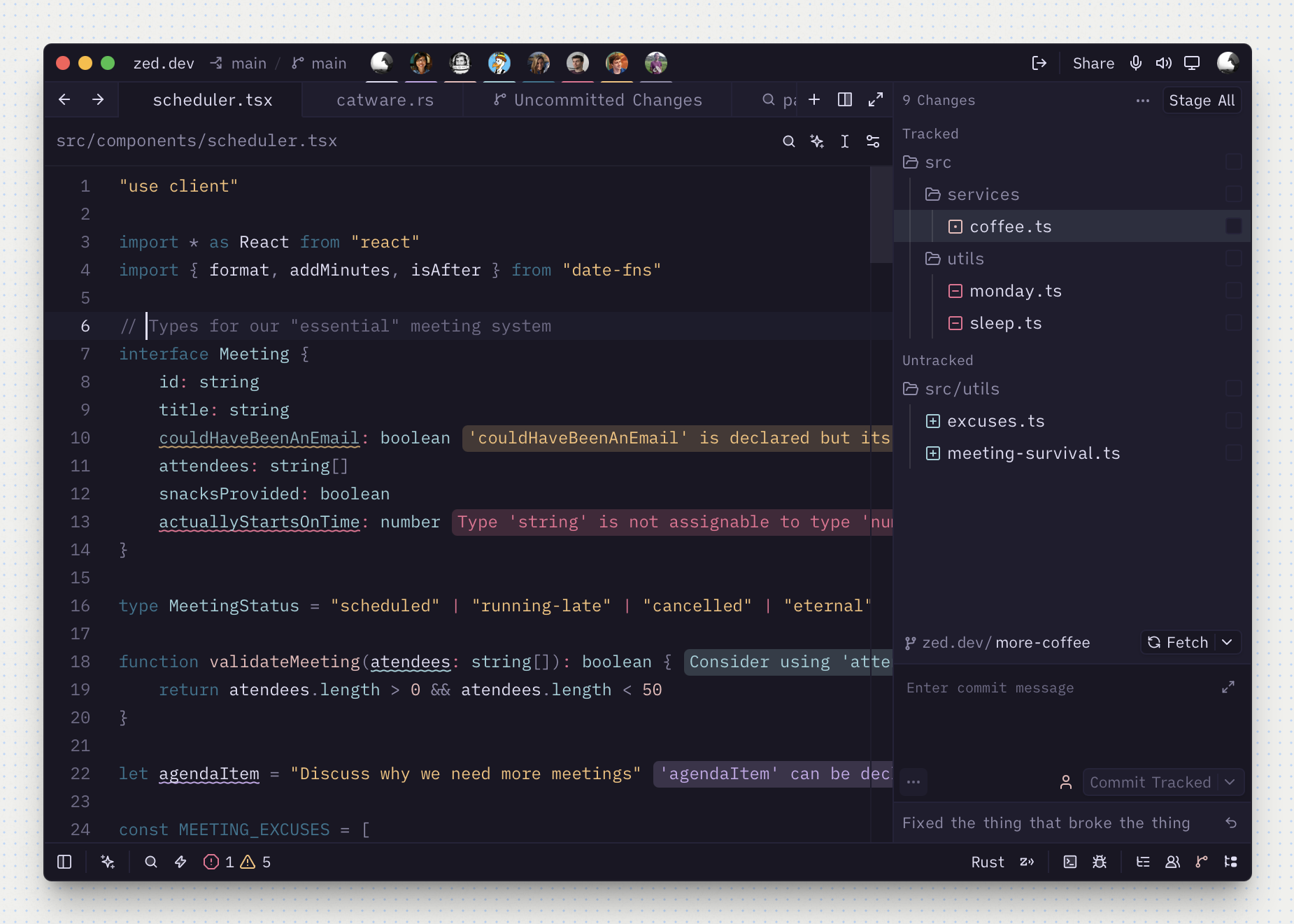
Rosé Pine Recast Moon
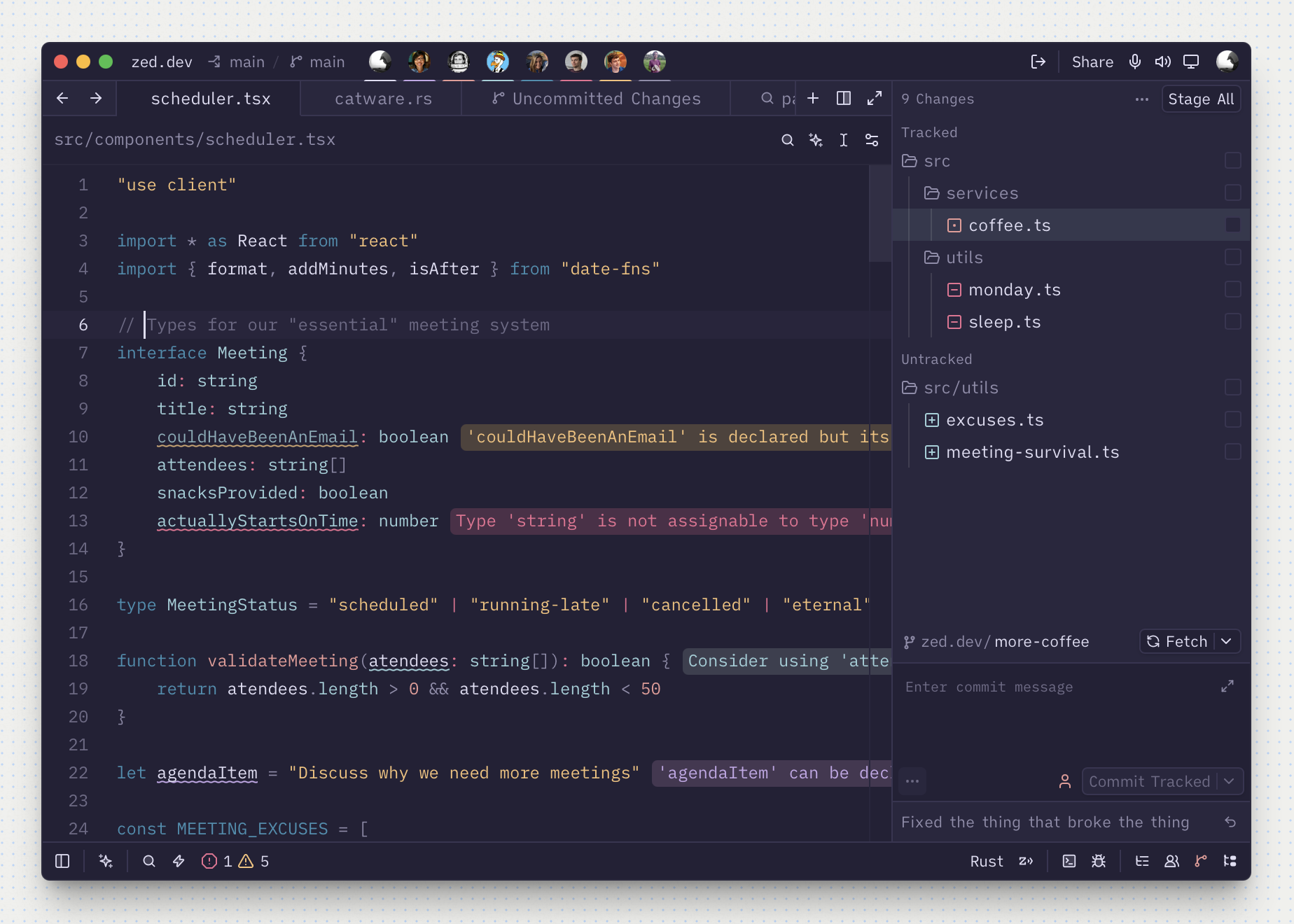
Rosé Pine Recast Dawn
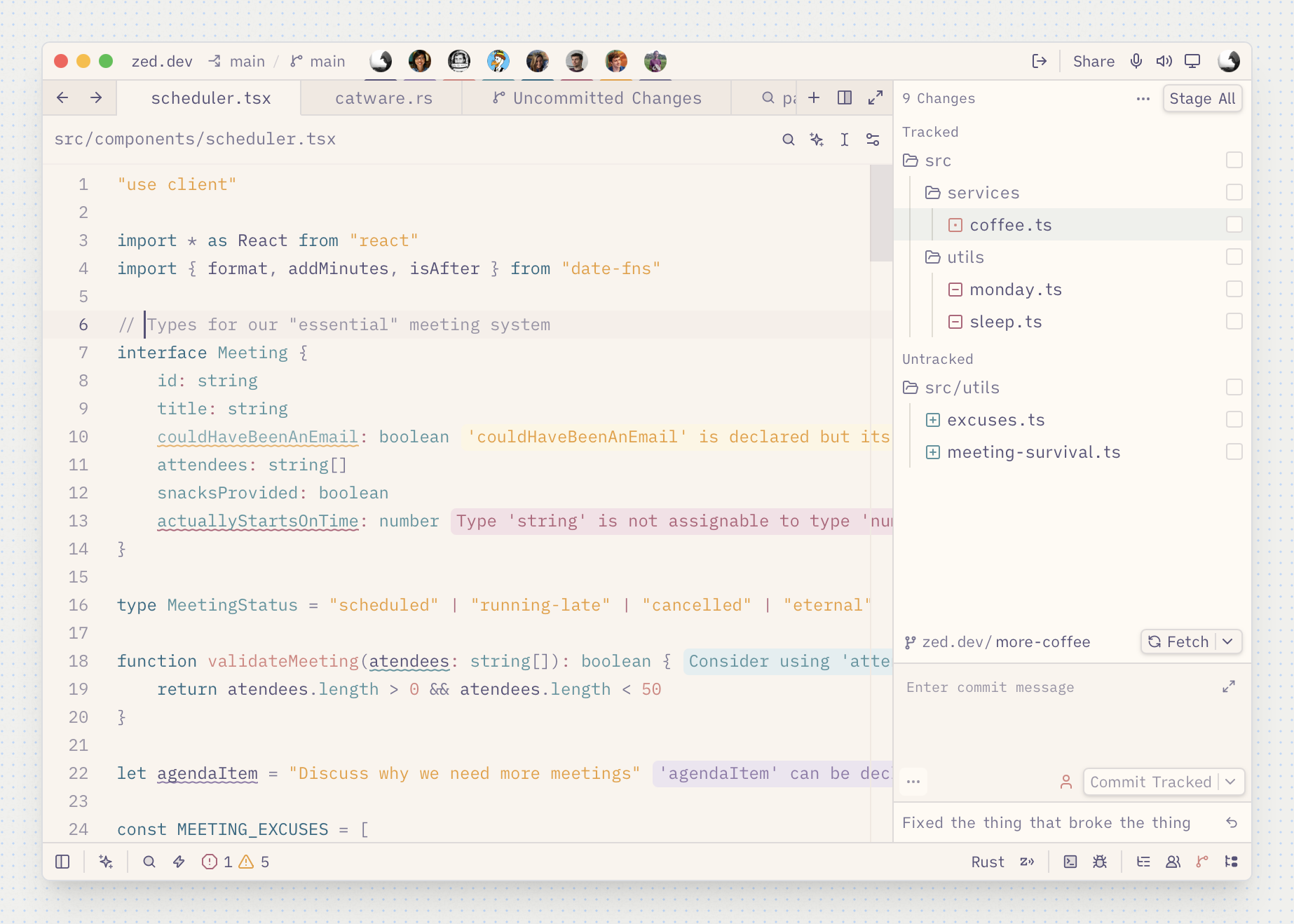
Credits
Built on the canonical Rosé Pine palette, with the syntax-color mapping ported from the VSCode Rosé Pine theme. Inspired by the official Rosé Pine for Zed theme. The italic removal and any further tweaks are specific to this variant.