Patina
Warm, muted theme with earthy tones. Teal oxidation and amber warmth. Includes Dark, Dark Soft, Moss, Light, Lichen, and Stellar variants.
How to install
With Forge Super installed, the button above opens the app on this extension, where you press Install. Nothing is installed until you do.
You can also open the Extensions panel in the app and search for Patina. The extension's id is patina-theme.
Don't have Forge Super yet? Download it here.
README
From the extension's repository, written by its authors and not by Mentenaz. See the source.
Patina
A warm, muted color theme inspired by oxidized copper. Teal verdigris meets amber warmth on deep, quiet backgrounds.
Variants
| Variant | Background | Character |
|---|---|---|
| Patina Dark | #121212 | Full contrast, deep black |
| Patina Dark Soft | #1a1a1a | Reduced contrast, gentler on eyes |
| Patina Moss | #20231f | Dark, moss-tinted ground |
| Patina Light | #ddd7c4 | Warm parchment |
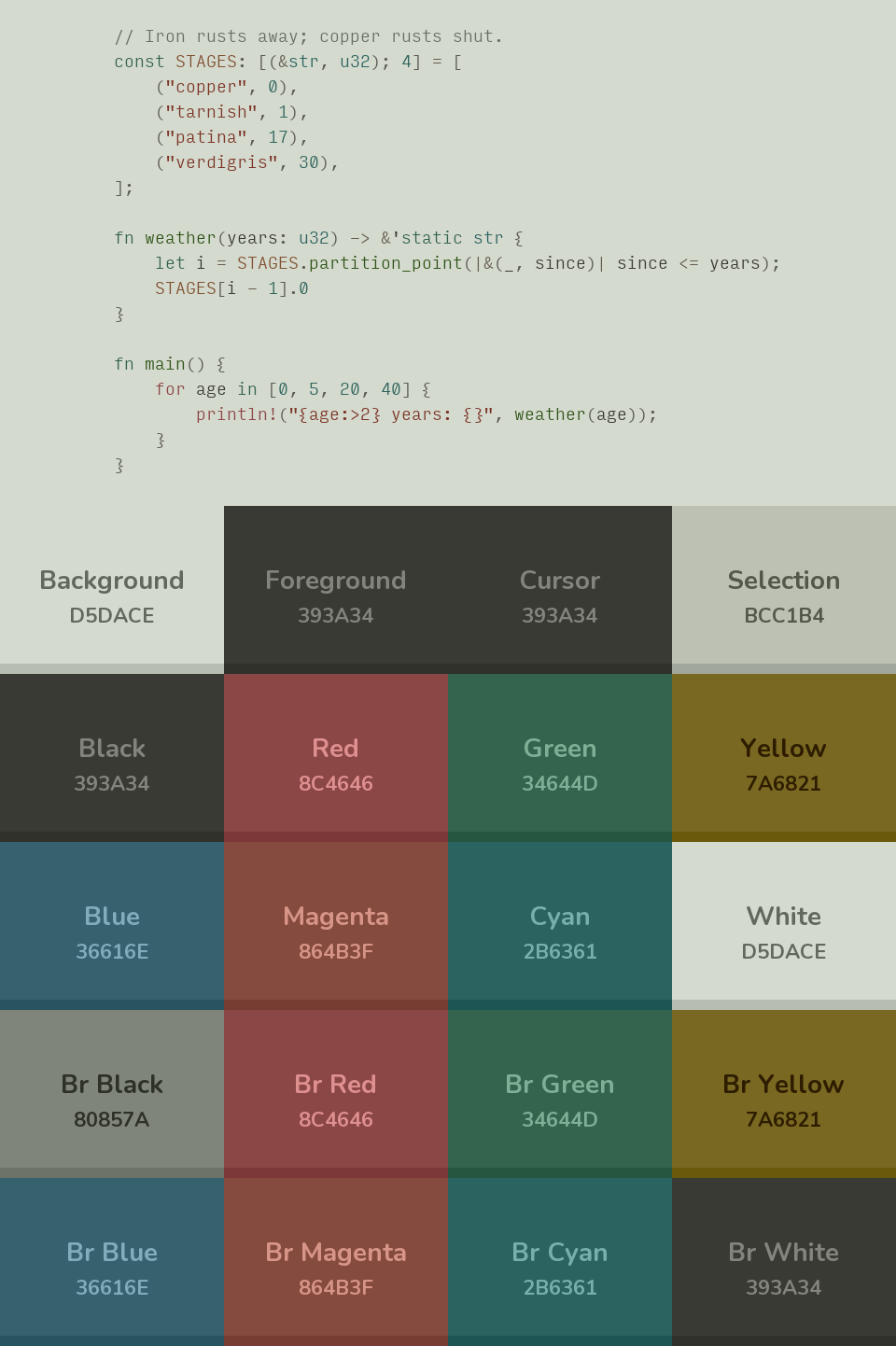
| Patina Lichen | #cdd1c6 | Light, cool grey-green stone |
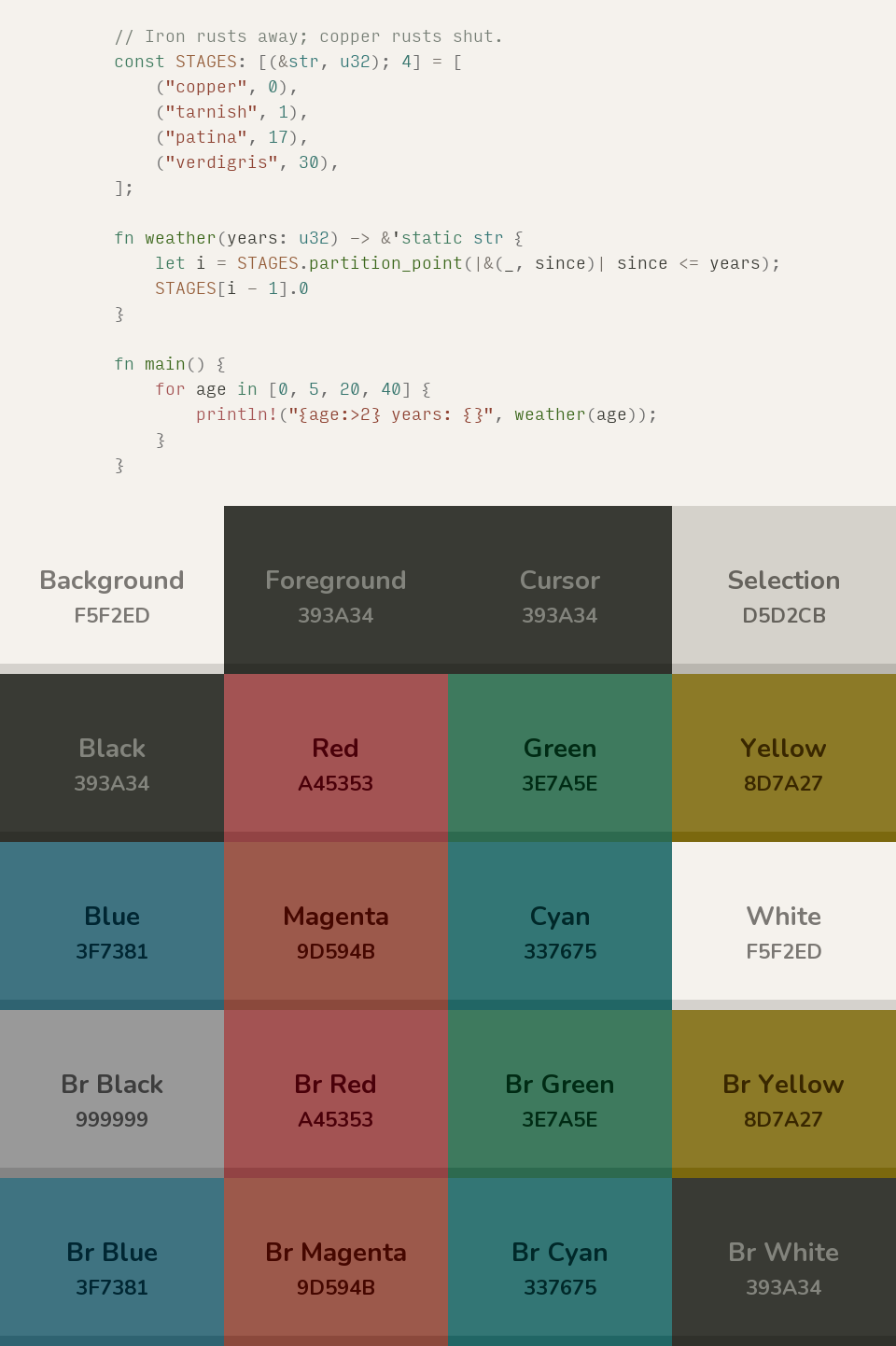
| Patina Stellar | #f5f2ed | Bright, airy |
Patina Dark, Light, and Stellar pass WCAG AA contrast (4.5:1) on every syntax token except markup.ignored, which is intentionally blended with the background. Patina Dark Soft and Lichen intentionally soften a handful of tokens slightly below strict AA for reduced eye strain.
Previews
| Patina Dark | Patina Dark Soft | Patina Moss |
|---|---|---|
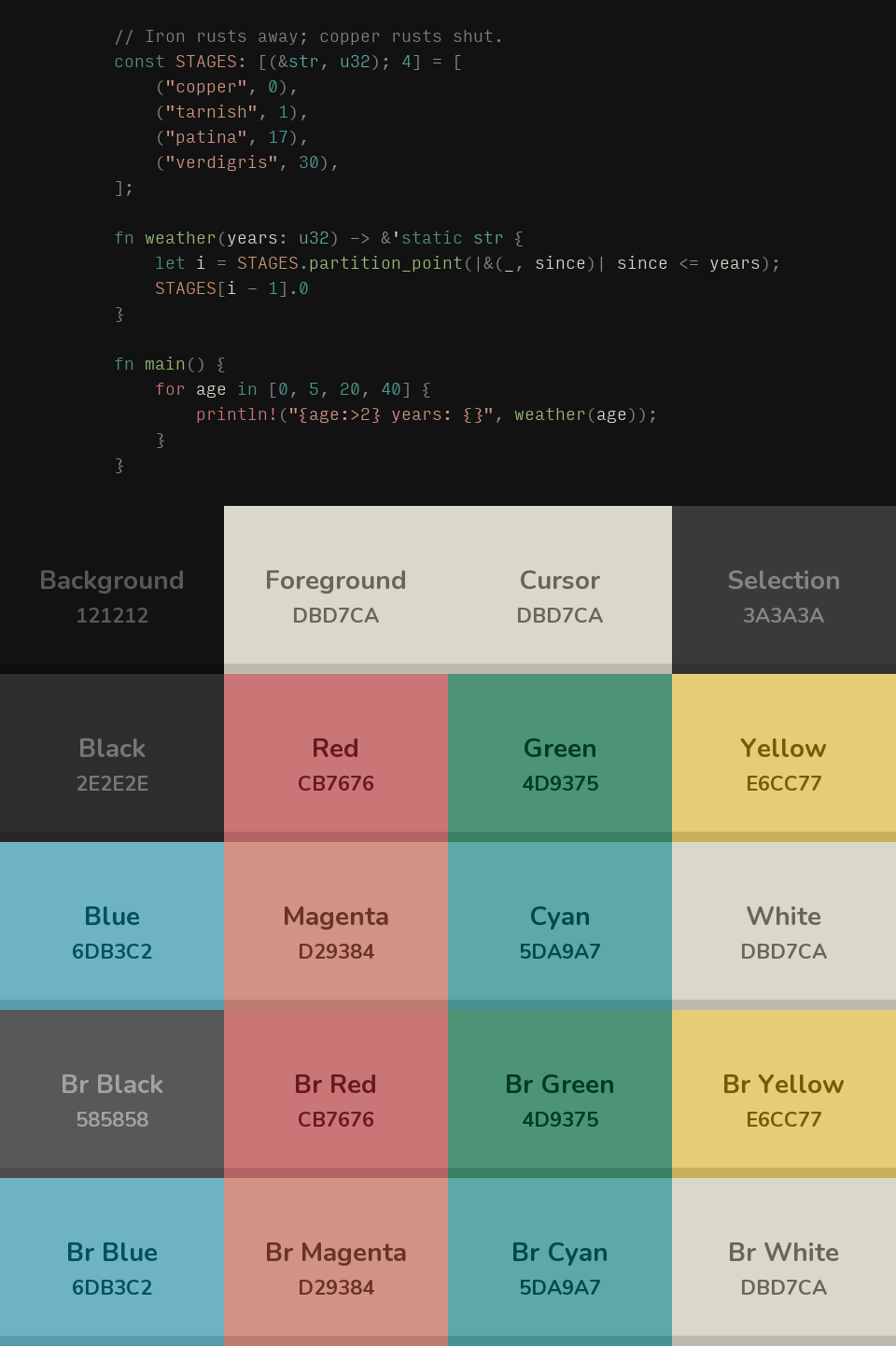 | 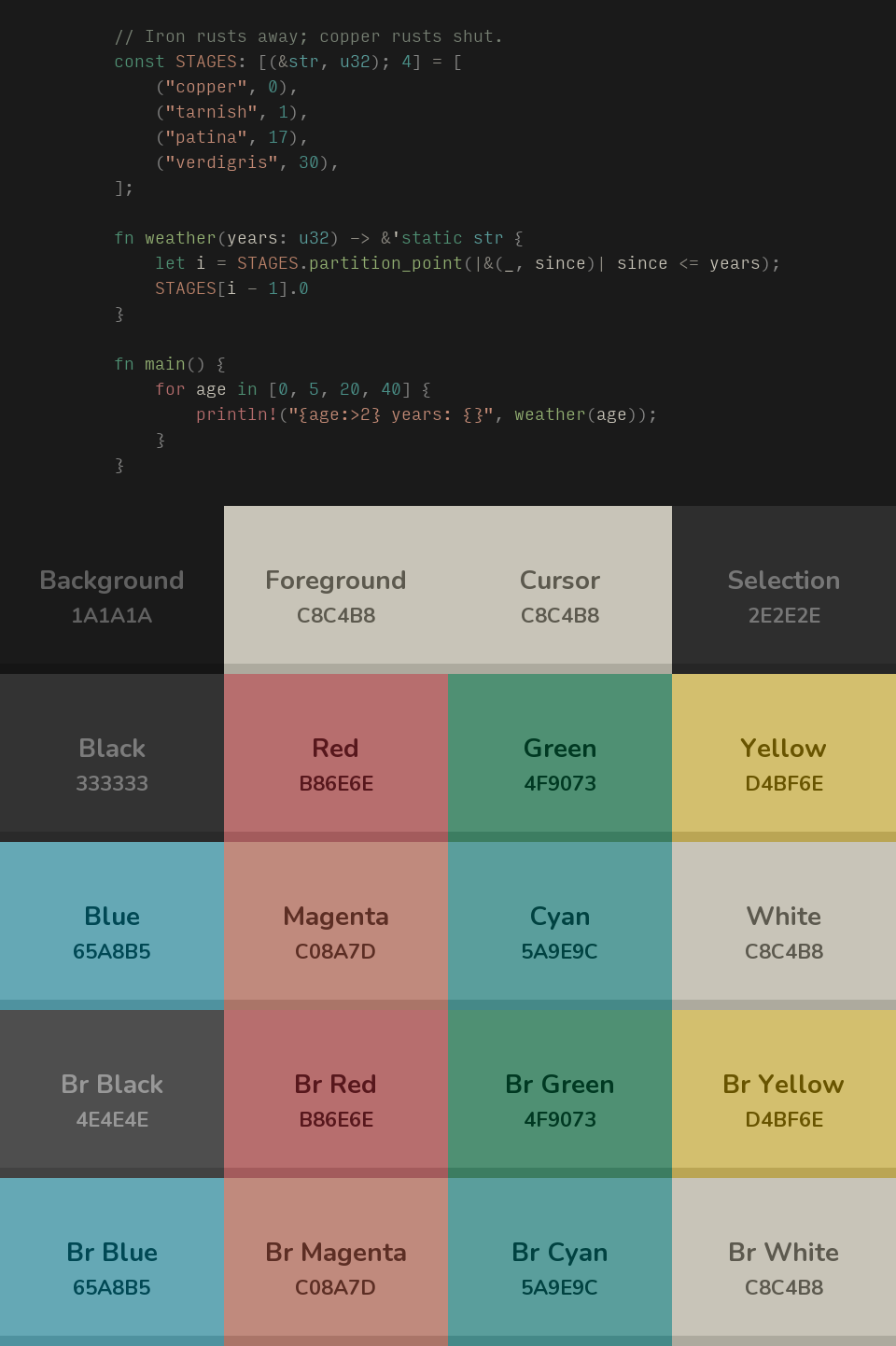 | 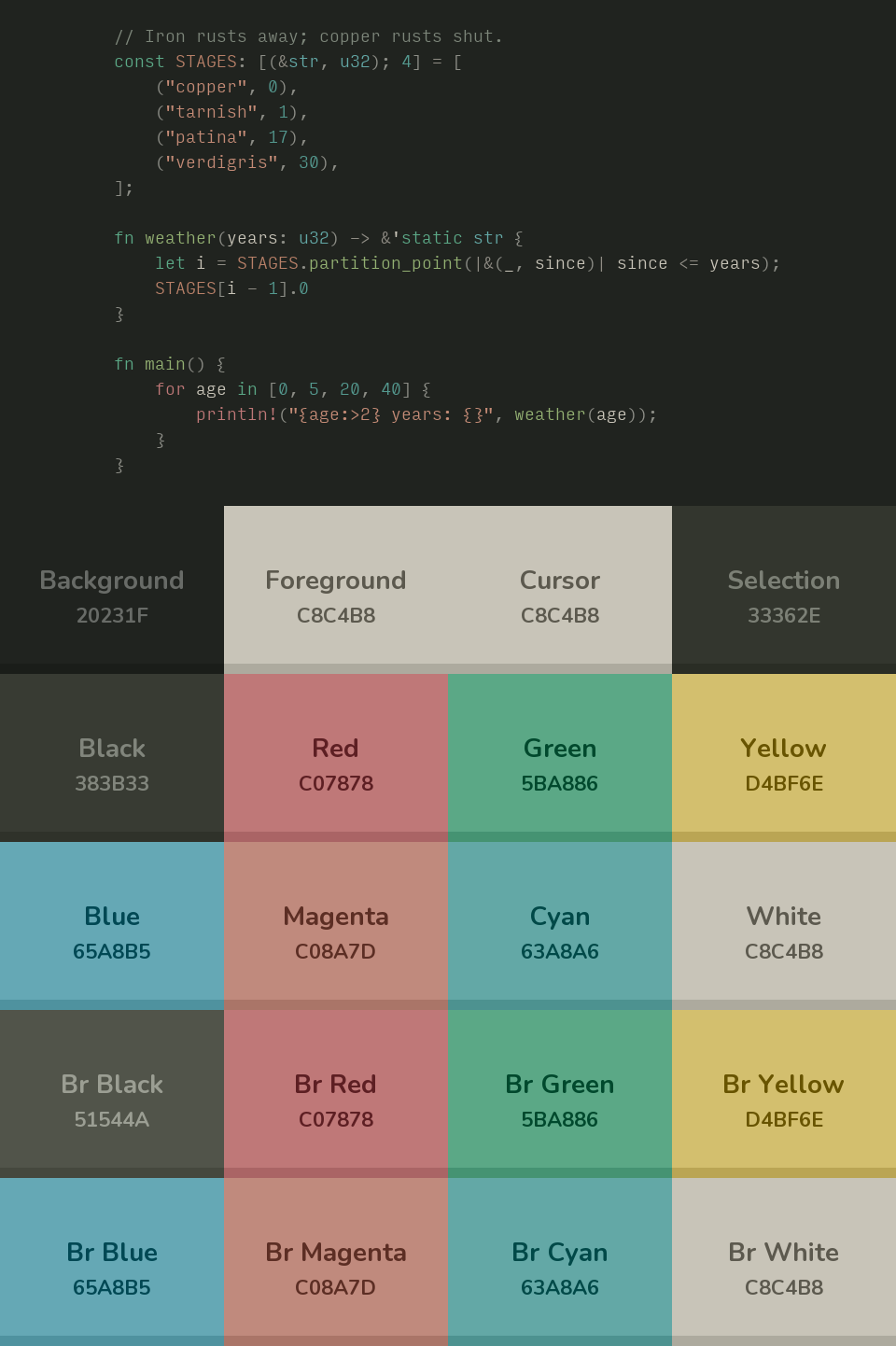 |
| Patina Light | Patina Lichen | Patina Stellar |
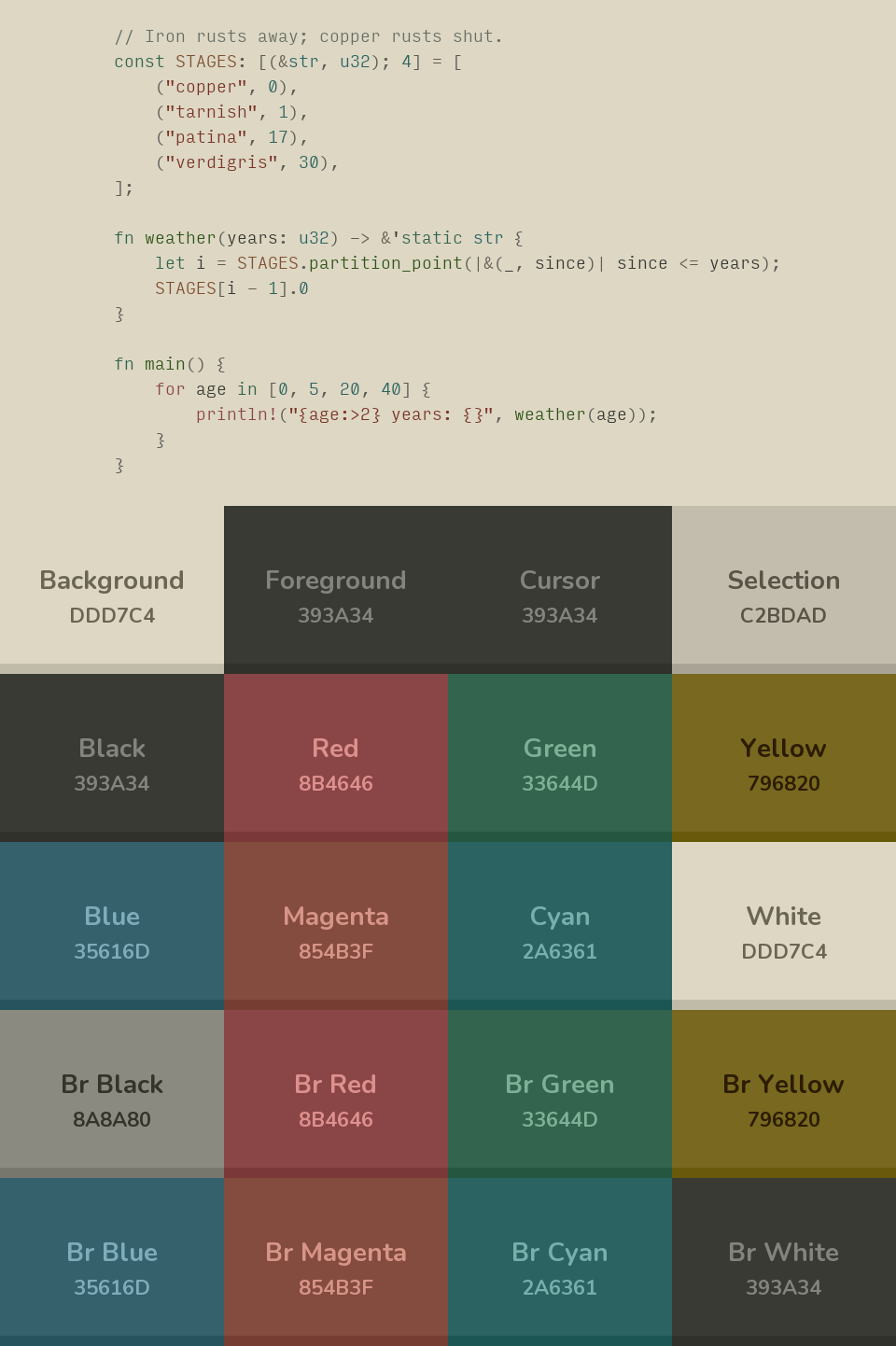 |  |  |
Install
VS Code / Cursor / VSCodium search for Patina in the Extensions panel, or:
ext install LuisCMarkmann.patina-theme
Also published on Open VSX for Cursor, VSCodium, and other open vsx compatible editors.
Zed open the command palette, run zed: install extension, and search for Patina.
Also available for
| Editor / Terminal | Files |
|---|---|
| Ghostty | terminals/ghostty/ |
| Yazi | patina-<variant>.yazi/ |
| Helix | helix-editor/ |
| iTerm2 | contrib/iterm2-color-schemes/ |
Copy the relevant files into your editor or terminal config directory. Yazi has a package manager, so it installs itself:
ya pkg add lmarkmann/patina-theme:patina-dark-soft
Then in ~/.config/yazi/theme.toml:
[flavor]
dark = "patina-dark-soft"
light = "patina-light"
PRs porting Patina to other apps are welcome. The colors live in palette/*.toml, one file per variant; everything else in this repo is generated from them by tools/generate.py, so please don't hand-edit a theme file.
I also recommend the Input Font together with the themes; the previews above are set in it.
License
MIT