Modus Themes
A complete set of accessible themes for Zed editor. These themes provide high contrast and color-blind friendly color combinations, ensuring readability and comfort for all users.
How to install
With Forge Super installed, the button above opens the app on this extension, where you press Install. Nothing is installed until you do.
You can also open the Extensions panel in the app and search for Modus Themes. The extension's id is modus-themes.
Don't have Forge Super yet? Download it here.
README
From the extension's repository, written by its authors and not by Mentenaz. See the source.
Modus Themes for Zed
Highly accessible themes for Zed, conforming with the highest standard for color contrast between background and foreground values (WCAG AAA). This is a Zed port of the original Modus Themes built for GNU Emacs.
Overview
The Modus Themes are designed with accessibility and readability as primary goals. With a minimum contrast ratio of 7:1 between foreground and background elements, they reduce eye strain during long coding sessions and ensure optimal readability for all users, including those with visual impairments.
Installation
In the command palette, choose zed: extensions then search for modus-themes.
Features
- WCAG AAA Compliance: All color combinations meet or exceed the 7:1 contrast ratio required for WCAG AAA certification
- Multiple Variants: Light and dark base themes (Operandi and Vivendi), plus specialized variants for different color vision deficiencies
- Carefully Designed Syntax Highlighting: Balanced and consistent highlighting that enhances code readability
- Optimized Terminal Support: Colors work well in both GUI and terminal environments
- Accessibility First: Designed for users with color vision deficiencies or other visual accessibility needs
Screenshots
Modus Operandi (Light Theme)
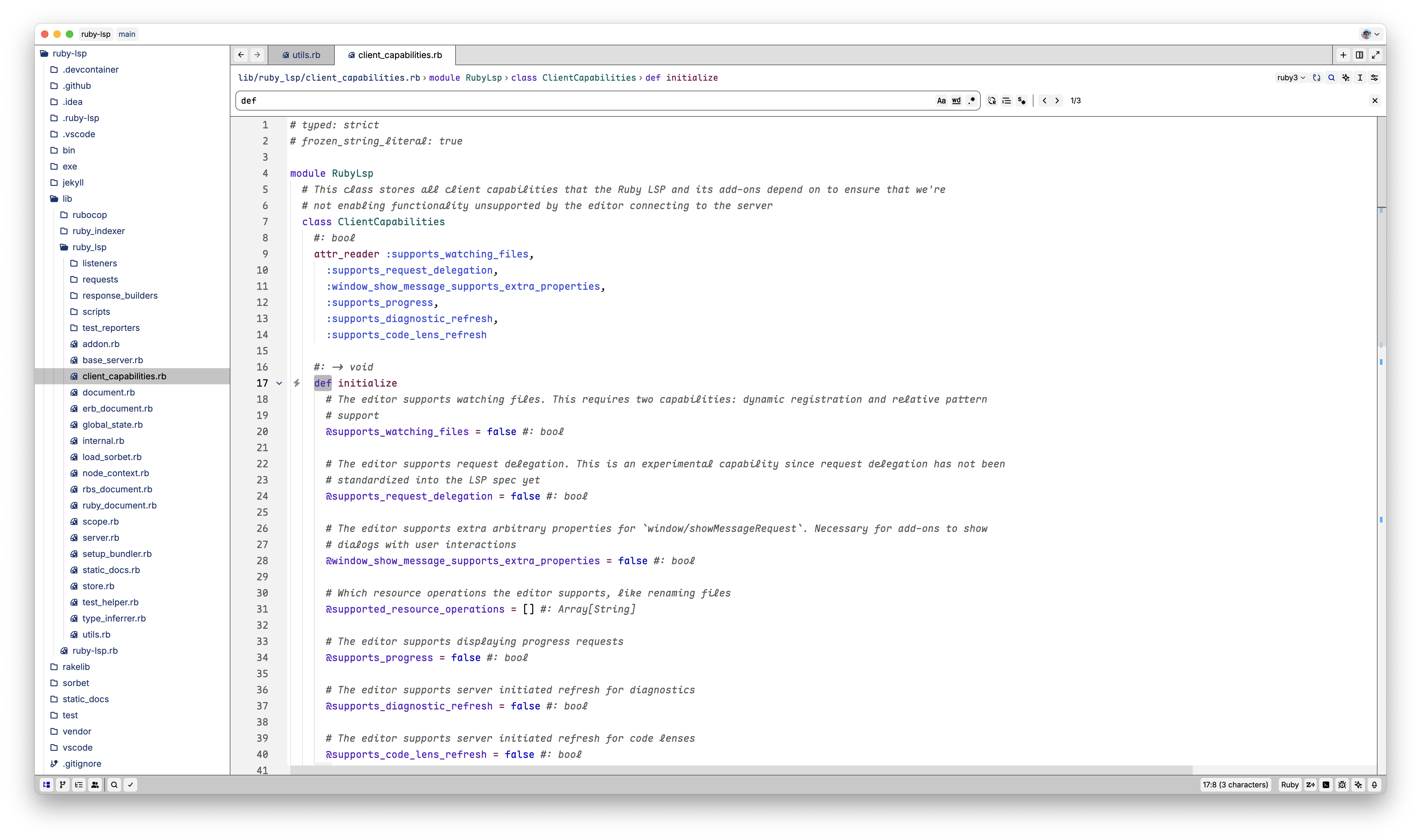
Modus Operandi Tinted
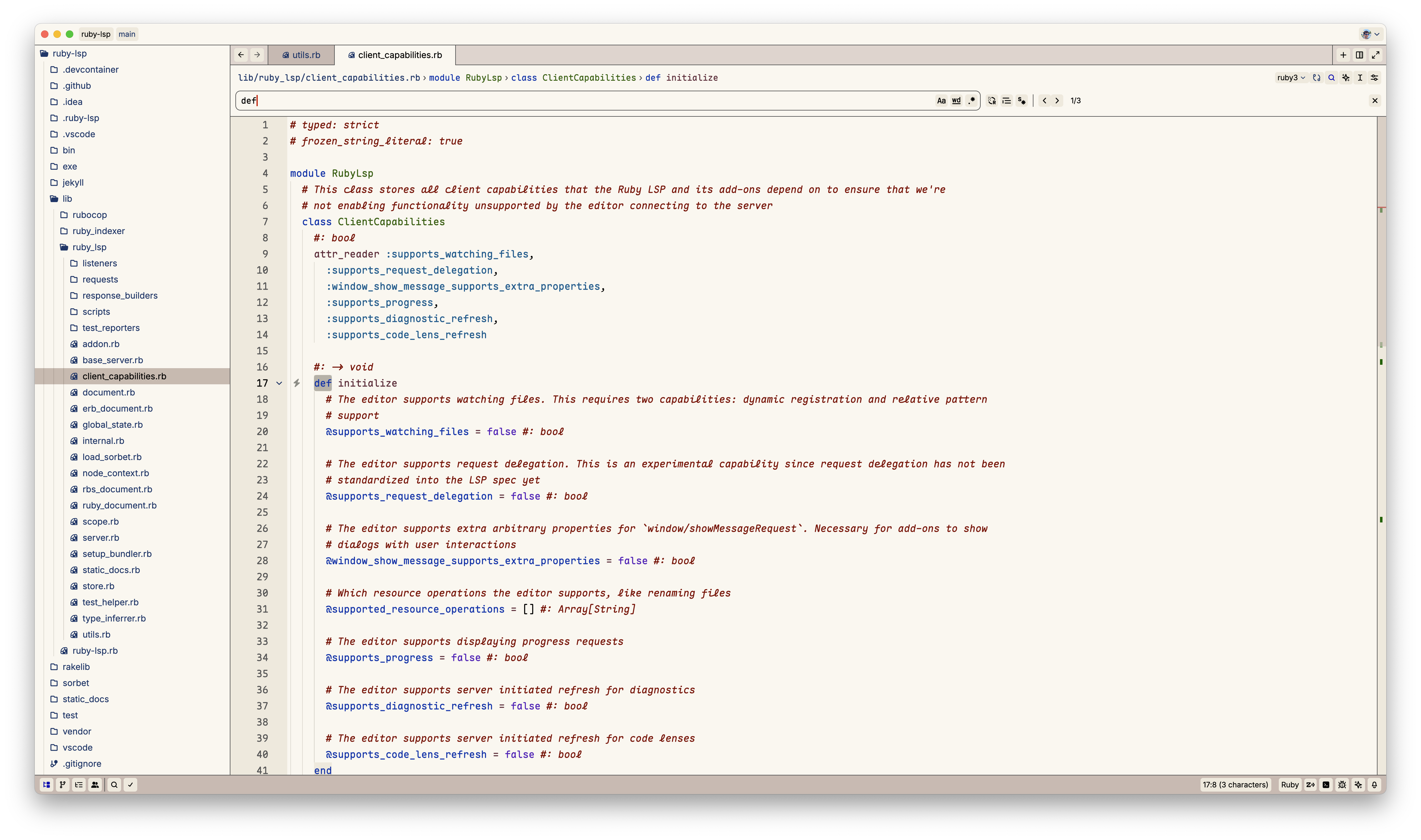
Modus Operandi Tritanopia
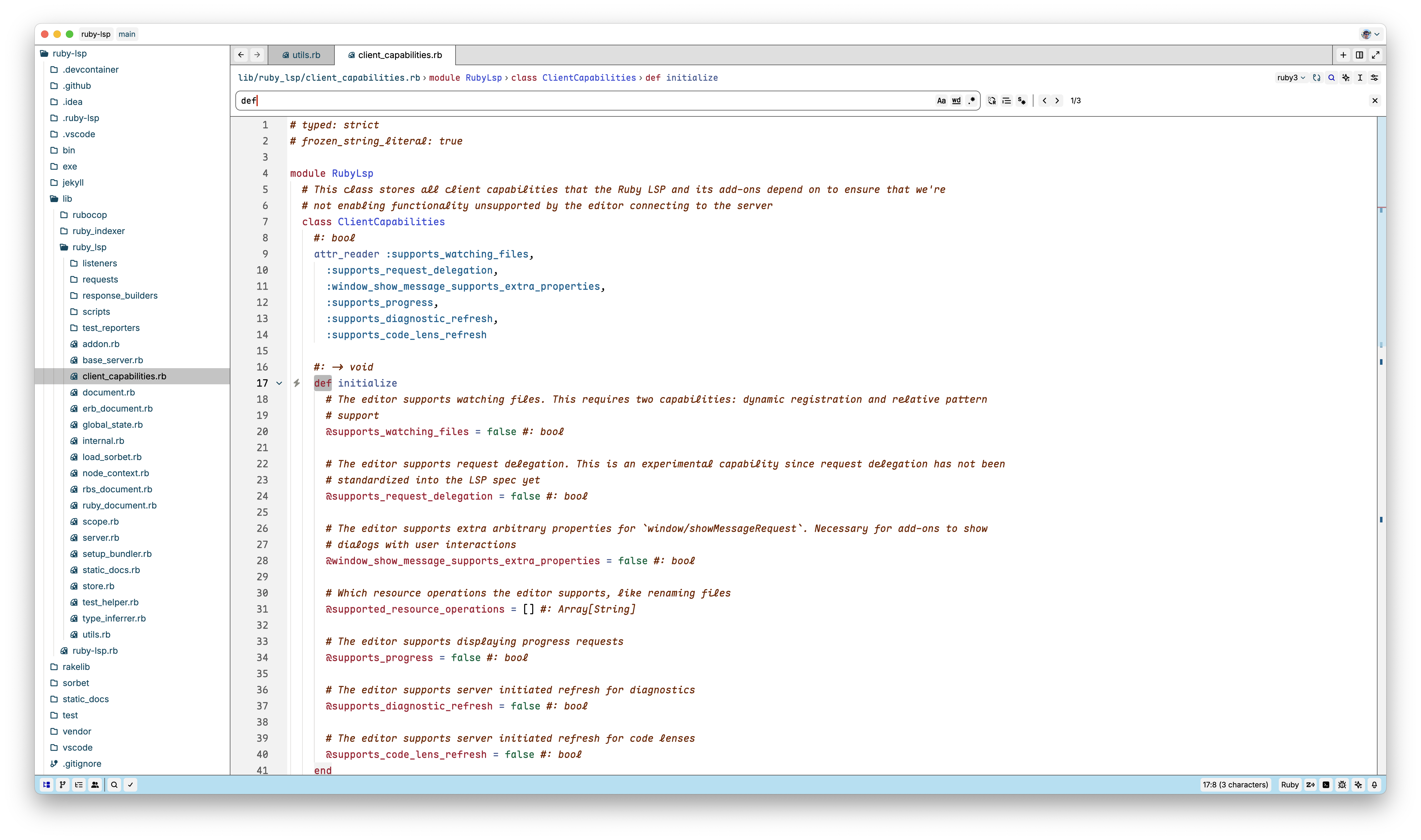
Modus Operandi Deuteranopia
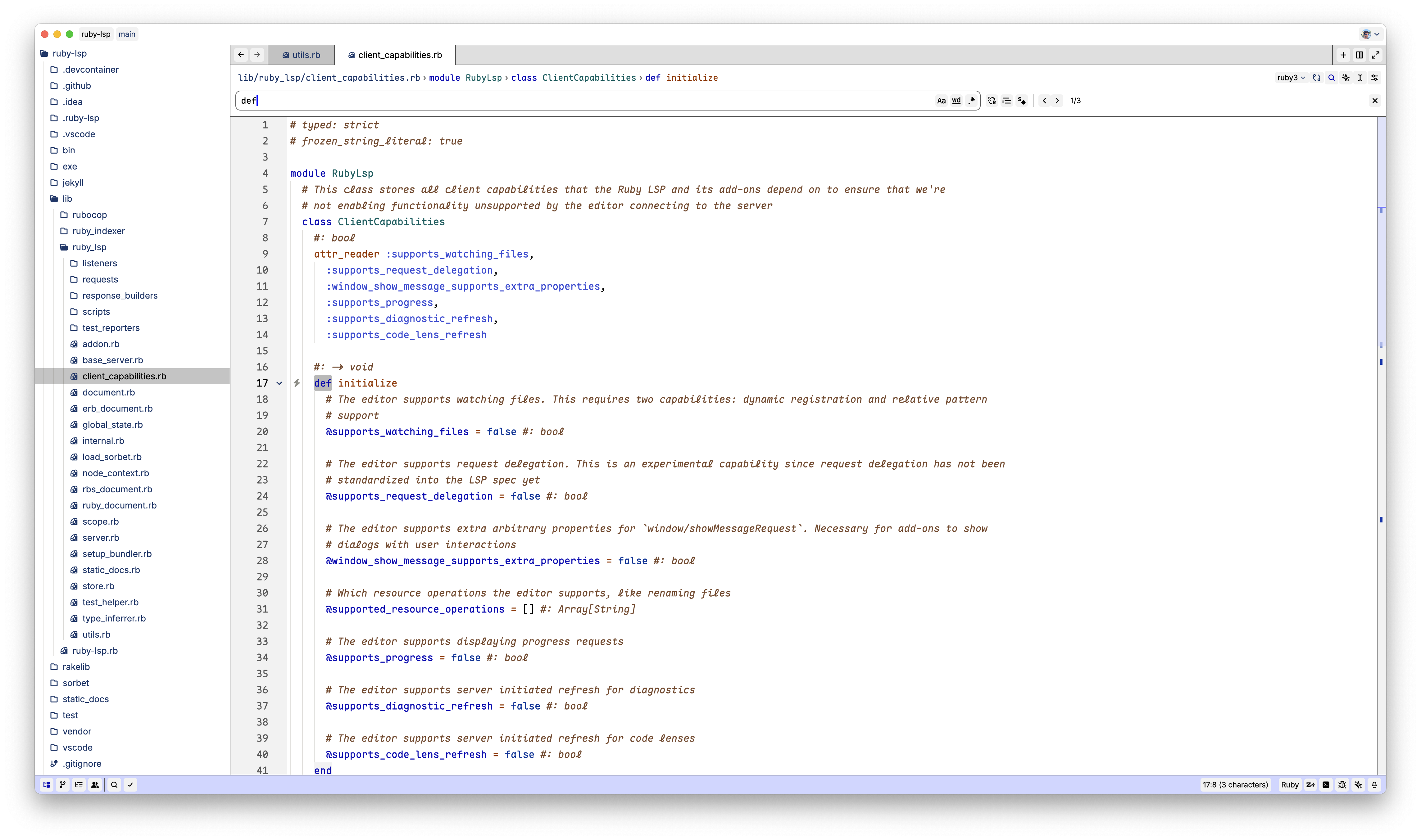
Modus Vivendi (Dark Theme)
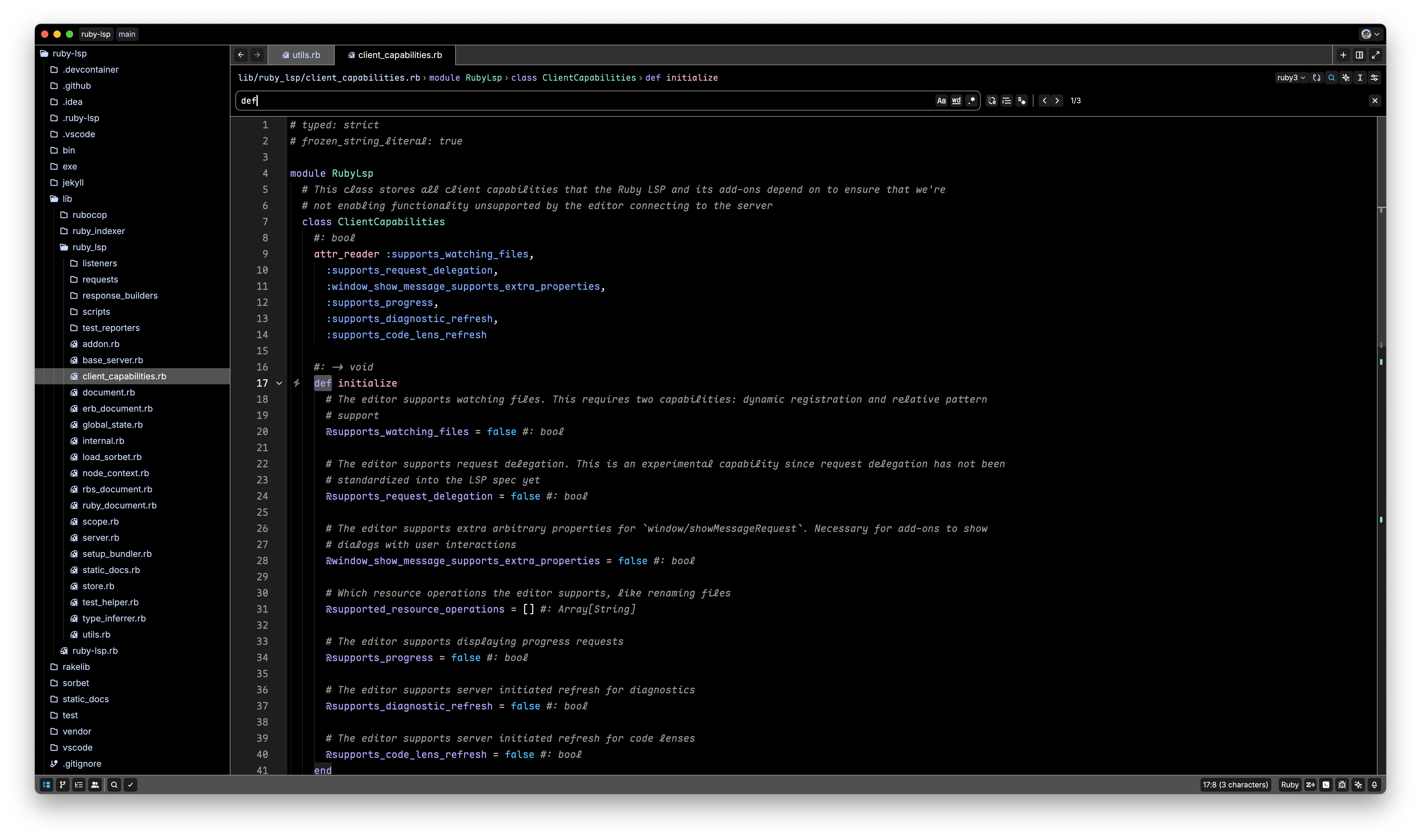
Modus Vivendi Tinted
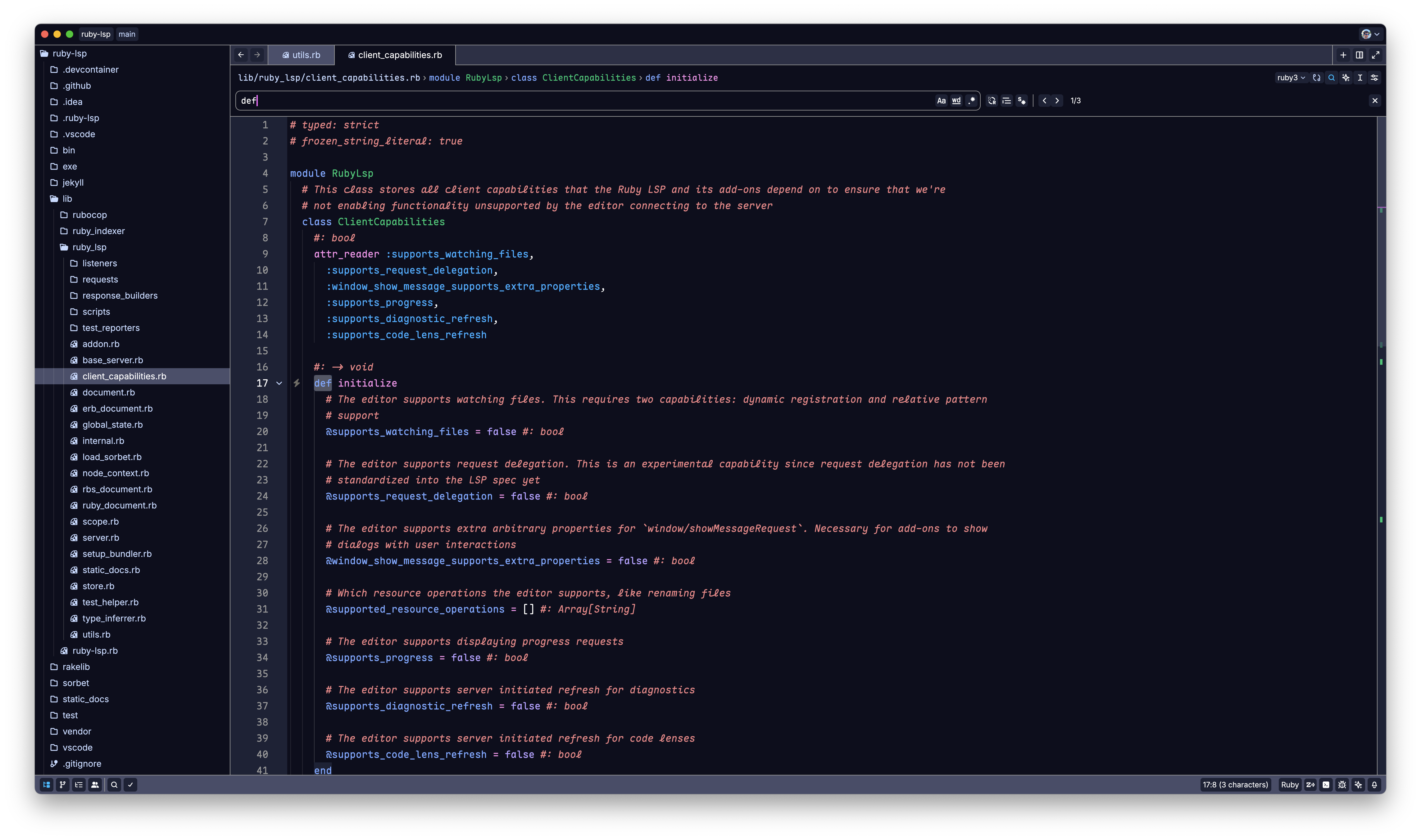
Modus Vivendi Tritanopia
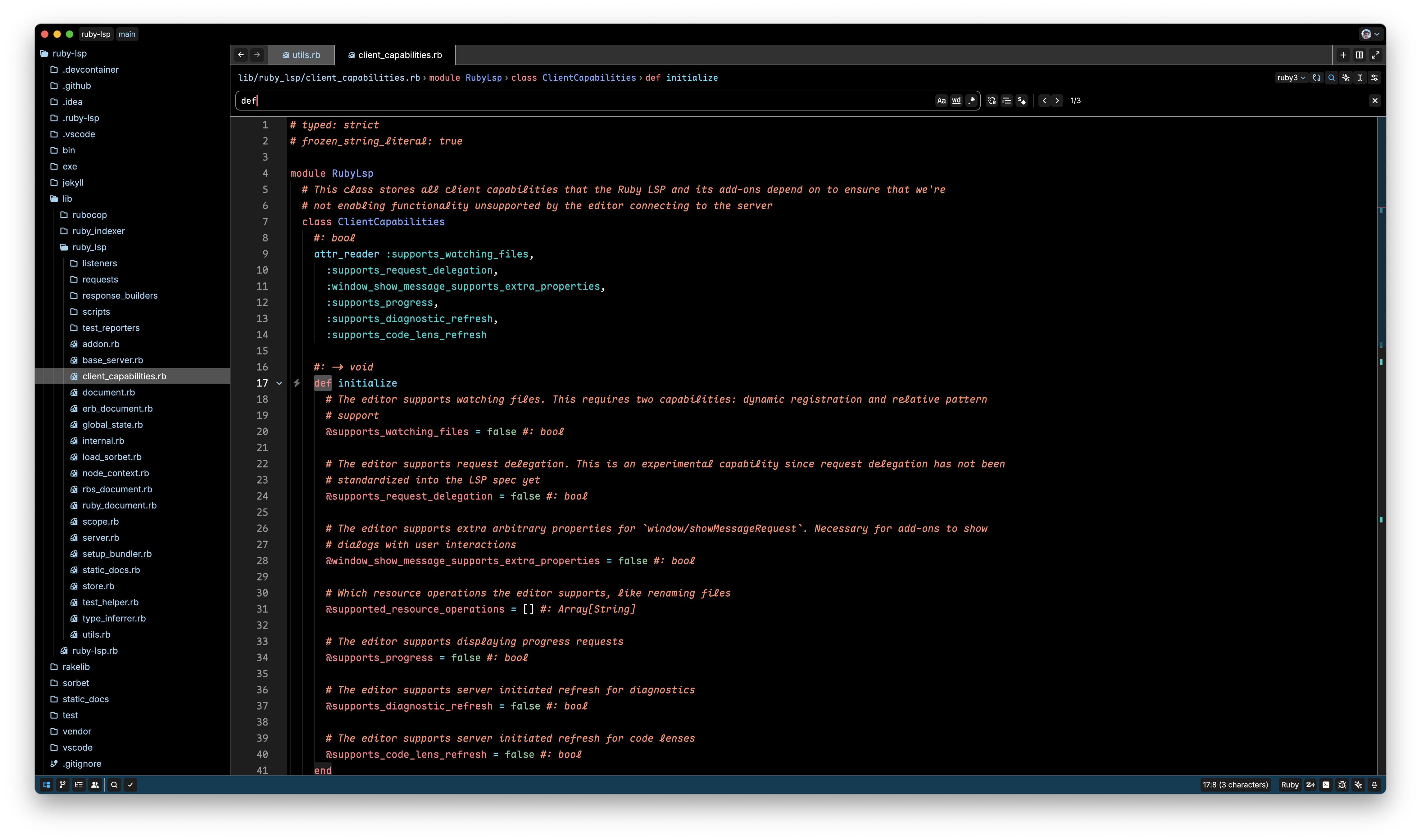
Modus Vivendi Deuteranopia
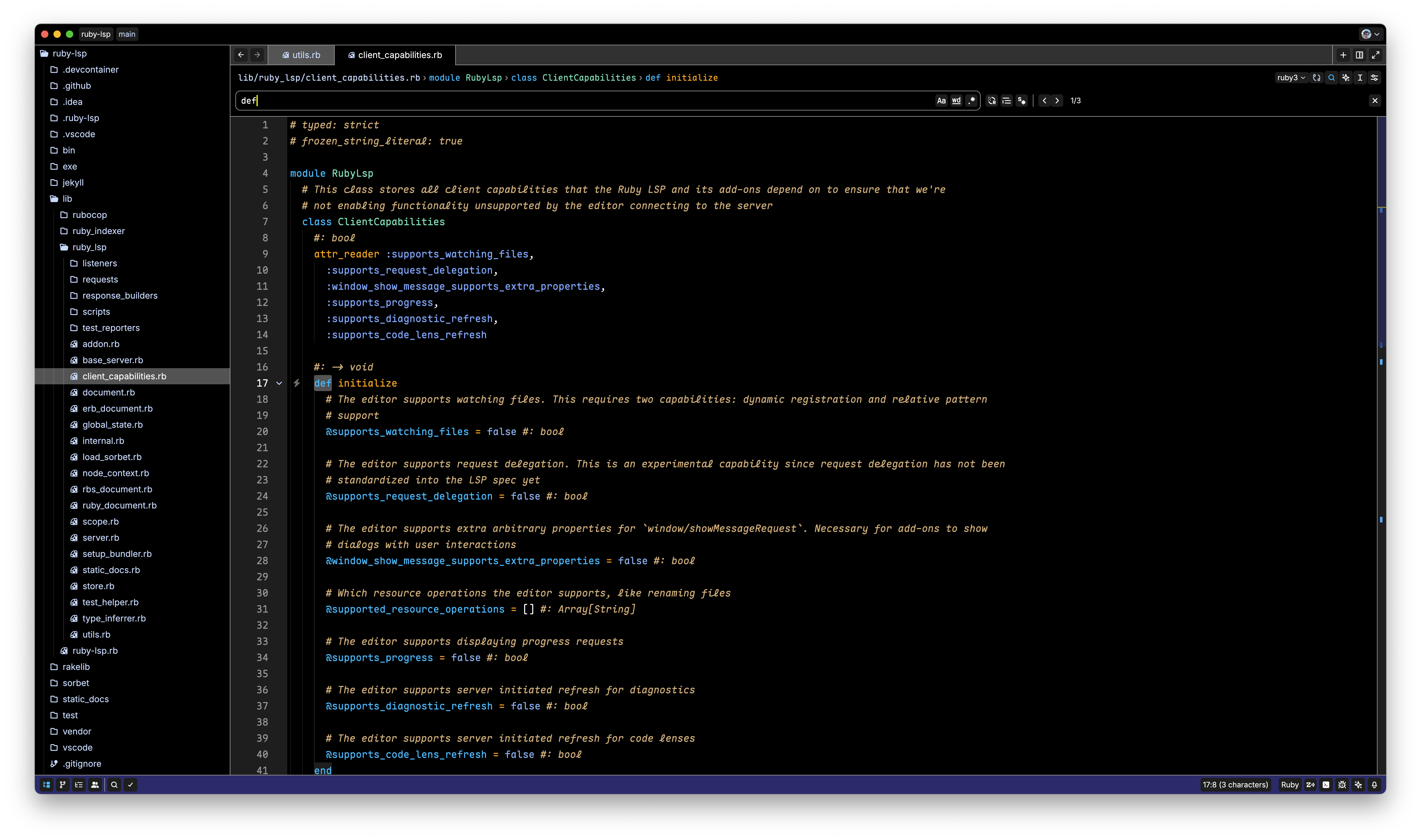
Theme Variants Explained
- Operandi: Light theme with optimal contrast
- Vivendi: Dark theme with optimal contrast
- Tinted: Variants with slightly colored backgrounds for a softer look
- Tritanopia: Specifically designed for users with blue-yellow color blindness
- Deuteranopia: Optimized for users with red-green color blindness (specifically deuteranopia)
Development
Prerequisites
- mise for building the themes
Build Process
-
Clone this repository:
git clone https://github.com/vitallium/zed-modus-themes.git cd zed-modus-themes -
Build the themes:
mise buildThis process will compile the theme files and prepare them for installation.
Configuration
Adjust diff hunk contrast
If you want stronger or weaker diff hunk highlights for accessibility, use Zed's theme_overrides setting and override the diff hunk colors directly.
Higher alpha values increase contrast. For example, #00670040 is more visible than #00670028.
{
  "theme_overrides": {
    "Modus Operandi": {
      "editor.diff_hunk.added.background": "#00670040",
      "editor.diff_hunk.added.hollow_background": "#00670020",
      "editor.diff_hunk.added.hollow_border": "#00670099",
      "editor.diff_hunk.deleted.background": "#aa222240",
      "editor.diff_hunk.deleted.hollow_background": "#aa222220",
      "editor.diff_hunk.deleted.hollow_border": "#aa222299"
    }
  }
}
Replace Modus Operandi with the exact theme name you use.
Enable bold fonts (modus-themes-bold-constructs)
Use Zed's feature to override parts of the current theme:
{
  "theme_overrides": {
    "Modus Operandi": {
      "syntax": {
        "keyword": {
          "font_weight": 700
        },
        "title": {
          "font_weight": 700
        },
        "type": {
          "font_weight": 700
        },
        "variable.special": {
          "font_weight": 700
        }
      }
    }
  }
}
Remember to replace the theme name with the one you want to override.
Acknowledgements
- Modus Themes: Original Modus Themes for GNU Emacs
- Modus Themes for Neovim: Neovim theme used for inspiration and as a template