IR Black
IR Black theme
How to install
With Forge Super installed, the button above opens the app on this extension, where you press Install. Nothing is installed until you do.
You can also open the Extensions panel in the app and search for IR Black. The extension's id is ir-black.
Don't have Forge Super yet? Download it here.
README
From the extension's repository, written by its authors and not by Mentenaz. See the source.
IR Black Theme for Zed
A dark theme for Zed inspired by the classic IR_Black theme, featuring a pure black background with vibrant syntax highlighting colors.
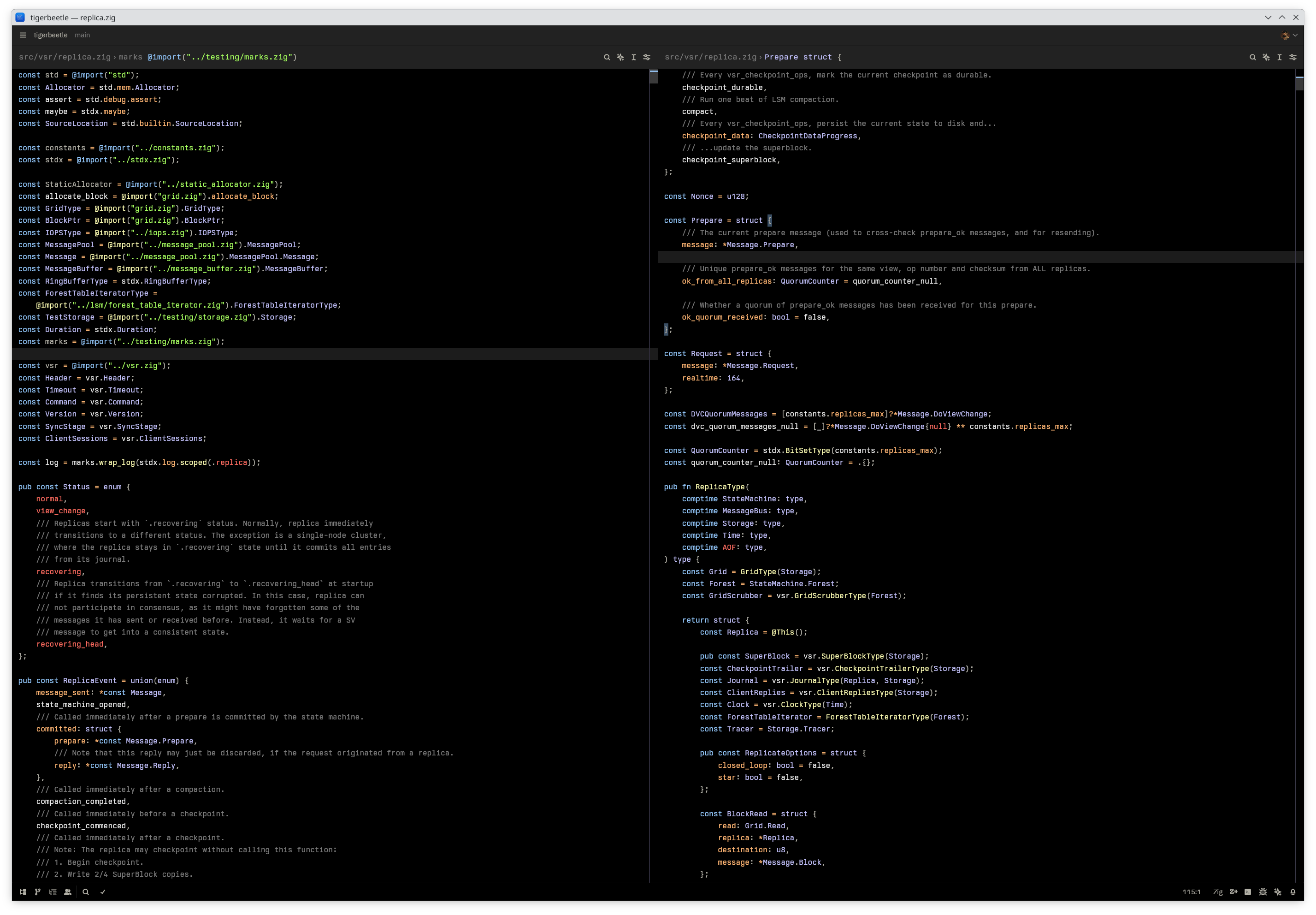
Installation
Via Zed Extensions
- Open Zed
- Open the command palette (
Cmd+Shift+P/Ctrl+Shift+P) - Search for "zed: extensions"
- Search for "IR Black"
- Click Install
Contributing
Contributions are welcome! If you find any issues or have suggestions for improvements:
- Fork the repository
- Create a feature branch (
git checkout -b feature/amazing-feature) - Make your changes
- Commit your changes (
git commit -m 'Add some amazing feature') - Push to the branch (
git push origin feature/amazing-feature) - Open a Pull Request
License
This project is licensed under the MIT License - see the LICENSE file for details.
Credits
- Original IR_Black theme by Todd Werth
Enjoy coding with IR Black theme! 🖤
If you like this theme, please consider giving it a ⭐ on GitHub.