IDX Theme
This theme is brought to you with inspiration from Google's Project IDX online editor
How to install
With Forge Super installed, the button above opens the app on this extension, where you press Install. Nothing is installed until you do.
You can also open the Extensions panel in the app and search for IDX Theme. The extension's id is idx-theme.
Don't have Forge Super yet? Download it here.
README
From the extension's repository, written by its authors and not by Mentenaz. See the source.
IDX Theme for Zed
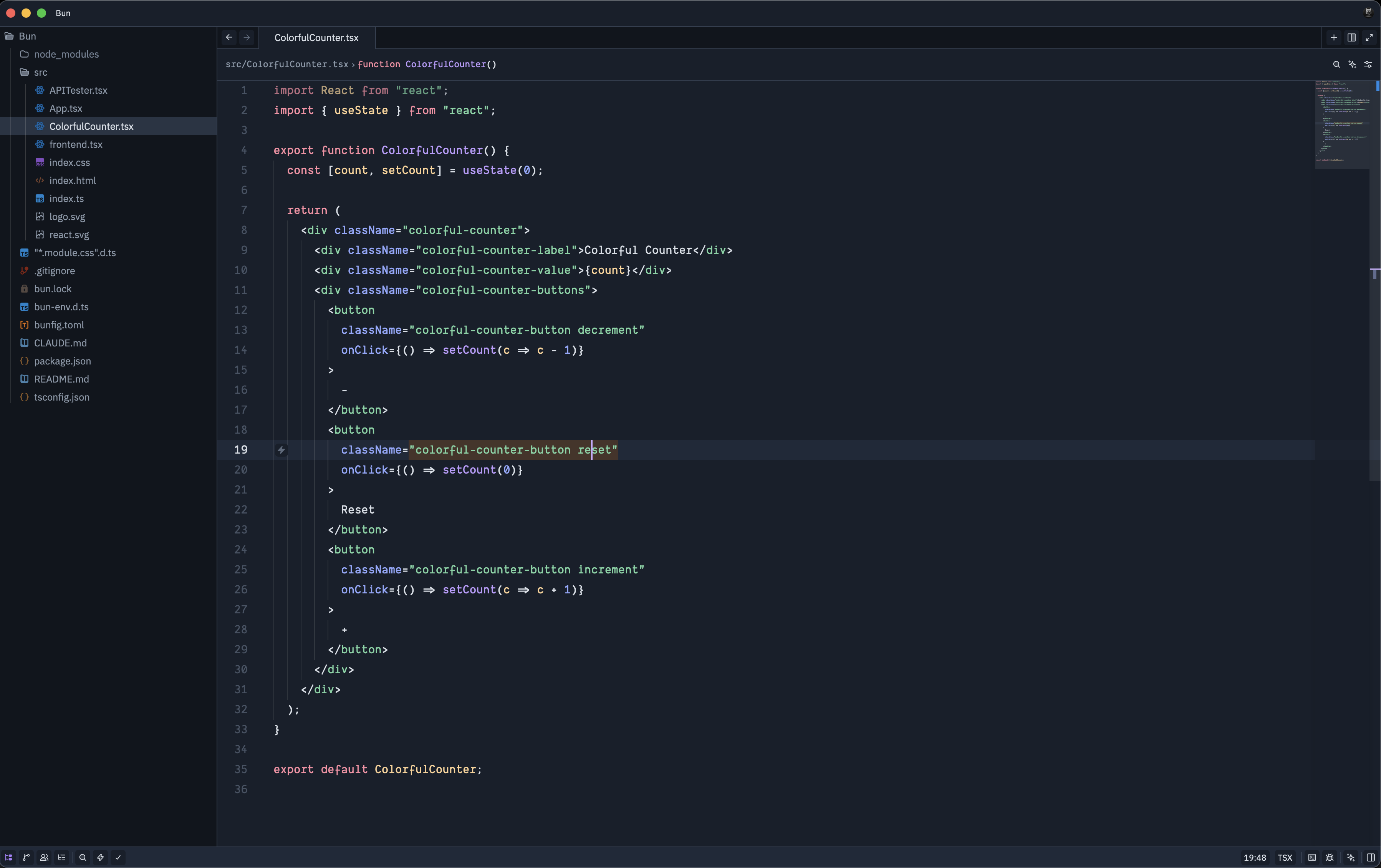
A set of themes for the Zed editor inspired by Google's Project IDX online editor.
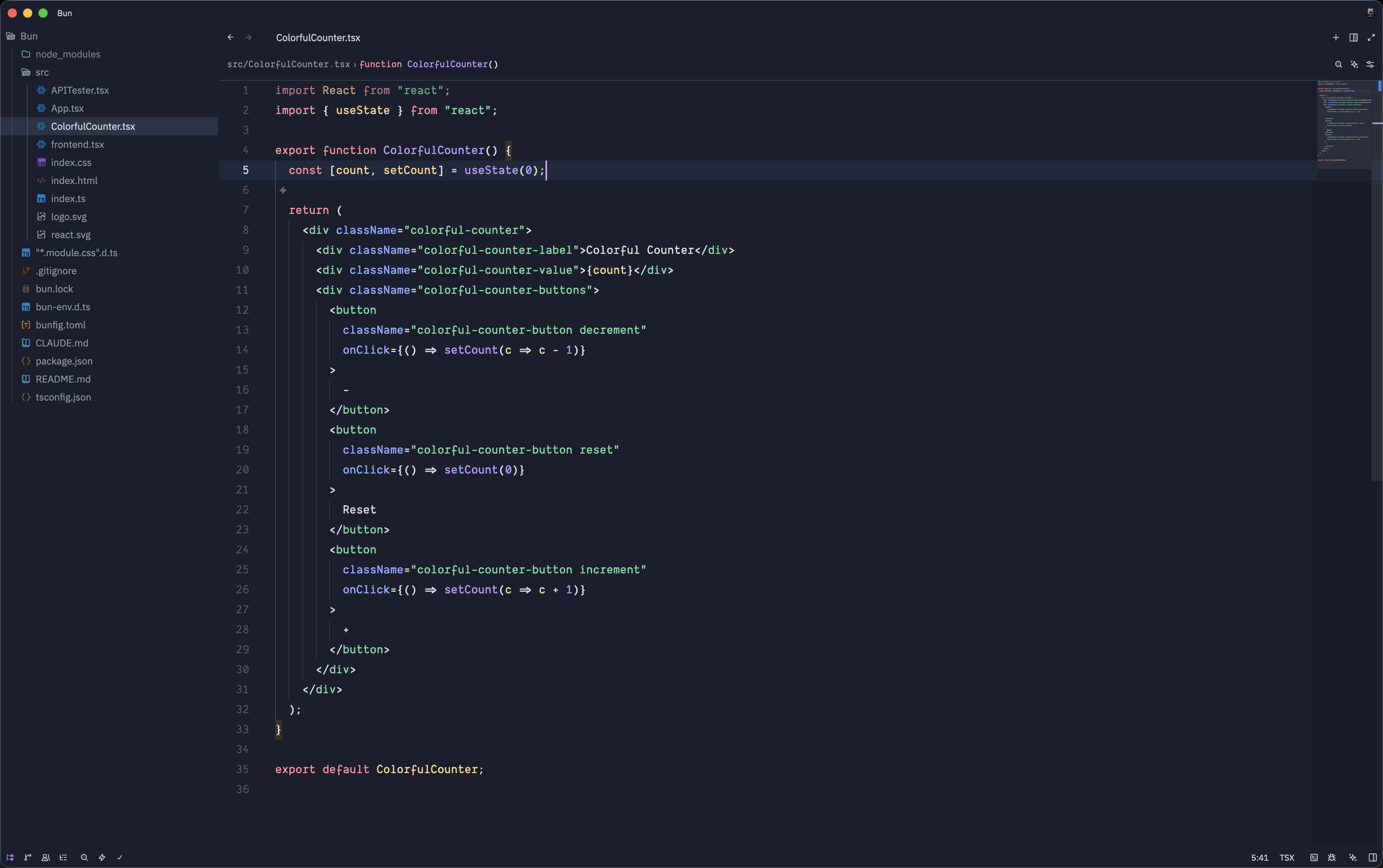
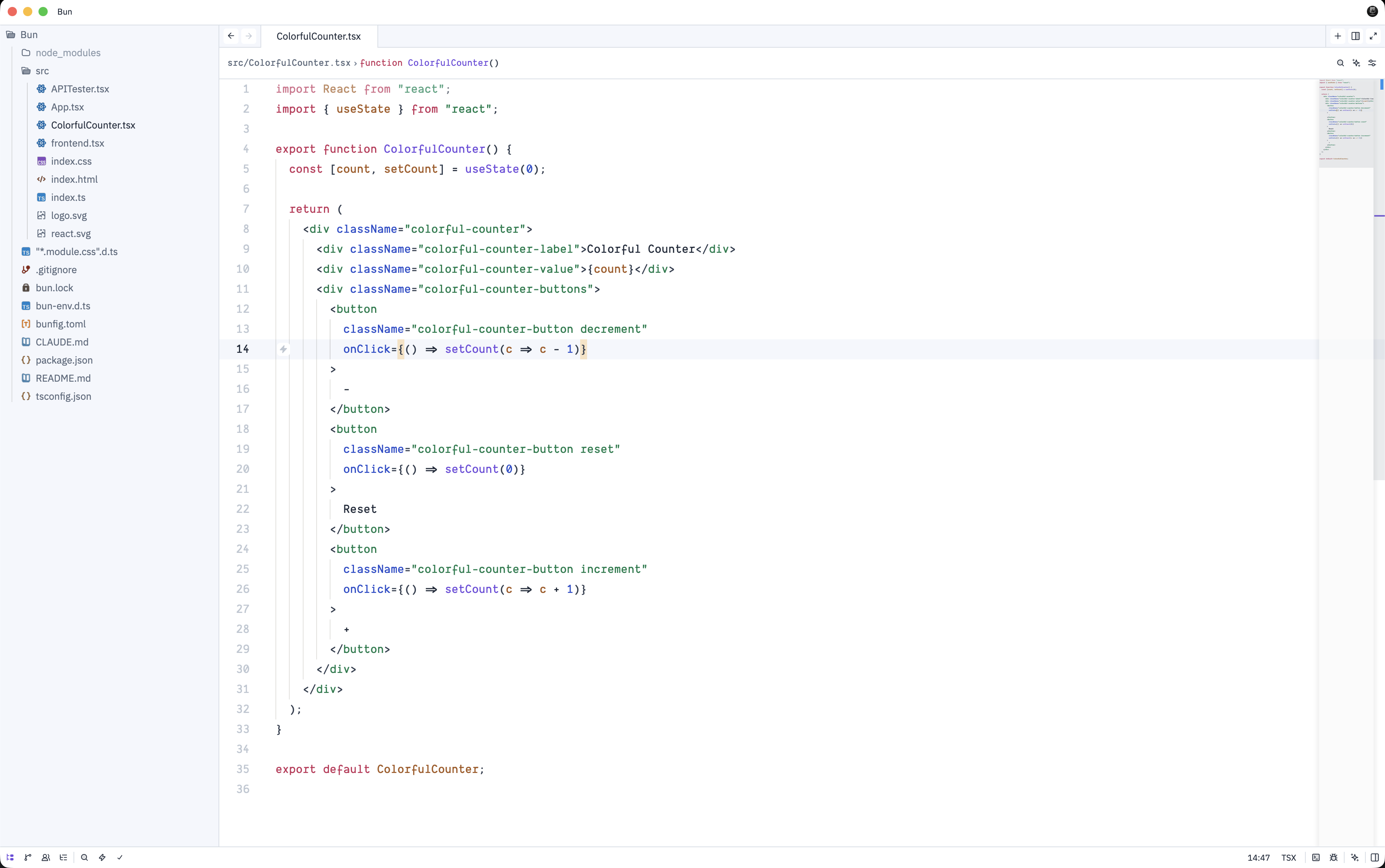
This extension provides three variants:
- IDX Dark – rich, contrasty dark theme for everyday coding
- IDX Dark Flat – a flatter dark variant with reduced elevation
- IDX Light – a clean, bright theme suited for well‑lit environments
Screenshots
IDX Dark
IDX Dark Flat
IDX Light
Installation
Once this extension is available on the Zed extension marketplace:
- Open Zed.
- Go to Extensions.
- Search for "IDX Theme".
- Click Install.
For manual installs from source, clone this repository into your Zed extensions directory and restart Zed.
Usage
After installing the extension:
- Open Zed Settings.
- Navigate to Themes.
- Select one of the available themes:
IDX DarkIDX Dark FlatIDX Light
Switch between them based on your ambient lighting or personal preference.
Changelog
For a history of changes and releases, see CHANGELOG.md.
License
This theme is open source. See the repository for licensing details.