HC Monokai
High contrast Monokai theme with black editor background, charcoal UI surfaces, and vibrant syntax highlighting
Themes
How to install
With Forge Super installed, the button above opens the app on this extension, where you press Install. Nothing is installed until you do.
You can also open the Extensions panel in the app and search for HC Monokai. The extension's id is hc-monokai-theme.
Don't have Forge Super yet? Download it here.
README
From the extension's repository, written by its authors and not by Mentenaz. See the source.
HC Monokai - Zed Theme
A high contrast Monokai theme for Zed editor with a black editor background, charcoal UI surfaces, and bright, vibrant syntax highlighting.
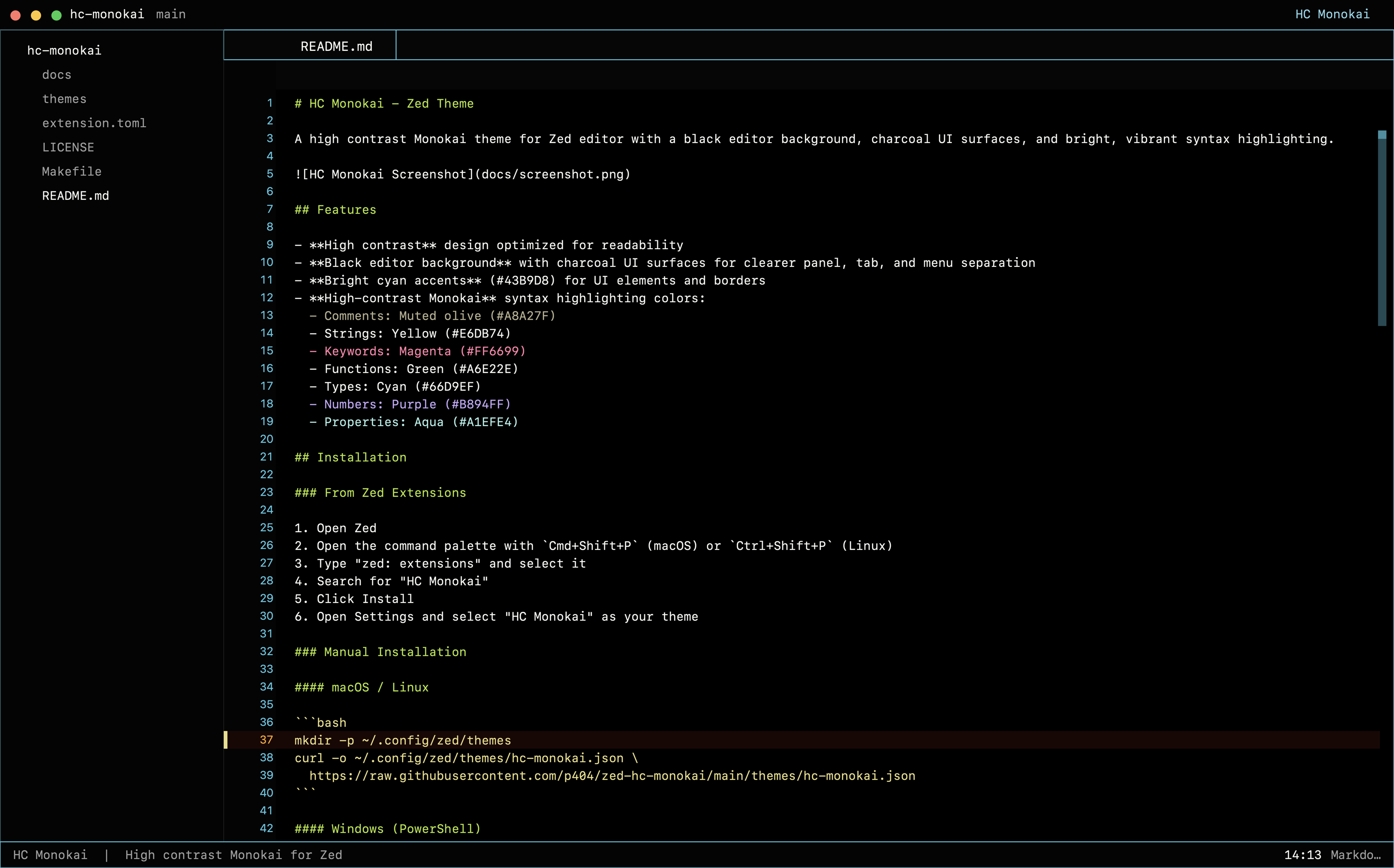
Features
- High contrast design optimized for readability
- Black editor background with charcoal UI surfaces for clearer panel, tab, and menu separation
- Bright cyan accents (#43B9D8) for UI elements and borders
- High-contrast Monokai syntax highlighting colors:
- Comments: Muted olive (#A8A27F)
- Strings: Yellow (#E6DB74)
- Keywords: Magenta (#FF6699)
- Functions: Green (#A6E22E)
- Types: Cyan (#66D9EF)
- Numbers: Purple (#B894FF)
- Properties: Aqua (#A1EFE4)
Installation
From Zed Extensions
- Open Zed
- Open the command palette with
Cmd+Shift+P(macOS) orCtrl+Shift+P(Linux) - Type "zed: extensions" and select it
- Search for "HC Monokai"
- Click Install
- Open Settings and select "HC Monokai" as your theme
Manual Installation
macOS / Linux
mkdir -p ~/.config/zed/themes
curl -o ~/.config/zed/themes/hc-monokai.json \
  https://raw.githubusercontent.com/p404/zed-hc-monokai/main/themes/hc-monokai.json
Windows (PowerShell)
New-Item -ItemType Directory -Force -Path "$env:USERPROFILE\AppData\Roaming\Zed\themes"
Invoke-WebRequest -Uri "https://raw.githubusercontent.com/p404/zed-hc-monokai/main/themes/hc-monokai.json" `
  -OutFile "$env:USERPROFILE\AppData\Roaming\Zed\themes\hc-monokai.json"
After installation, open Zed Settings and select "HC Monokai" as your theme.
Color Palette
| Element | Color | Hex |
|---|---|---|
| Background | Black | #000000 |
| Foreground | Warm off-white | #F8F8F2 |
| Accent/Border | Cyan | #43B9D8 |
| Comment | Muted olive | #A8A27F |
| String | Yellow | #E6DB74 |
| Keyword | Magenta | #FF6699 |
| Function | Green | #A6E22E |
| Type | Cyan | #66D9EF |
| Number | Purple | #B894FF |
| Property | Aqua | #A1EFE4 |
| UI Surface | Charcoal | #080808 |
Related
- HC Monokai for VS Code - The original VS Code theme
License
MIT License - see LICENSE