Halcyon Theme
🌊 A minimal, dark blue theme for Zed
Themes
How to install
With Forge Super installed, the button above opens the app on this extension, where you press Install. Nothing is installed until you do.
You can also open the Extensions panel in the app and search for Halcyon Theme. The extension's id is halcyon.
Don't have Forge Super yet? Download it here.
README
From the extension's repository, written by its authors and not by Mentenaz. See the source.
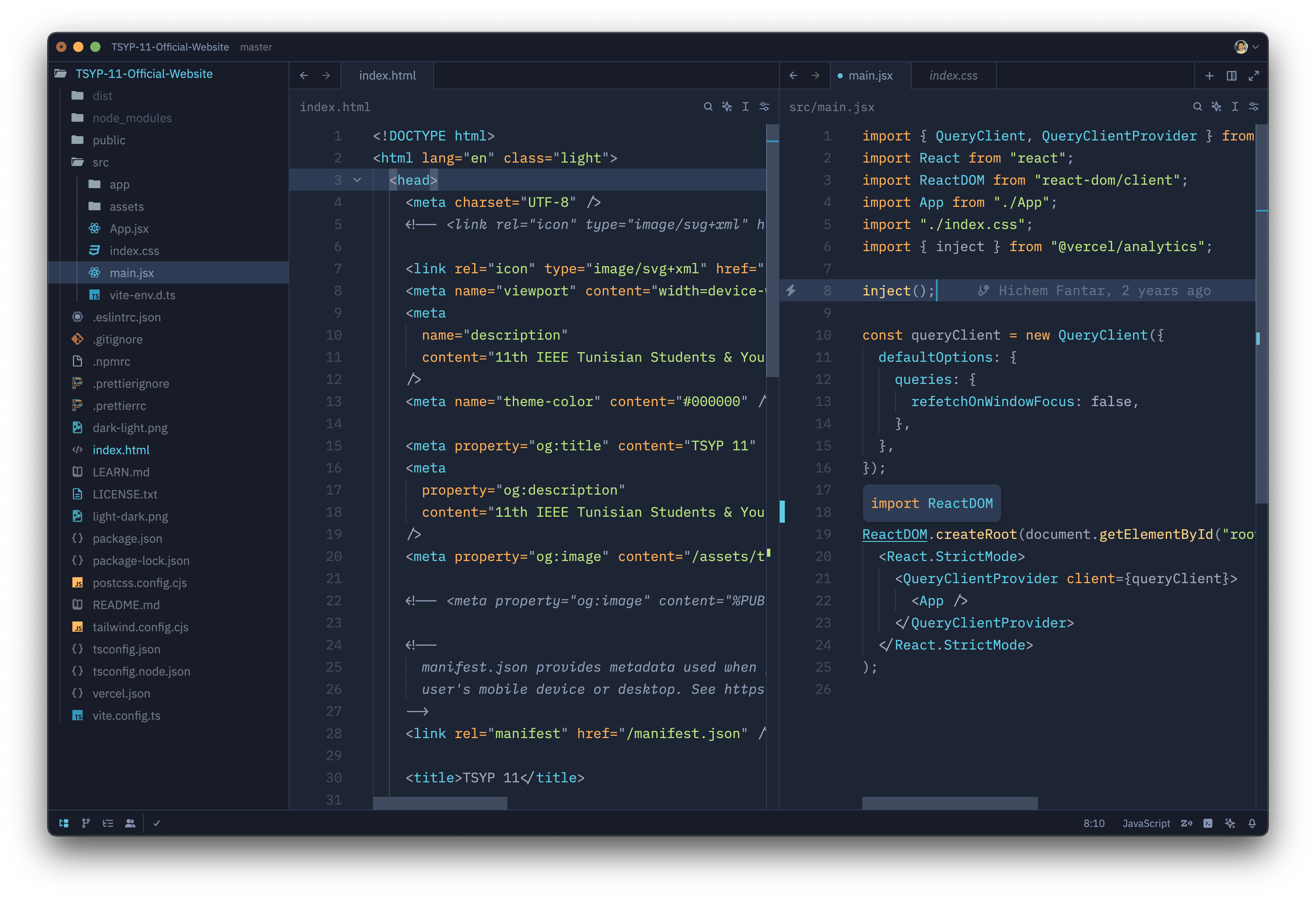
Installation via Zed
- Open Zed.
cmd+shift+pand select zed: extensions- Select Halcyon Theme and Install
- Select your Halcyon theme in the dropdown shown after hitting
cmd+k,cmd+t
Manual Installation
Read the Zed User Themes Guide
Color Reference
Syntax Colors
| Color | Usage |
|---|---|
#c3a6ff #c3a6ff | Keywords, constants, template literals |
#ffd580 #ffd580 | Functions, classes, object literal keys |
#ffae57 #ffae57 | Constants, operators |
#bae67e #bae67e | Strings, markdown headings |
#5ccfe6 #5ccfe6 | Special keywords, classes, markdown code blocks |
#a2aabc #a2aabc | Variables, property names, tags |
UI Colors
| Color | Usage |
|---|---|
#171c28 #171c28 | Workbench background |
#1d2433 #1d2433 | Editor background |
#2f3b54 #2f3b54 | Highlight, widgets, panels |
#6679a4 #6679a4 | Dividers, subtle UI elements |
#8695b7 #8695b7 | Status bar text, buttons, etc |
#d7dce2 #d7dce2 | Active text, anything that should be white |
#ffcc66 #ffcc66 | Accent, list tree titles, badges, etc |
#bae67e #bae67e | Addition highlights |
#ef6b73 #ef6b73 | Deletion highlights, errors, warnings |
#5ccfe6 #5ccfe6 | Modified highlights |
Theming Reference
Credits
Inspired by Halcyon, The VS Code theme