Gruvbox Baby
A port of the popular Gruvbox Baby theme with warm, earthy colors
How to install
With Forge Super installed, the button above opens the app on this extension, where you press Install. Nothing is installed until you do.
You can also open the Extensions panel in the app and search for Gruvbox Baby. The extension's id is gruvbox-baby.
Don't have Forge Super yet? Download it here.
README
From the extension's repository, written by its authors and not by Mentenaz. See the source.
Gruvbox Baby Zed Port
Zed port of the gorgeous Gruvbox Baby theme.
Background has been darkened to #141617.
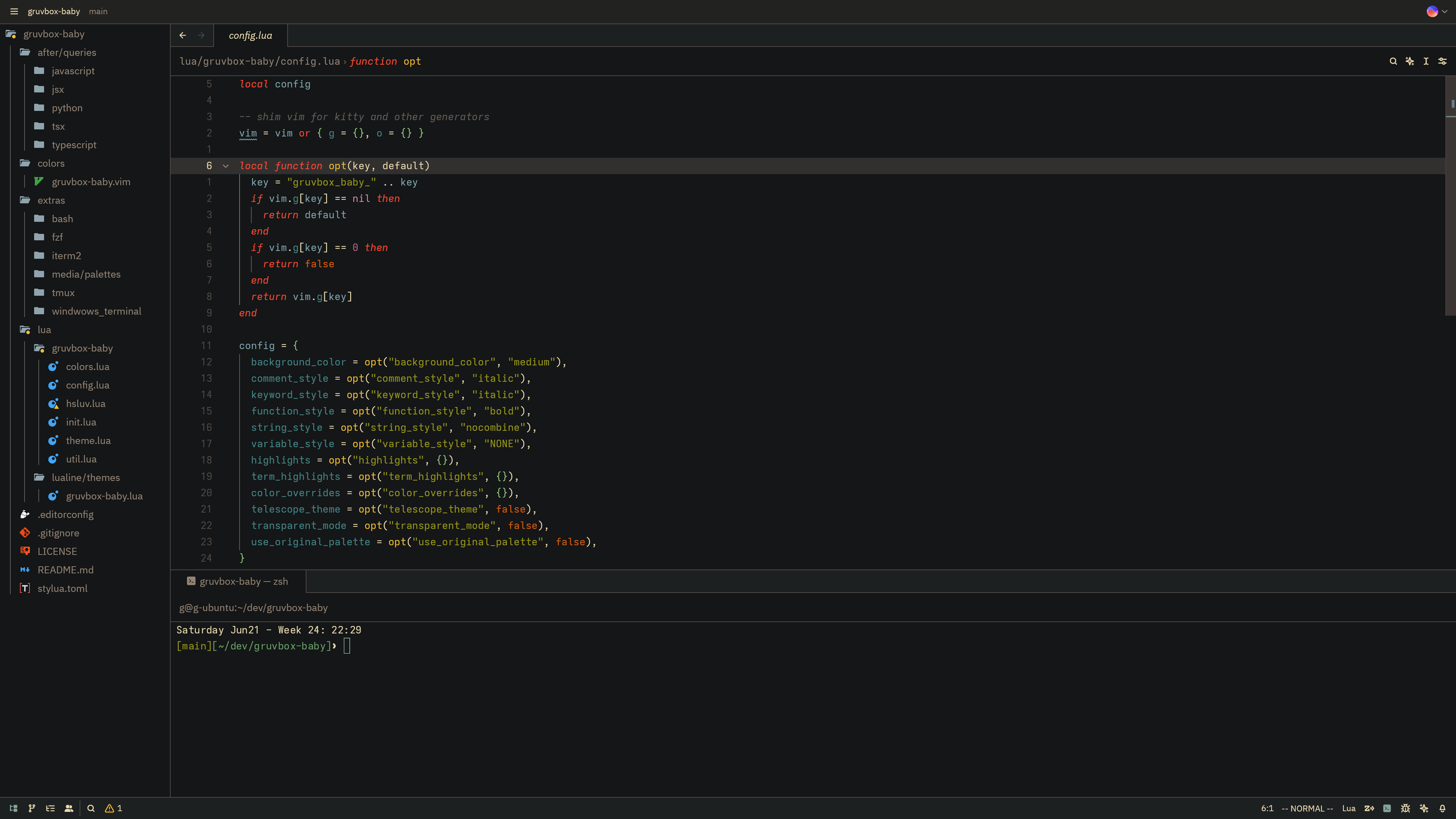
- Font: Adwaita Mono (nerd font version)
- Icons: Material Icon Theme
Color Palette
- Background: #141617 (Custom dark)
- Foreground: #ebdbb2 (Warm white)
- Comments: #665c54 (Muted brown)
- Keywords: #fb4934 (Soft red)
- Functions: #eebd35 (Warm yellow)
- Strings: #98971a (Soft green)
- Types: #8ec07c (Clean green)
- Variables: #7fa2ac (Light blue)
Installation
- Clone or download this extension
- Place the json in
~/.config/zed/themes - Select "Gruvbox Baby" from the theme picker with Ctrl+k Ctrl + t
Credits
This theme is a port of the Gruvbox Baby theme by Luis Carlos Cordero, adapted for Zed editor.
License
MIT License - see LICENSE file for details. Original theme by Luis Carlos Cordero, this port follows the same license as the original.