Grey Theme
Light. Minimal. Grey.
How to install
With Forge Super installed, the button above opens the app on this extension, where you press Install. Nothing is installed until you do.
You can also open the Extensions panel in the app and search for Grey Theme. The extension's id is grey-theme.
Don't have Forge Super yet? Download it here.
README
From the extension's repository, written by its authors and not by Mentenaz. See the source.
Zed Grey Theme
The Zed Grey Theme is a minimalist and modern light theme designed for developers who prefer a clean and subtle interface. This theme focuses on simplicity and readability, with carefully chosen colors to reduce eye strain while maintaining clarity in your code and interface elements.
This theme is inspired by nvim-grey created by Yorick Peterse
Features
- Light Appearance: A soft grey-based color palette for a clean and professional look.
- Editor Styling:
- Background:
#f2f2f2 - Foreground:
#000000 - Line Numbers: Subtly styled for clarity (
#5e5e5efor standard,#000000for active). - Indent Guides: Subtle lines in
#e6e6e6. - Highlighted Lines: A soft highlight in
#eeeeee. - Cursor: Clear and visible (
#000000).
- Background:
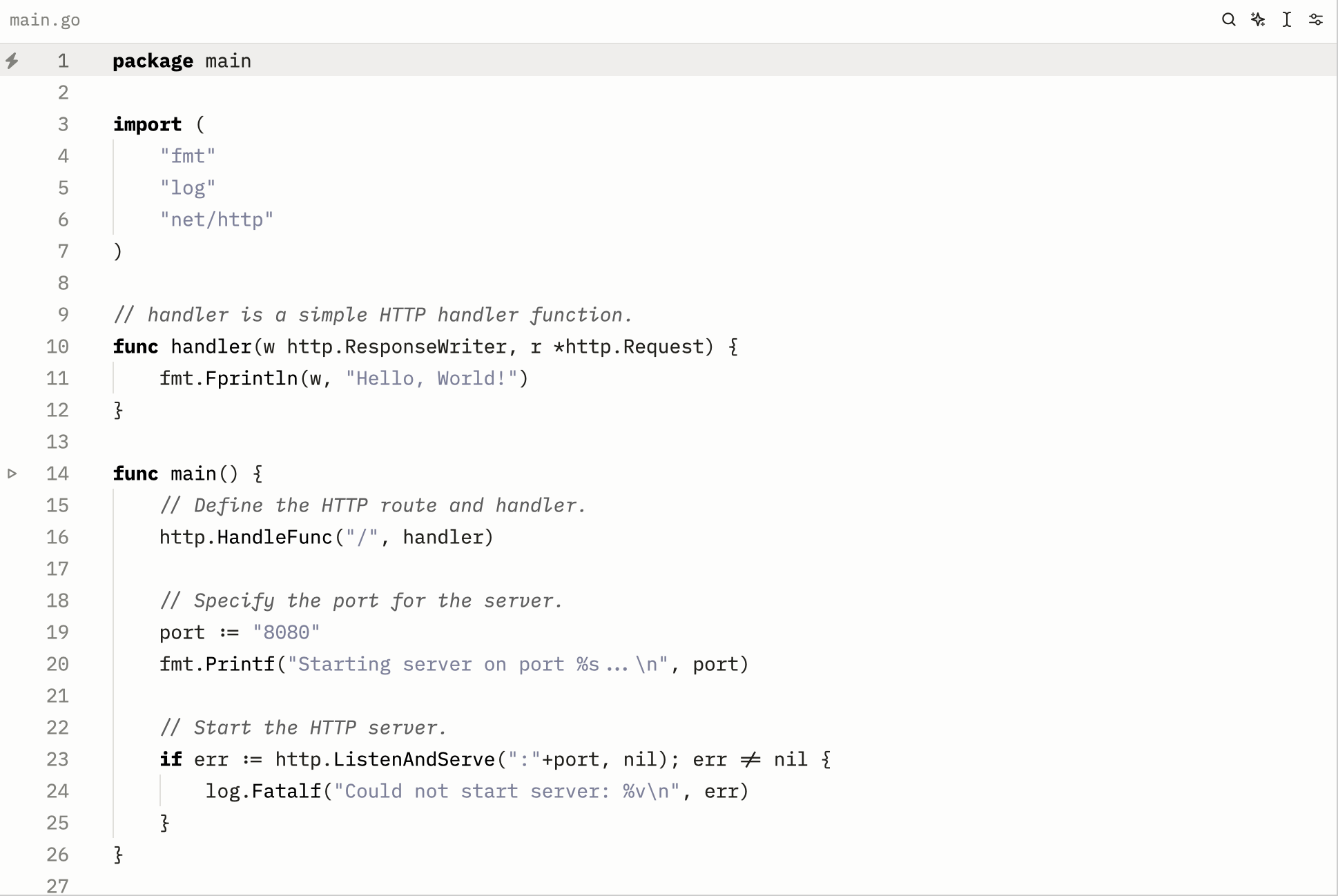
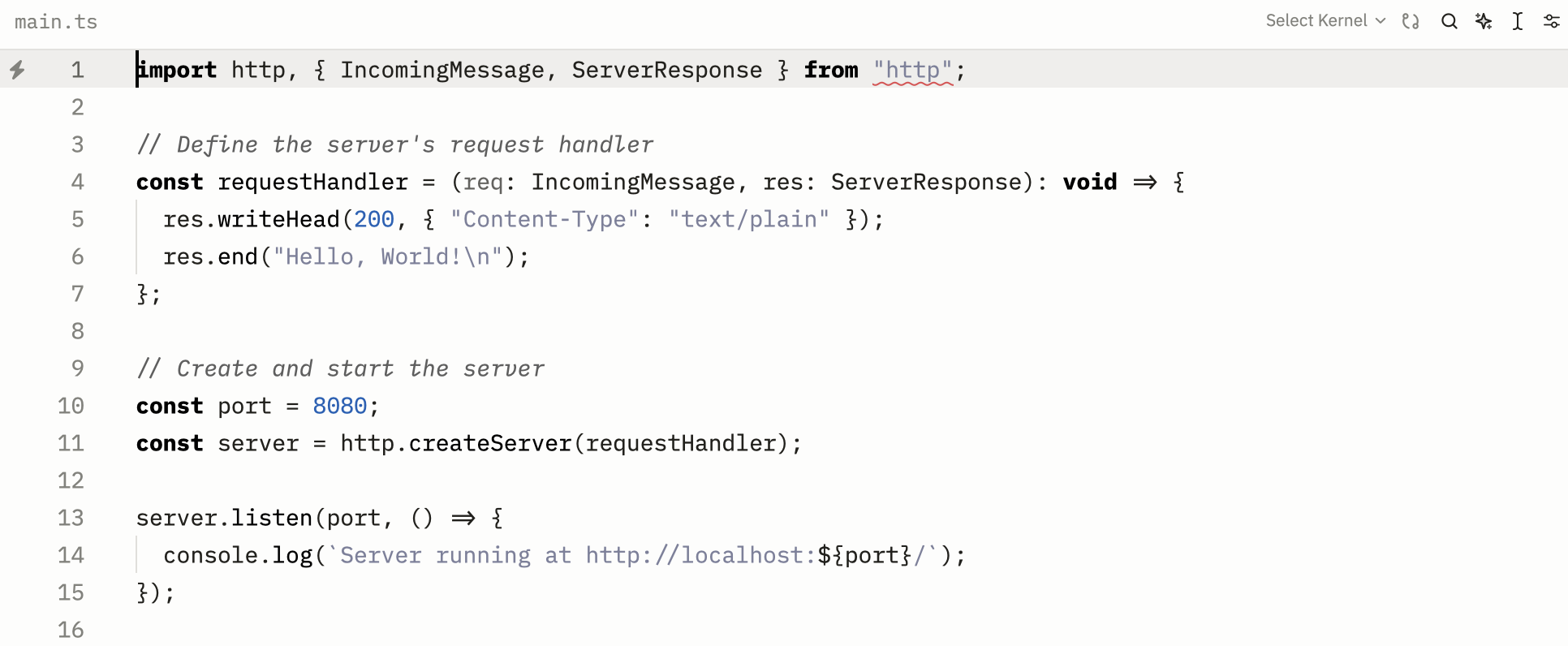
- Syntax Highlighting:
- Comments: Grey (
#5e5e5e) with italicized font. - Strings: Subtle blue-grey (
#7C809B). - Keywords: Bold and black (
#000000). - Numbers: Vibrant blue (
#1561b8). - Functions: Black (
#000000).
- Comments: Grey (
- Conflict and Change Indicators:
- Conflict:
#c4331d - Created:
#1C5708 - Deleted:
#c4331d - Modified:
#b37f02
- Conflict:
- Terminal Support:
- Background:
#f2f2f2 - Foreground:
#000000 - ANSI Colors:
- Black:
#000000 - Red:
#c4331d - Green:
#1C5708 - Yellow:
#b37f02 - Blue:
#1561b8 - Purple:
#5c21a5 - Cyan:
#007872 - White:
#ffffff
- Black:
- Bright ANSI Colors: Similar palette with adjusted brightness.
- Background:
- Status Bar:
- Matches the theme with
#f2f2f2background and#000000foreground.
- Matches the theme with
- Player Styling:
- Background:
#ececec - Cursor: Black (
#000000). - Selection: Subtle grey (
#e6e6e6).
- Background:
Installation
- Clone or download this repository.
- Import the
Grey Themefile into your editor or application that supports custom themes. - Apply the theme and enjoy the minimalist design.
Screenshots
Go Example
Typescript Example
Contributing
Contributions are welcome! If you have suggestions for improvements or find any issues, feel free to create a pull request or open an issue.
License
This theme is licensed under the MIT License.
Designed with ❤️ by Marco Garcia. Feedback is always appreciated!