Eiffel Theme
A port of the Eiffel Textmate theme.
How to install
With Forge Super installed, the button above opens the app on this extension, where you press Install. Nothing is installed until you do.
You can also open the Extensions panel in the app and search for Eiffel Theme. The extension's id is eiffel-theme.
Don't have Forge Super yet? Download it here.
README
From the extension's repository, written by its authors and not by Mentenaz. See the source.
Eiffel theme port
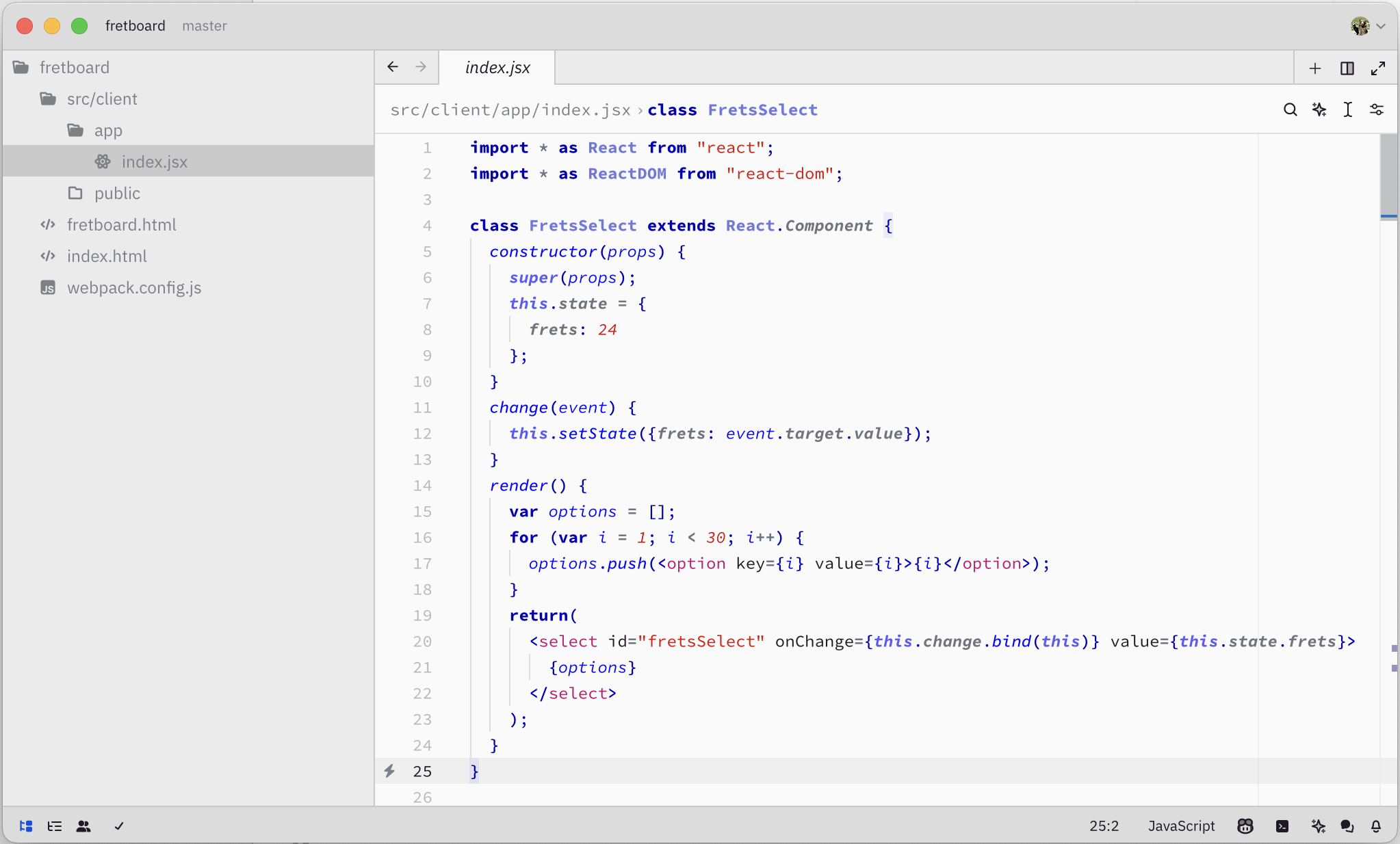
Eiffel Theme ported from the Eiffel TextMate Theme.
I decided to make the port because all the light themes I found for Zed are too little contrast for my preference. I like the Eiffel theme because it is has a nice contrast, and yet is easy on the eyes. The bold keywords allow to parse the code quickly.
The syntax names from TextMate, VScode, or Sublime Text editors do not match
the names in Zed exactly, so I had to come up with a few new colors, such as the
grey for the attributes. I also had to make function color a bit less bold
because it was applying to every type of a function, declaration, call, etc.
Developpers
Please report any issue and improvement request on the GitHub.
Changes
- 0.1.1
- Fixed background/foreground contrast ratio for
emphesisandenumstyles - Dark themes tweaks, more emphasis on deep blue, less saturated greens
- Fixed background/foreground contrast ratio for
- 0.1.0
- Introduced a dark theme variant
- Altered selection colors to be less dark and more readable
- 0.0.2
- Darker terminal colors