Day Shift Theme
A soft theme with light colors for zed
How to install
With Forge Super installed, the button above opens the app on this extension, where you press Install. Nothing is installed until you do.
You can also open the Extensions panel in the app and search for Day Shift Theme. The extension's id is day-shift.
Don't have Forge Super yet? Download it here.
README
From the extension's repository, written by its authors and not by Mentenaz. See the source.
Day Shift Theme
Introduction
This theme's main goal is to provide a dark, readable & clean experience into your favorite code editor.
In order to stay soft to the eyes, it uses a desaturated color palette and uses only bold characters for function names as they are what describes your code the better.
Visit Day Shift website for more info.
You can find a VSCode port of this theme here.
You'll find an iTerm2 port of this theme here.
A Warp Terminal port is available here.\
Preview
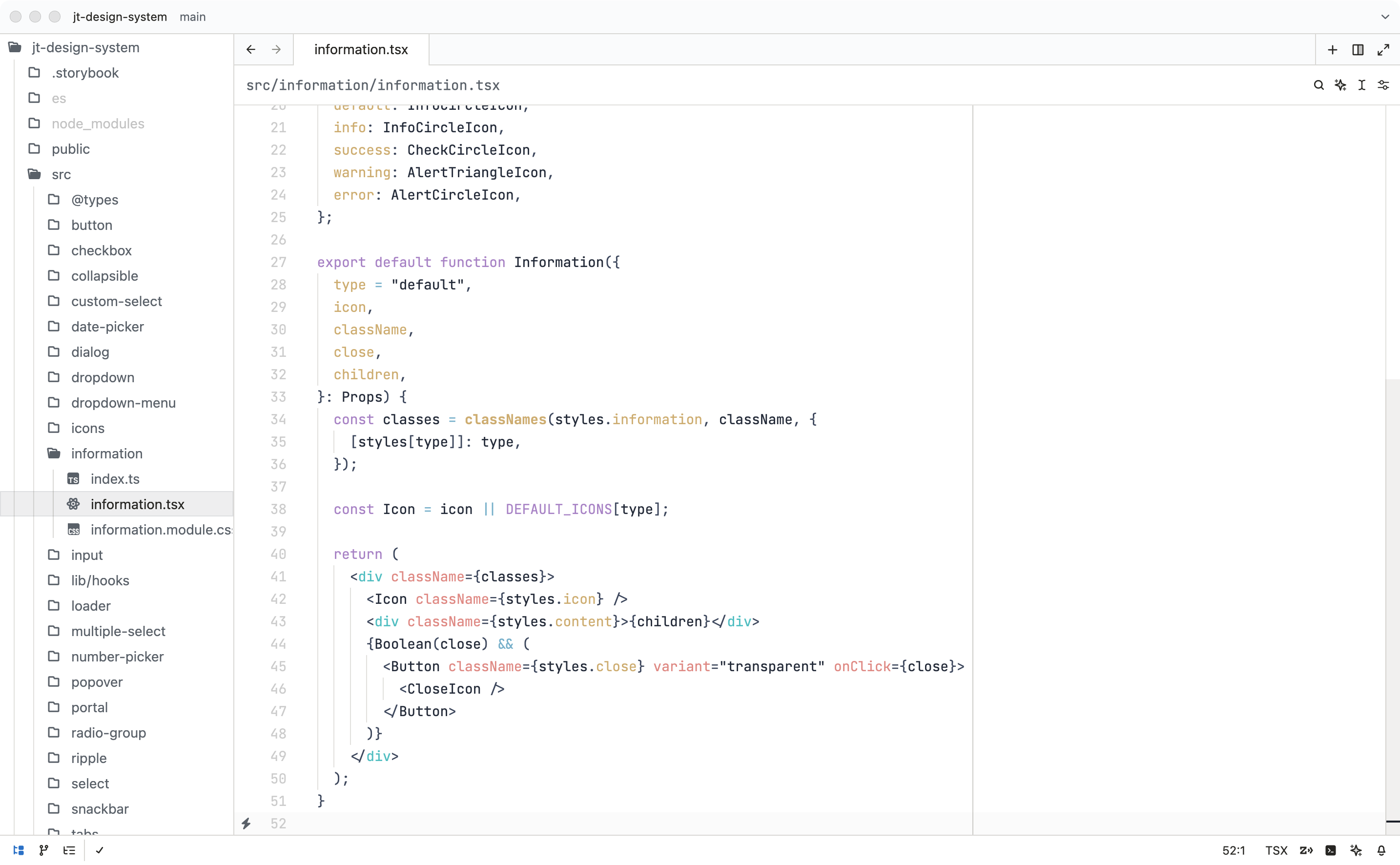
Colors
| Color | Hex Code | Used for |
|---|---|---|
| #1e2737 Deep dark blue | #1e2737 | Variable names |
| #39465e Dark blue | #39465e | Comments - Names entities - SCSS include, mixins params & parenthesis - CSS units - Regex - Parameters - Tag brackets |
| #74829b Medium blue | #74829b | Template expressions - Strings - Storage keywords - CSS class selector |
| #6db3ce Blue | #6db3ce | Tag brackets - Escape characters - Operators - Special operators |
| #e78482 Red | #e78482 | Tag attributes - Units - Pseudo CSS |
| #8fc8bb Green | #8fc8bb | Static types - CSS constant variables |
| #e0b972 Yellow | #e0b972 | Function names - JSON property name - CSS transition name, ID selector - Inherited classes - Language variables |
| #ad82cb Magenta | #ad82cb | Constants - Pseudo CSS - Keywords |
| #2fc2c3 Cyan | #2fc2c3 | Tags selector |
Installation
Install this theme from the extension panel: search for "Day Shift Theme".
You can find this theme in the Zed extension Marketplace.
Support
Do not hesitate to contact me if you have some suggestions of improvements or language addition requests.