Cynosure Light Theme
Cyberpunk 2077, Phantom Liberty inspired theme
How to install
With Forge Super installed, the button above opens the app on this extension, where you press Install. Nothing is installed until you do.
You can also open the Extensions panel in the app and search for Cynosure Light Theme. The extension's id is cynosure-light-theme.
Don't have Forge Super yet? Download it here.
README
From the extension's repository, written by its authors and not by Mentenaz. See the source.
Cynosure Light Theme for Zed
A Zed port of the Cynosure Light Theme for VS Code: soft, creamy, warm light theme inspired by Cyberpunk 2077: Phantom Liberty.
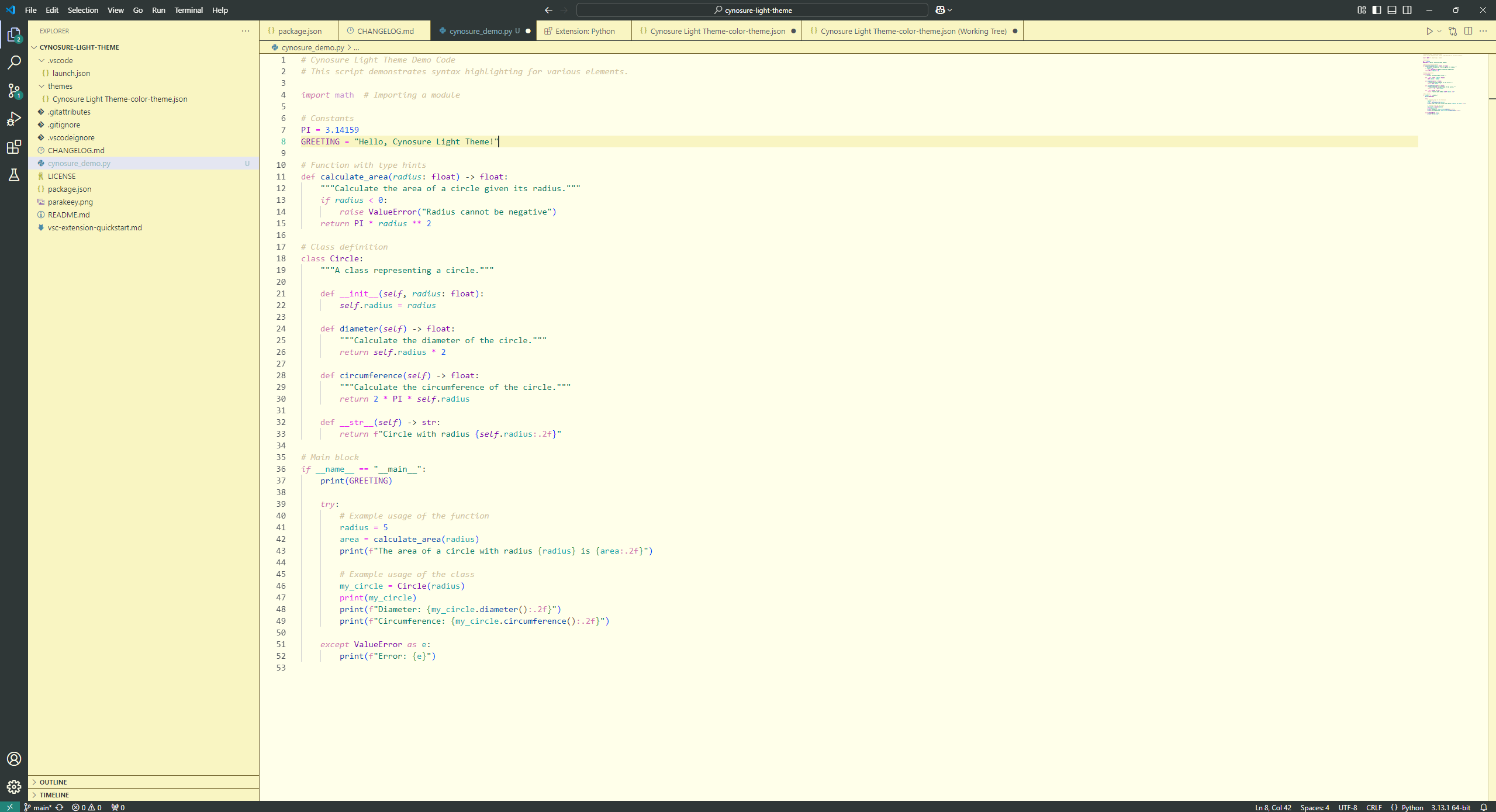
Installation
Open the Zed extension marketplace (zed: extensions), search Cynosure Light Theme, install, then pick it with theme selector: toggle.
To try it before it's published: zed: install dev extension and select a clone of this repository.
Color Palette
Editor
| Color | Hex | Usage |
|---|---|---|
| #FFFFEA Cream | #FFFFEA | Editor, terminal, active tab |
| #F9F5C2 Butter | #F9F5C2 | Panels, tab bar, title/status bar, active line |
| #766832 Olive | #766832 | Borders |
| #C6D5FE Periwinkle | #C6D5FE | Selection, hover |
| #228479 Deep Teal | #228479 | Focus, accent |
| #44BCA2 Mint | #44BCA2 | Active line number |
Syntax
| Color | Hex | Usage |
|---|---|---|
| #2F3737 Charcoal | #2F3737 | Text, punctuation, parameters |
| #D075B0 Orchid | #D075B0 | Keywords, storage |
| #017762 Jade | #017762 | Strings |
| #0047AB Cobalt | #0047AB | Functions |
| #7A00AB Violet | #7A00AB | Types, classes, namespaces |
| #13A6AB Cyan | #13A6AB | Variables, properties, tags |
| #1256EF Electric Blue | #1256EF | Constants, numbers, attributes |
| #E81AEF Magenta | #E81AEF | Operators, escapes, regex, enum members |
| #D0C39C Sand | #D0C39C | Comments (italic) |
Differences from the VS Code version
Zed uses one text colour for the whole UI, so the dark charcoal (#2F3737) title bar, status bar and active tab from VS Code would make their labels unreadable. In Zed those use the butter/cream surfaces instead; everything else maps 1:1.