Coolnight
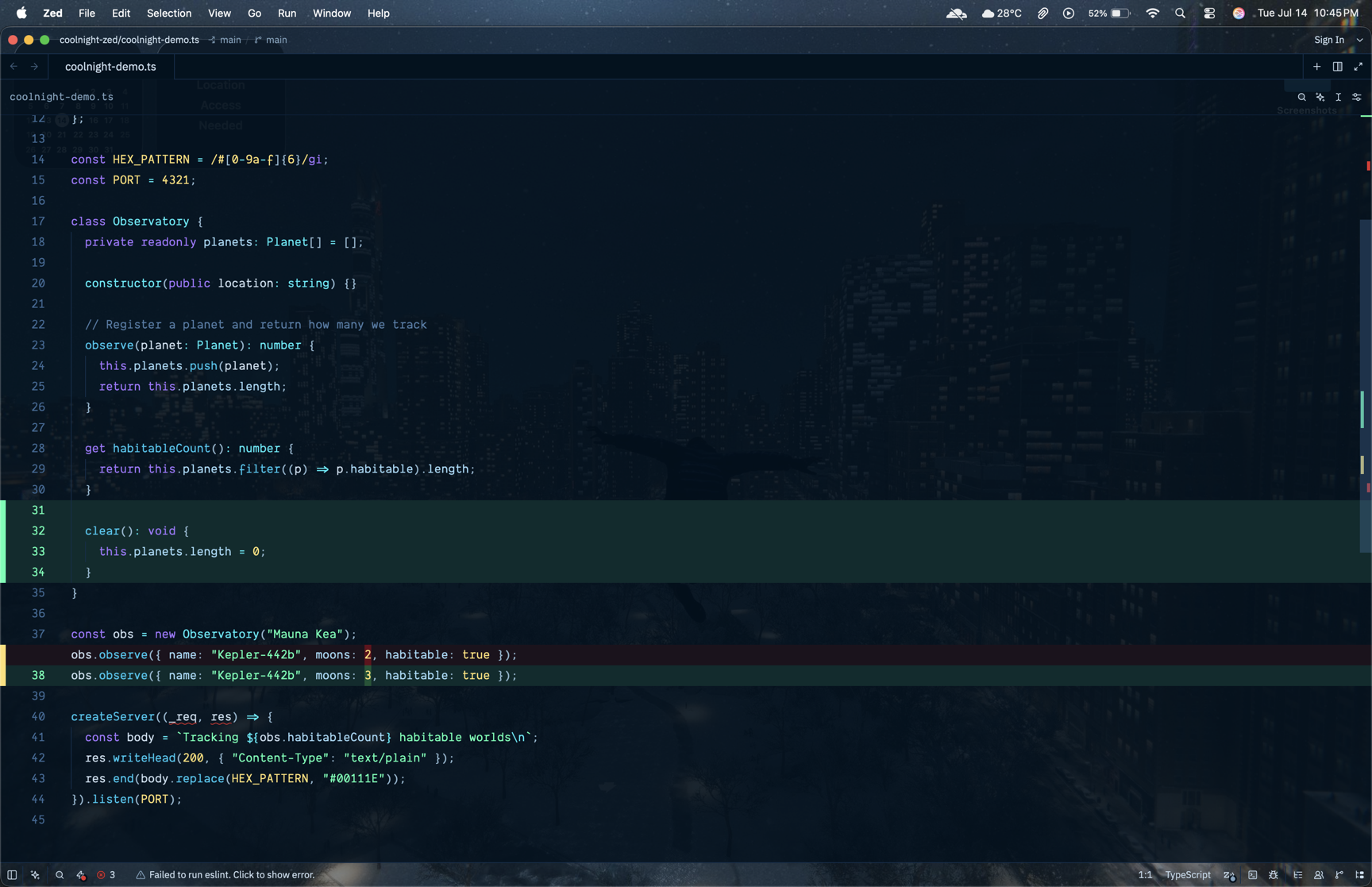
A dark blue theme based on the coolnight colorscheme by Josean Martinez.
How to install
With Forge Super installed, the button above opens the app on this extension, where you press Install. Nothing is installed until you do.
You can also open the Extensions panel in the app and search for Coolnight. The extension's id is coolnight-theme.
Don't have Forge Super yet? Download it here.
README
From the extension's repository, written by its authors and not by Mentenaz. See the source.
Coolnight for Zed
A dark blue theme for Zed, ported from the coolnight colorscheme created by Josean Martinez for Alacritty, WezTerm, iTerm2, and Ghostty.
Deep navy background, neon green cursor, and cool blue/cyan/purple accents — with full syntax highlighting, diff/git colors, and terminal palette support.
Installation
Search for Coolnight in Zed's extensions (cmd-shift-x), or install manually:
git clone https://github.com/ShayanAbbas1/coolnight-zed
Then in Zed: zed: install dev extension and select the cloned folder.
Select the theme via theme selector: toggle (cmd-k cmd-t) → Coolnight, Coolnight Transparent (see-through window, 90% opacity), or Coolnight Blurred (same, with background blur).
Palette
| Background | #00111E |
| Foreground | #CBE0F0 |
| Cursor | #47FF9C |
| Blue | #0FC5ED |
| Cyan | #24EAF7 |
| Green | #44FFB1 |
| Yellow | #FFE073 |
| Red | #E52E2E |
| Purple | #A277FF |
Acknowledgments
- All colors come from the original coolnight colorscheme by Josean Martinez — check out his dev environment videos and dotfiles.
- Inspired by the Aura theme aesthetic.
License
MIT — see LICENSE.