Charbox Theme
A high-contrast, Gruvbox-inspired Zed theme.
Themes
How to install
With Forge Super installed, the button above opens the app on this extension, where you press Install. Nothing is installed until you do.
You can also open the Extensions panel in the app and search for Charbox Theme. The extension's id is charbox-theme.
Don't have Forge Super yet? Download it here.
README
From the extension's repository, written by its authors and not by Mentenaz. See the source.
Charbox Theme
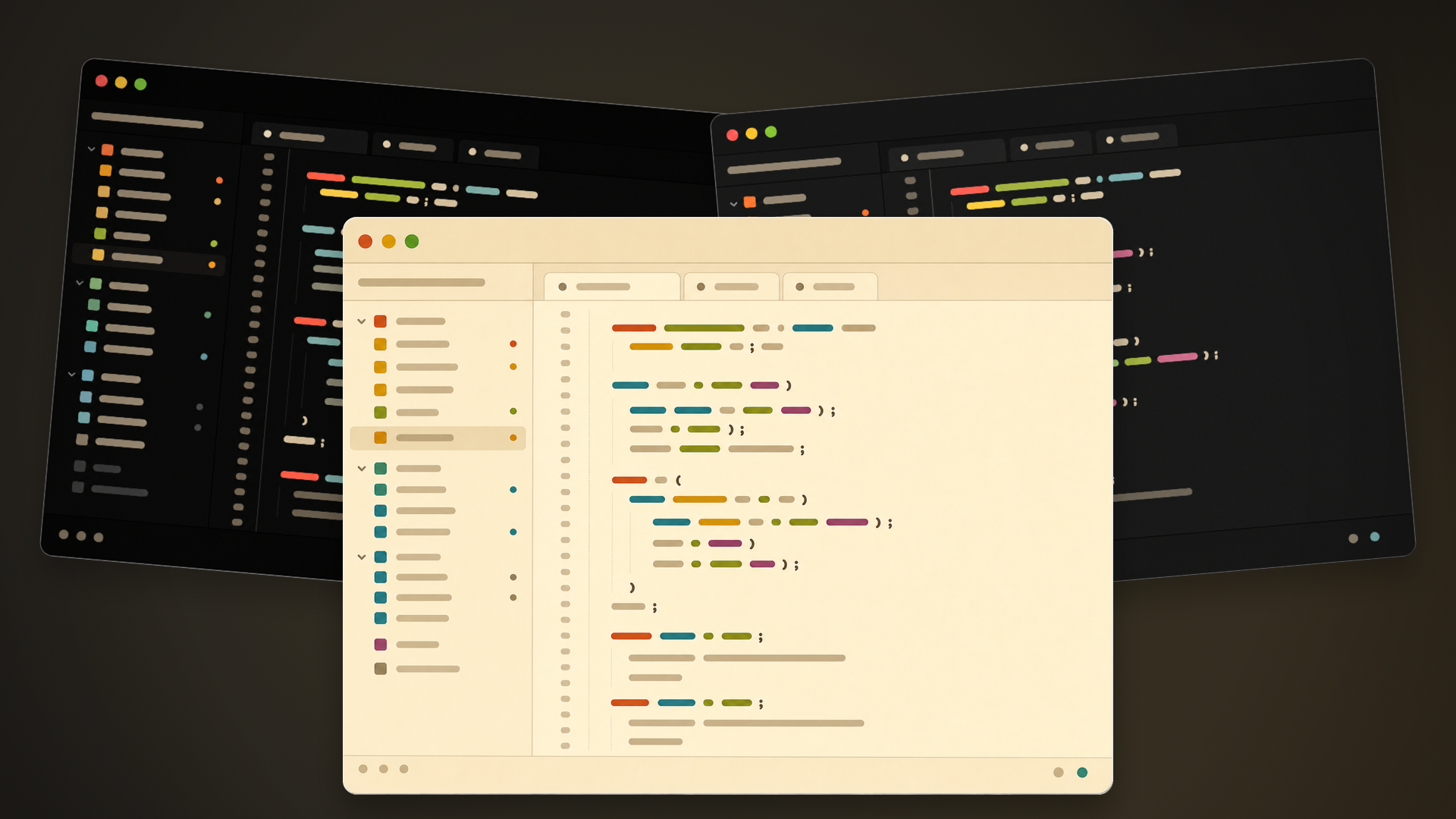
A high-contrast, Gruvbox-inspired theme family for Zed.
Themes included
- Charbox
- Charbox Midnight
- Charbox Midnight Alt
- Charbox Sepia
Local development install
- Open Zed.
- Open Extensions with
cmd-shift-xon macOS orctrl-shift-xon Linux/Windows. - Click Install Dev Extension, or run
zed: install dev extensionfrom the command palette. - Select this repository folder, the one containing
extension.toml. - Open the theme selector with
cmd-k cmd-t/ctrl-k ctrl-tand select a Charbox variant.
Development
Theme styles live in themes/charbox.json. After editing theme values, reload the dev extension in Zed if changes do not appear immediately.
License
Charbox is released under the MIT License. See LICENSE and NOTICE.md.