Blueprint Dark Theme
Blueprint Dark Theme
Themes
How to install
With Forge Super installed, the button above opens the app on this extension, where you press Install. Nothing is installed until you do.
You can also open the Extensions panel in the app and search for Blueprint Dark Theme. The extension's id is blueprint-dark-theme.
Don't have Forge Super yet? Download it here.
README
From the extension's repository, written by its authors and not by Mentenaz. See the source.
Blueprint Dark
A dark theme inspired by the engineering blueprints of the 1800s, with a pragmatic twist in color choices for syntax highlighting.
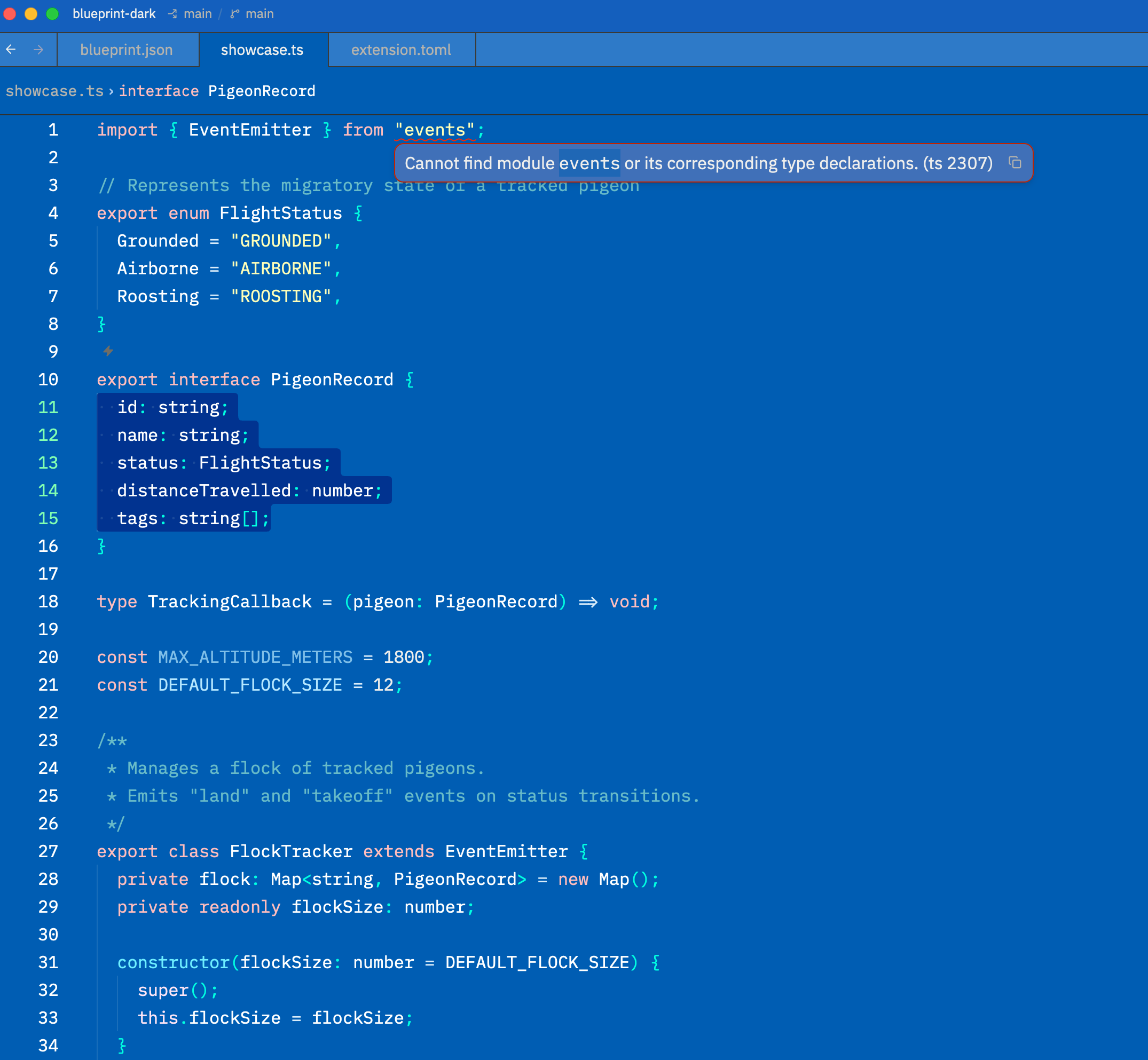
Installation
Find it in the Zed extension marketplace, search Blueprint Dark Theme, and install.
Color Palette
Editor
| Color | Hex | Usage |
|---|---|---|
| #005DB3 Deep Blueprint | #005DB3 | Editor background |
| #1360BD Blueprint | #1360BD | App background, status bar |
| #2F7AC8 Blueprint Light | #2F7AC8 | Panels, tab bar, surfaces |
| #00448C Blueprint Dark | #00448C | Active line highlight |
Syntax
| Color | Hex | Usage |
|---|---|---|
| #FFFFFF White | #FFFFFF | Types, variables, properties |
| #6EEFFF Cyan | #6EEFFF | Functions |
| #FFFFB8 Pale Yellow | #FFFFB8 | Strings |
| #FFBDBD Rose | #FFBDBD | Keywords |
| #67BBC9 Teal | #67BBC9 | Comments |
| #9FFCCC Mint | #9FFCCC | Attributes |
| #F5AEF5 Lavender | #F5AEF5 | Booleans |
| #B5E7FF Ice Blue | #B5E7FF | Constants |
| #00FFE1 Electric Teal | #00FFE1 | Punctuation, brackets |
| #D9ECFA Pale Blue | #D9ECFA | Operators |
Diagnostics
| Color | Hex | Usage |
|---|---|---|
| #FF2600 Red | #FF2600 | Errors |
| #FFA600 Amber | #FFA600 | Warnings |
| #15EBC3 Teal | #15EBC3 | Modified |
| #19FF00 Green | #19FF00 | Created |
| #FFB5B5 Pink | #FFB5B5 | Deleted |