Astral Theme
🌘 A polished collection of balanced dark and light themes for Zed.
How to install
With Forge Super installed, the button above opens the app on this extension, where you press Install. Nothing is installed until you do.
You can also open the Extensions panel in the app and search for Astral Theme. The extension's id is astral-theme.
Don't have Forge Super yet? Download it here.
README
From the extension's repository, written by its authors and not by Mentenaz. See the source.
Astral Themes for Zed
License: MIT Version Zed Extension Themes
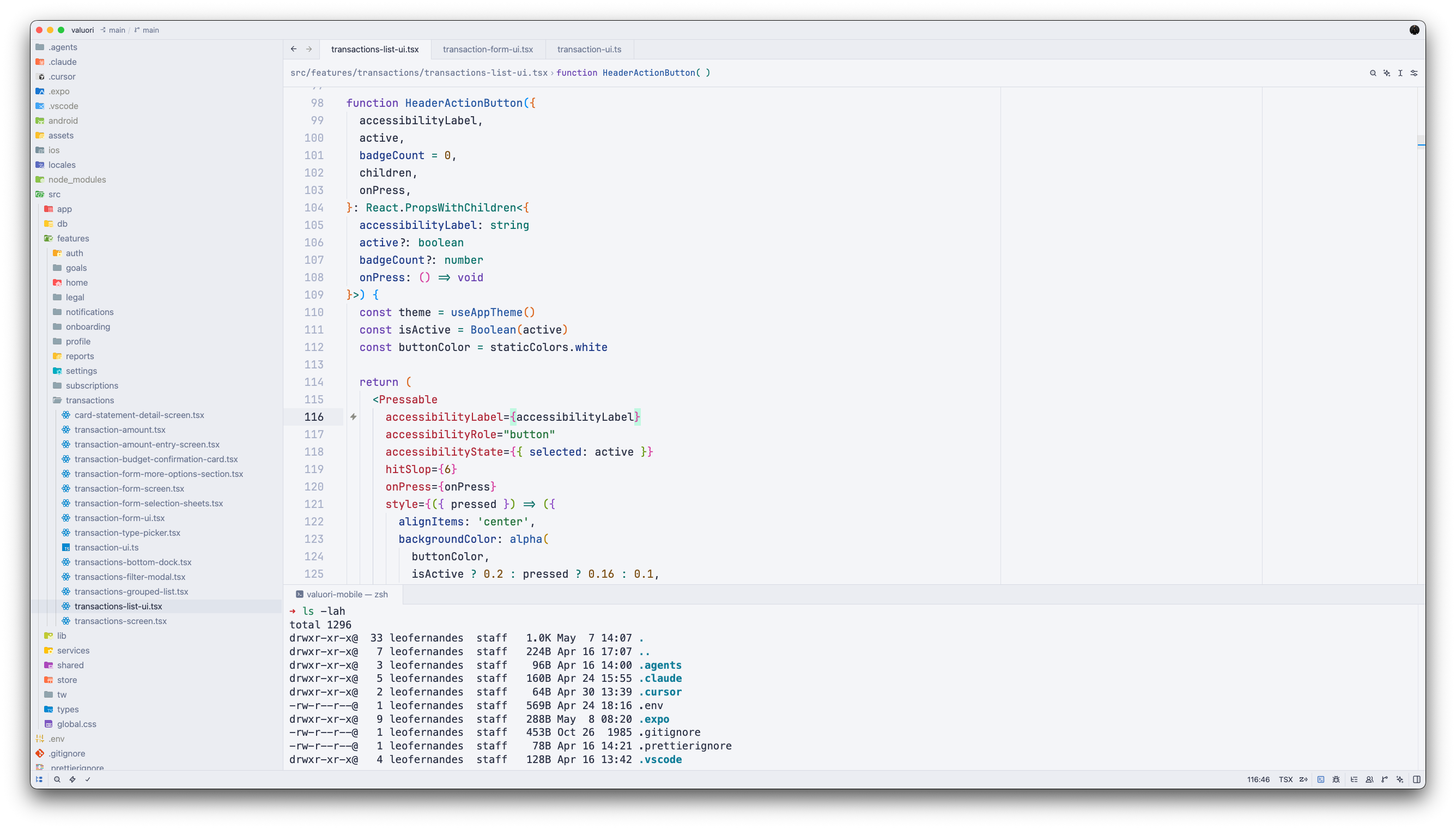
A collection of five carefully crafted themes for the Zed editor. Astral themes are built around a single principle: coding should feel effortless. Every color choice prioritizes readability and reduced eye strain without sacrificing elegance.
Themes
Dark
Astral Eclipse
Deep blue-gray background with a cool, focused palette. Clean syntax colors inspired by the best of modern dark themes.
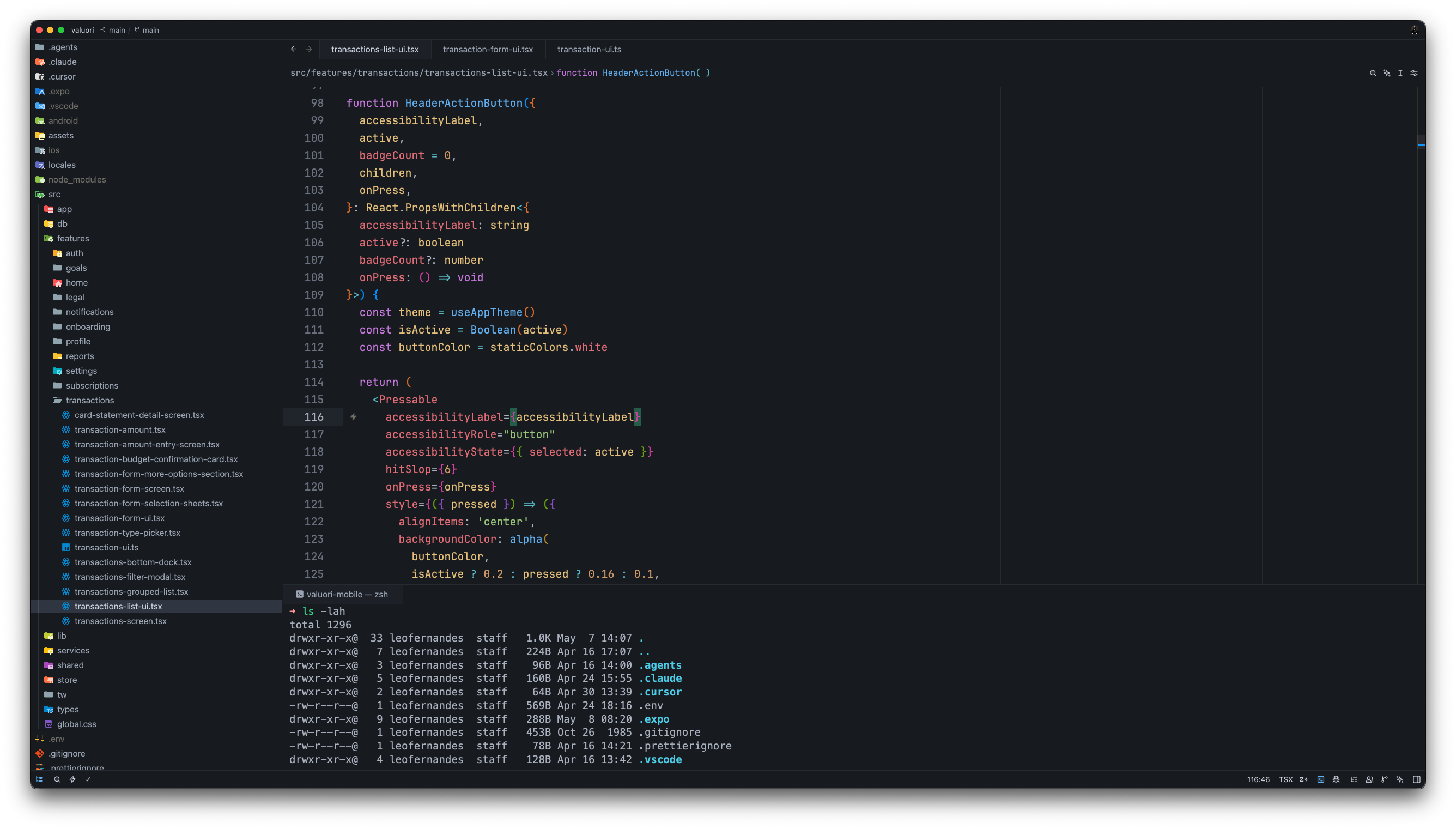
Astral Luna
Midnight blue with subtle contrast gradients — calm, immersive, and easy on the eyes during late-night sessions.
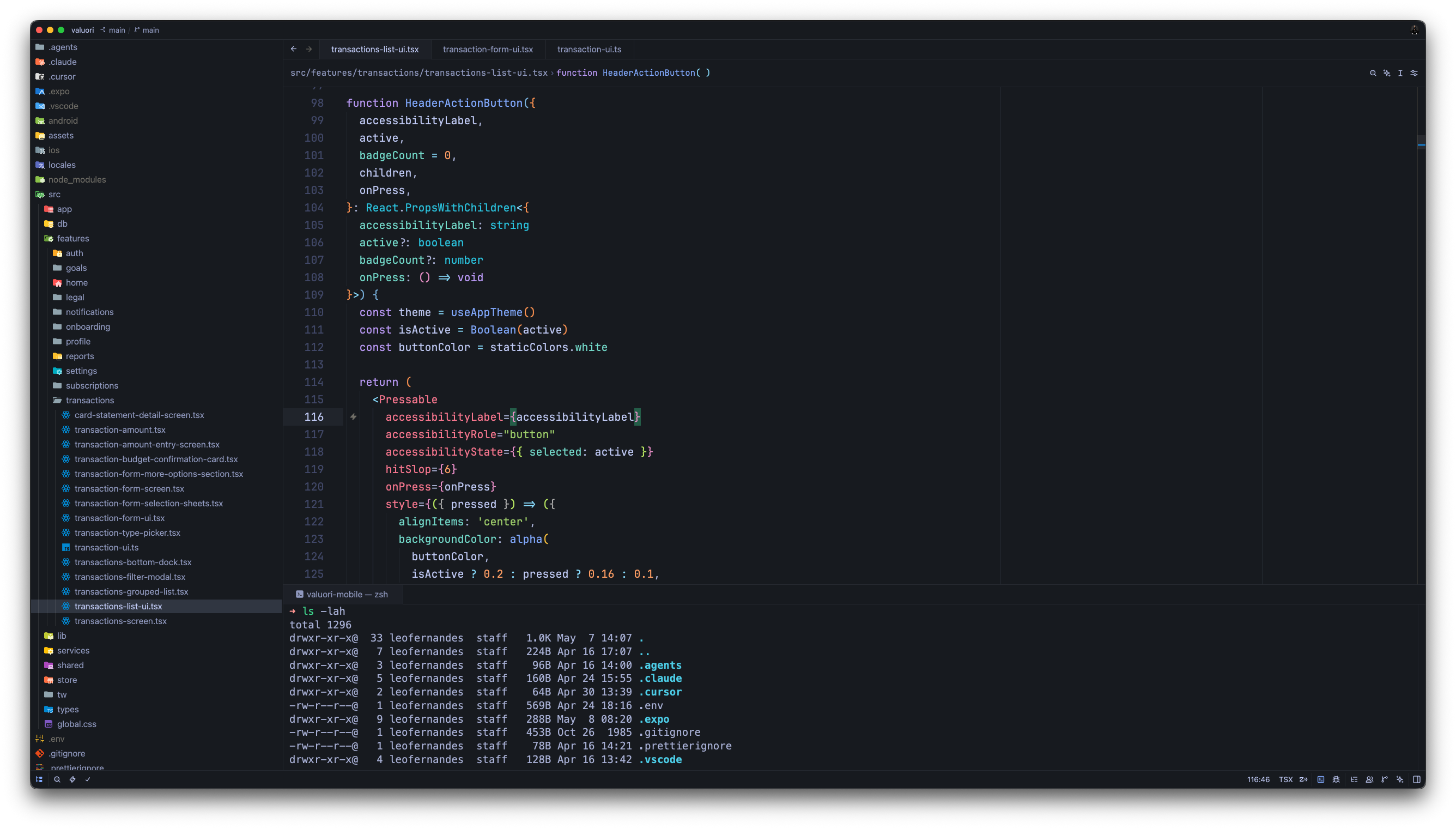
Astral Solstice
Warm dark tones with a rich brown-charcoal base. For developers who prefer depth and warmth over cold grays.
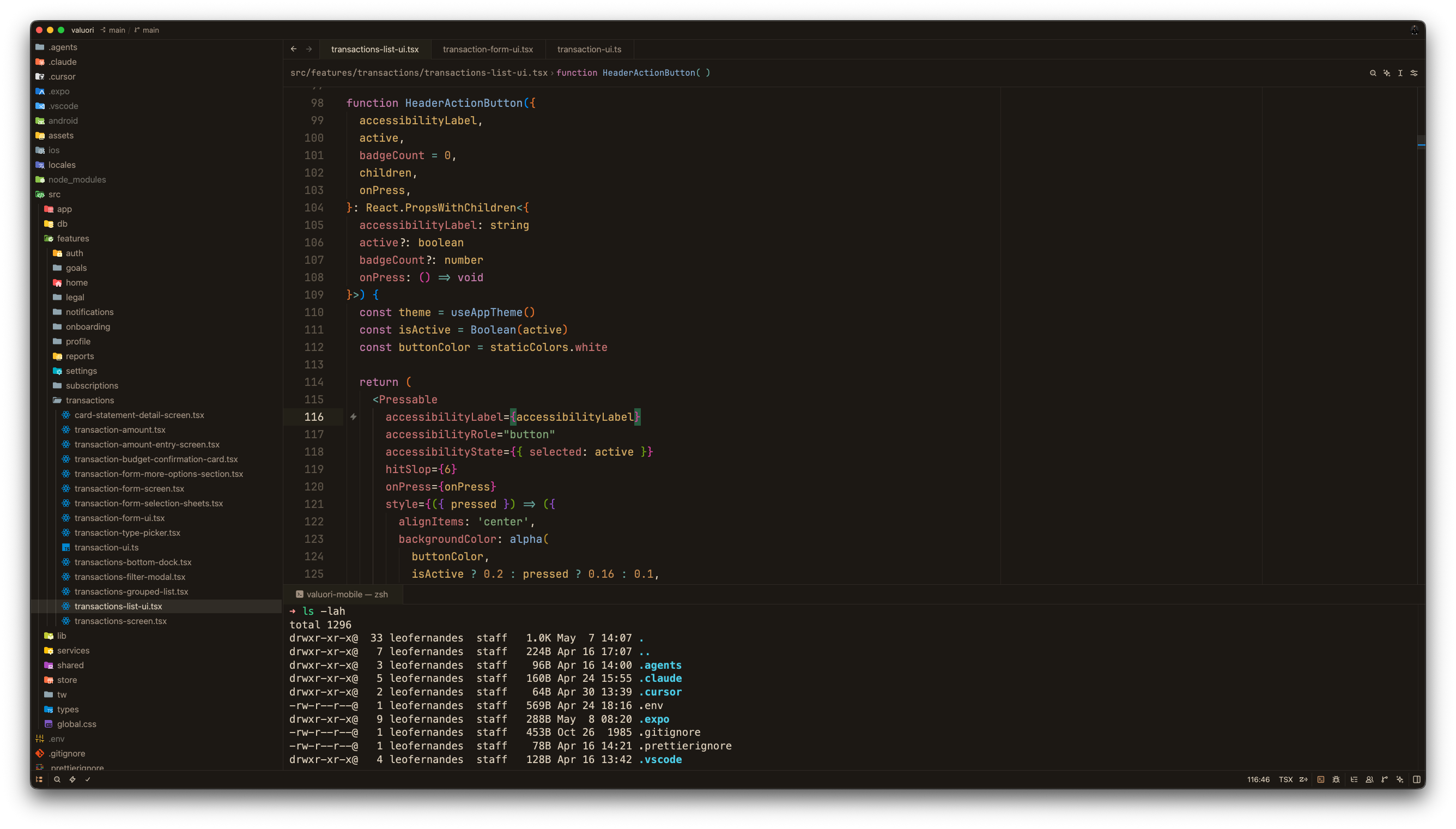
Light
Astral Aura
Soft cream and warm earth tones. A warm, paper-like light theme that feels natural in bright environments.
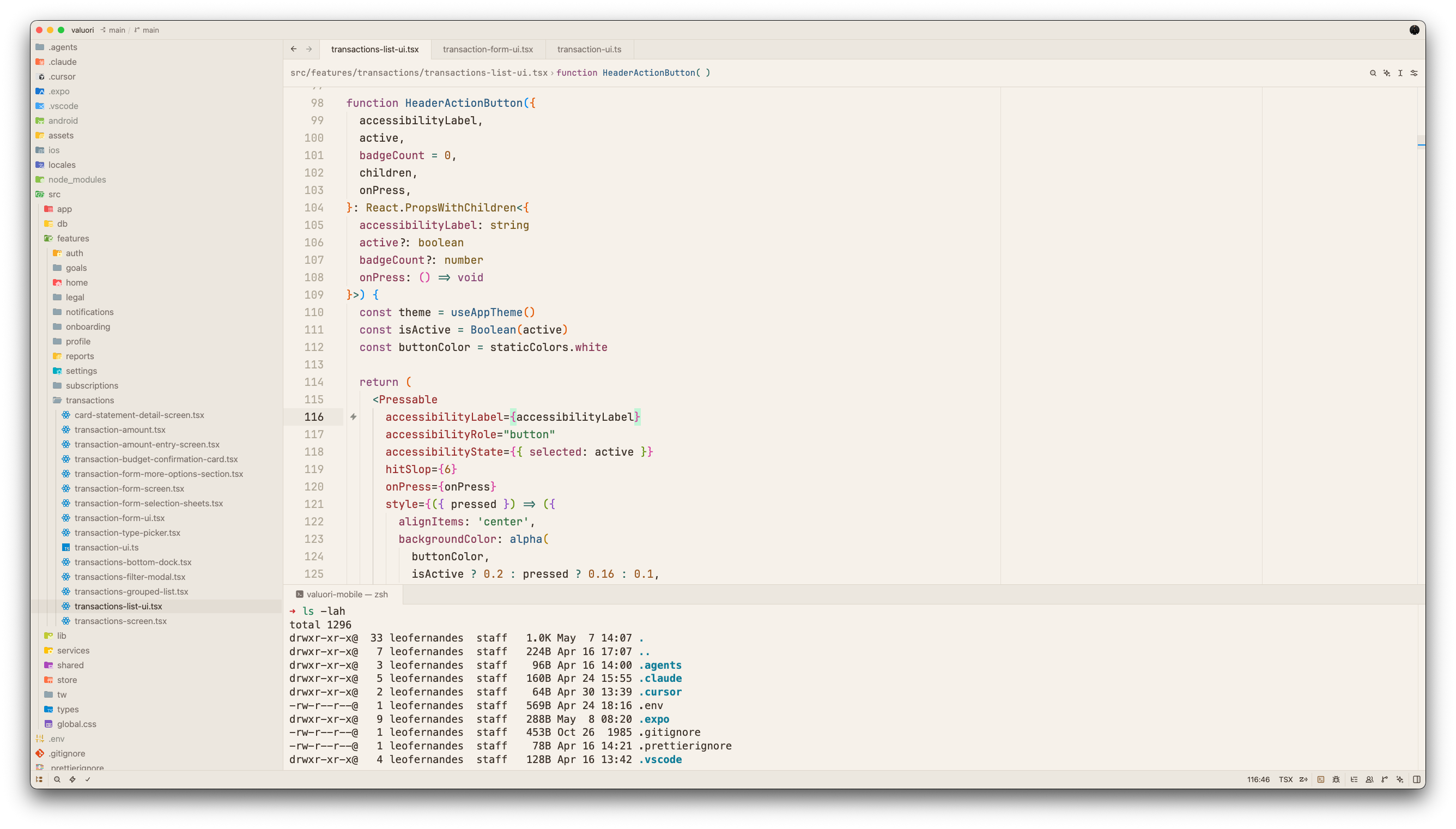
Astral Clair
Crisp cool-gray with refined contrast. Clean and minimal — ideal for a distraction-free workspace.
Installation
Via Zed Extensions Panel
- Open Zed
- Press
Cmd+Shift+X(macOS) orCtrl+Shift+X(Linux/Windows) to open Extensions - Search for Astral Themes
- Click Install
Activate a Theme
- Open the command palette (
Cmd+Shift+P/Ctrl+Shift+P) - Run
theme selector: toggle - Search for any Astral theme and select it
Design Philosophy
Astral themes are designed for long coding sessions. The guiding principles behind every palette:
- Reduced eye strain — contrast ratios are tuned to be readable without being harsh
- Semantic clarity — syntax colors are chosen to make code structure immediately obvious
- Aesthetic cohesion — UI chrome, editor, and terminal share a unified color language
- Dark and light balance — both variants are first-class; neither is an afterthought
Contributing
Issues and suggestions are welcome via GitHub Issues.
License
MIT © 2026 Léo Fernandes