Arctikai
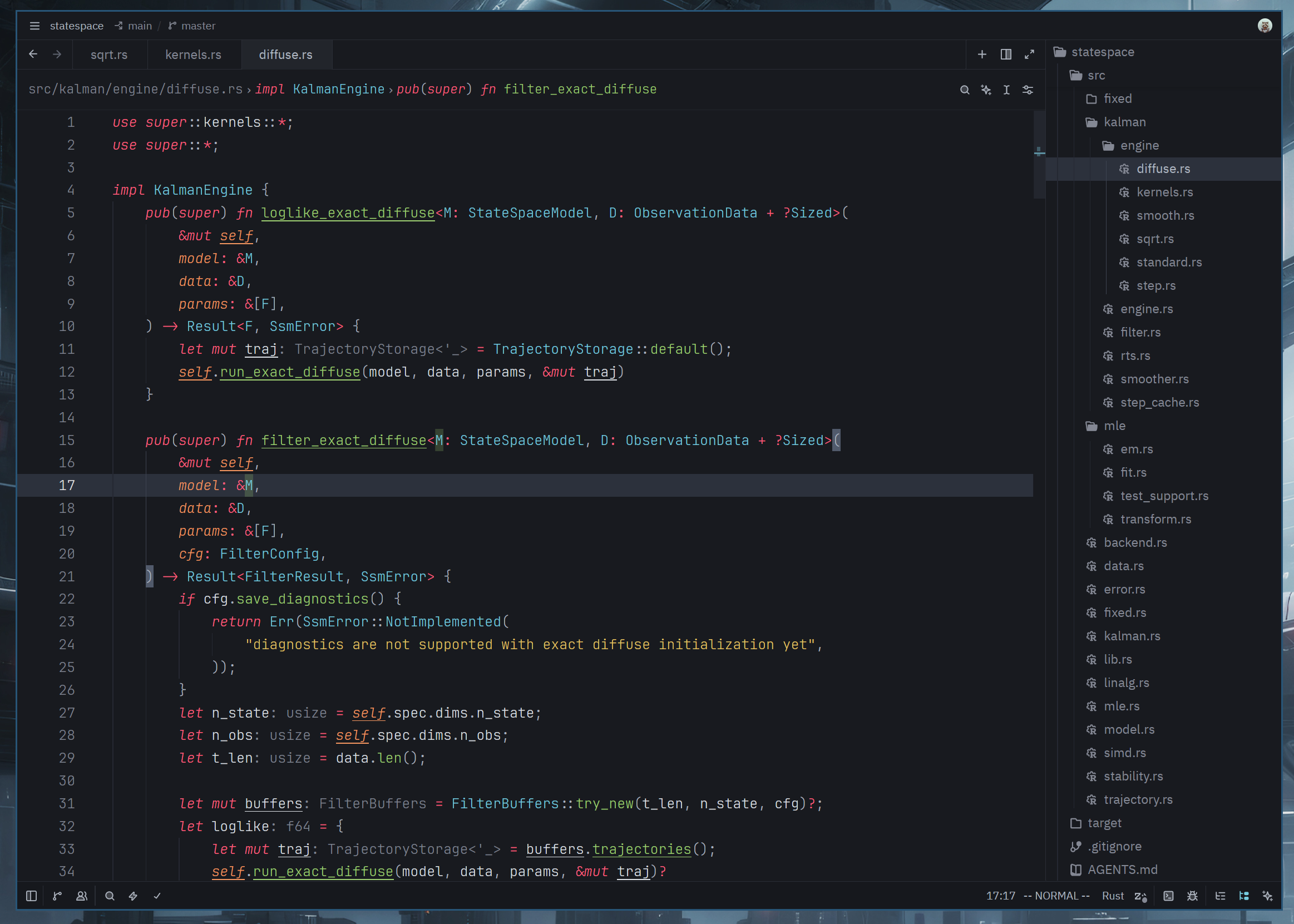
A cool-toned, muted, and restrained theme inspired by the Monokai Pro color scheme
How to install
With Forge Super installed, the button above opens the app on this extension, where you press Install. Nothing is installed until you do.
You can also open the Extensions panel in the app and search for Arctikai. The extension's id is arctikai-theme.
Don't have Forge Super yet? Download it here.
README
From the extension's repository, written by its authors and not by Mentenaz. See the source.
Arctikai ❄️
A cool-toned, muted, and restrained dark theme for Zed.
Arctikai is inspired by the Monokai Pro color scheme, with additional influence from Monokai Pirokai. It keeps the Monokai energy, but shifts it toward a colder, quieter palette for long focused coding sessions.
Preview 🖼️
Installation 📦
From Zed Extensions
- Open Zed.
- Open the command palette with
Cmd+Shift+Pon macOS orCtrl+Shift+Pon Linux/Windows. - Run
zed: extensions. - Search for
Arctikaiand install the extension. - Run
theme selector: toggleand selectArctikai.
Manual Installation
Clone the repository and copy the theme into your Zed themes directory:
git clone https://github.com/hexqnt/arctikai.git
cd arctikai
mkdir -p ~/.config/zed/themes
cp themes/arctikai.json ~/.config/zed/themes/
Then restart Zed or run workspace: reload, open theme selector: toggle, and choose Arctikai.
Recommended Zed Settings ⚙️
Some visual details are controlled by Zed settings rather than the theme schema.
You can add this to your Zed settings.json and adjust it to taste:
{
  "theme": {
    // Keep Arctikai selected for dark mode.
    "mode": "system",
    "dark": "Arctikai"
  },

  // Recommended coding fonts.
  // Try these in order:
  // - "JetBrainsMono Nerd Font"
  // - "Fira Code Nerd Font"
  // - "Hack Nerd Font"
  "buffer_font_family": "JetBrainsMono Nerd Font",
  "buffer_font_fallbacks": ["Fira Code Nerd Font", "Hack Nerd Font"]

  // Use the same family in the integrated terminal for consistent icons/glyphs.
  "terminal": {
    "font_family": "JetBrainsMono Nerd Font",
  },

  // Arctikai is tuned to look good with programming ligatures enabled.
  "buffer_font_features": {
    "calt": true,
    "liga": true,
    "zero": true,
  }

  // I like to see mutable and immutable variables in code
  "global_lsp_settings": {
    "semantic_token_rules": [
      {
        "token_modifiers": ["mutable"],
        "underline": true,
      },
    ],
  },

  // Languages for which this makes sense.
  // Will work if the LSP can return a mutable modifier
  "languages": {
    "Rust": {
      "semantic_tokens": "combined",
    },
    "Zig": {
      "semantic_tokens": "combined"
    },
    "Kotlin": {
      "semantic_tokens": "combined",
    },
    "Swift": {
      "semantic_tokens": "combined",
    },
    "Scala": {
      "semantic_tokens": "combined",
    },
  },

}