Arctic Depth
A sleek, high-contrast dark blue theme for Zed
Themes
How to install
With Forge Super installed, the button above opens the app on this extension, where you press Install. Nothing is installed until you do.
You can also open the Extensions panel in the app and search for Arctic Depth. The extension's id is arctic-depth.
Don't have Forge Super yet? Download it here.
README
From the extension's repository, written by its authors and not by Mentenaz. See the source.
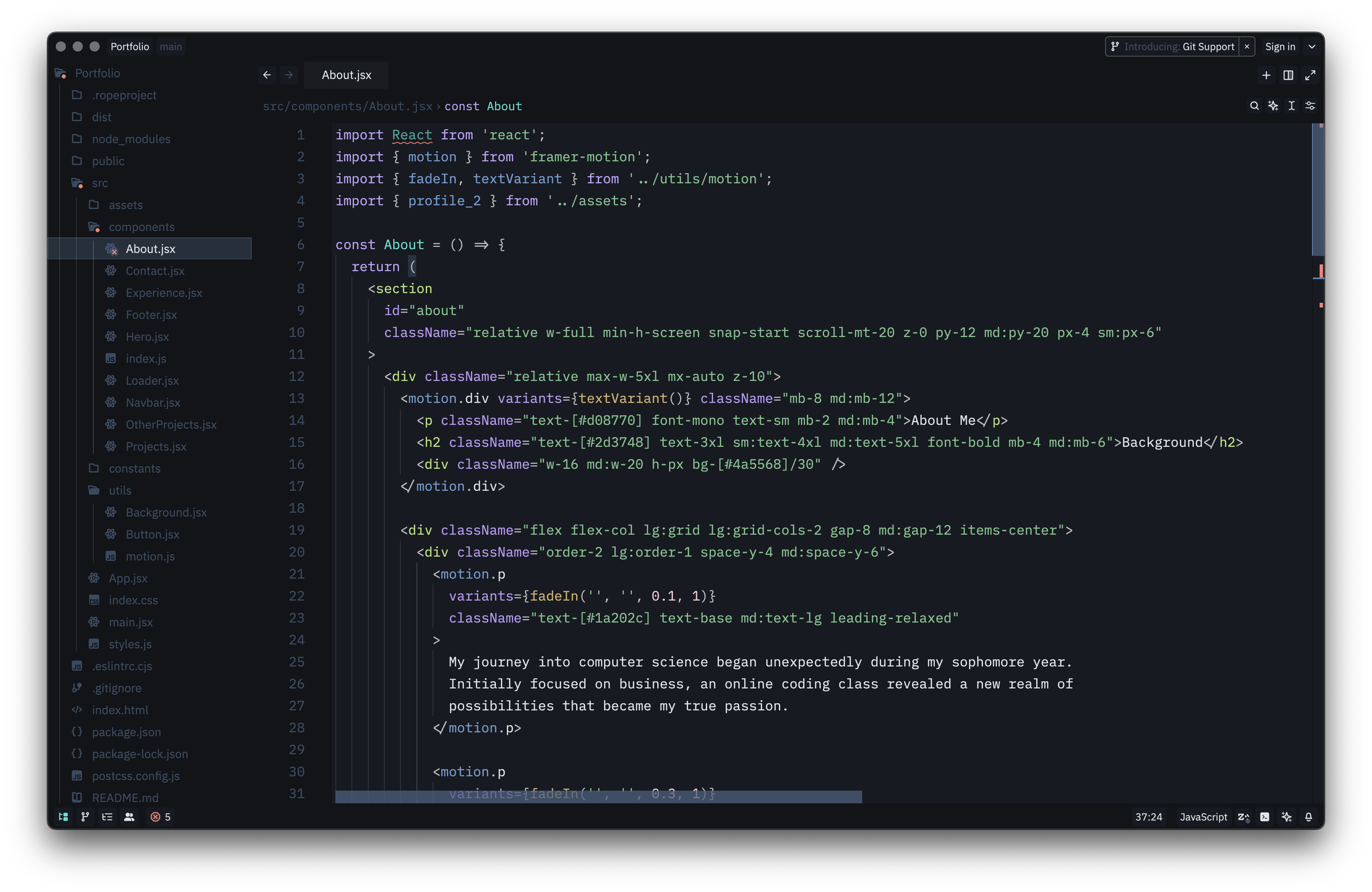
✨ Features
- 🎨 Deep Blue Palette: Carefully selected blues that reduce eye strain
- 🔍 High Contrast: Clear distinction between syntax elements
- 🧊 Modern Aesthetic: Clean, futuristic design with attention to detail
- 💻 Comprehensive Language Support: Optimized for JavaScript, TypeScript, Python, HTML, CSS, and more
- 🖥️ Terminal Colors: Custom ANSI color scheme that matches the theme
📦 Installation
Method 1: Manual Install
- Download these files from the latest release:
themes/arctic-depth-color-theme-zed.jsonpackage.json
- Copy them to Zed's themes folder:
mkdir -p ~/.zed/themes cp themes/arctic-depth-color-theme-zed.json ~/.zed/themes/ cp package.json ~/.zed/themes/ - Restart Zed and select the theme.
Method 2: Clone Repository
git clone https://github.com/MarvellinusVincent/Arctic-Depth-Zed.git ArcticDepthZed
cd ArcticDepthZed
mkdir -p ~/.zed/themes
cp themes/arctic-depth-color-theme-zed.json ~/.zed/themes/
cp package.json ~/.zed/themes/
🙌 Support
If you enjoy using Arctic Depth, consider supporting the project:
- ⭐ Star the repository to show your appreciation
- 🐛 Report bugs or issues by opening a GitHub Issue
- 💖 Share the theme with your developer friends
- 📬 Suggest features or improvements — feedback is much appreciated!
📄 License
This project is licensed under the terms of the MIT License.